Shiji Digital PayBy
Version
3.25
Project
Shiji Digital | PayBy

New Features 🚀

Email/Landing page templates can now be edit via visual edit tool

You now can create and update email and landing page templates directly in our visual editor. Drag and drop blocks, adjust styling and preview changes in real time.

PayBy Load Time improved

We have optimized PayBy payment request detail page’s load time.

PayBy Daylight iFrame UI improvements

The PayBy Daylight iFrame has been improved to fit the Daylight design and PayBy’s feature.

Bug Fixes 🛟

1 Fixed API client configuration item display issue

2 Fixed the data presenting error in transaction history page

3 Fixed PayBy Cambrige PMS connectivity

Version
3.22
Project
Shiji Digital | PayBy

New Features 🚀

Payby is now integrated with Shiji Infrasys TMS

You now can send dedicated payment request for table reservations! Payment requests can be generated in Shiji Infrasys TMS system.

Transaction status polling is now configurable

Users can now customize the polling frequency and conditions for tracking transaction status, providing more flexibility and control over the payment verification process.

Support for payment page redirection

To adapt to certain payment method, PayBy supports payment page redirection: Previously, payments had to be completed on our product page. Now, external redirection is supported.

Bug Fixes 🛟

1 Search criteria will be cleared after search session ended 

2 When create payment request, previous PMS reservation records will be cleared

3 Fixed the bug of expiration date/time choose module

4 Improved the SMS platform integration

5 Enhanced the uniqueness of payment links by optimizing the randomization algorithm  

6 The refund mechanism has been optimized to prevent duplicate refunds from occurring.

Version
3___.16.__
Project
Shiji Digital | PayBy

New Features 🚀

Set eligible payment methods according to ID type/reservation status

Want to limit the usage of payment methods? Now it’s possible to set up a rule to allow only ‘Pay&Store‘ for reservations in ‘Due In‘ status, or you can allow only ‘PrePaid‘ payment requests to be created from PayBy for Daylight AR account. This configuration is available in Settings → Configuration → Advanced Setting

Alerts on suspicious transactions

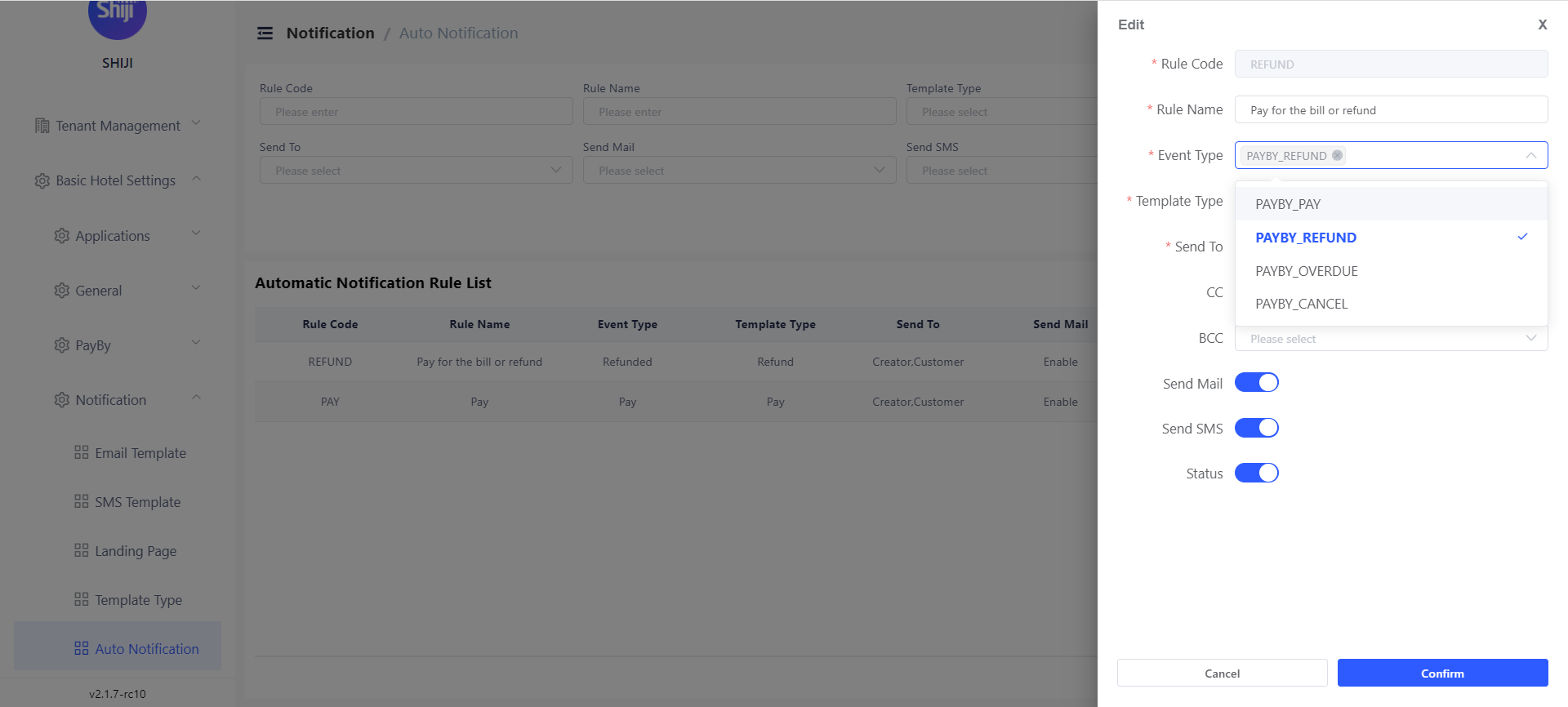
Now it’s possible to receive email/SMS alerts on multiple failed attempts. You can set up rules to get notification if a payment request has received X times failed payment attempts. The function is available at Settings → Templates and Notifications → Auto Notification. When generating a new rule, please choose ‘Failed Payment Attempts’ as Event type and specify how many failed payments do you want to be notified of.

Reposting will apply config changes

Payment posting failed caused by transaction code setting error? Now before retry posting, you can modify PayBy setting and the retry action will apply those changes.

PayBy is compatible with higher Opera OWS version

PayBy is improved to adapt new OWS hosted version.

Bug Fixes 🛟

1 PayBy Daylight iFrame improved

2 Resolved the issue of missing posting status display in payment detail page

3 Fixed the bug of missing posting records for Daylight group

Version
3___.12._6
Project
Shiji Digital | PayBy

New Features 🚀

One step less to generate payment request!

Now you can pre define payment amount instead to type manually. We support to set payment amount to be fixed item or be equal to the amount of ‘Total cost of stay’ or ‘Balance‘ , you can also decide if user can or cannot modify this field when generating payment requests. This option is available at Settings → Configuration → Advanced Setting. In ‘Dropdown Option Setting’, options will show when adding a new ‘Payment request items‘.

Payment 3D secure verification is now configurable

Although 3D secure verification helps to reduce transaction risks we understand in some special cases we would need to disable this option, for example, guests may not be able to do verification. This option can be configured at Settings → Payment function → Payment method.

Bug Fixes 🛟

1 Fixed the card token re-posting issue for multiple reservation payment request

2 Fixed the reposting status display error

3 Fixed the Tenant level API client generation error

4 Fixed SSO login issue when login via Microsoft My Apps

Version
3___.10._4
Project
Shiji Digital | PayBy

New Features 🚀

Payment Status refresh mechanism improved

Now PayBy can update payment status timely. As 3Ds verification process involves multiple parties, it can takes longer that we expect thus transaction status updates can be delayed in certain cases. Now with this new feature, PayBy will query transaction status automatically in the backend to ensure the transaction status is updated. This can also prevent guest to pay expired or cancelled payment request.

Bug Fixes 🛟

1 Improved Opera interface integration configuration

2 Improved Daylight token logic

3 Changed SMS prefix logic for China based hotel

4 Log desensitization

5 Improved iframe display and webhooks

New Features 🚀

Support to charge AR account for Daylight PMS

Now with PayBy you can send out payment request based on AR accounts, once paid the payment will be updated at corresponding AR account in Daylight PMS (SEP) to activate and use this feature, please contact PayBy Support team.
API improvements

To better support 3rd party intergration, PayBy improved details of APIs. We 1 reinforced webhook resend mechanism, without success response, PayBy will automatically retry 4 times. 2 Enabled API user to pass custom field when generating payment request.

Improvement made to better support financial reconciliation

When posting payments to Daylight PMS(SEP) PayBy will now pass ‘merRef’ and ‘refNo’ to facilitate auto reconciliation with certain payment gateway.

Bug Fixes 🛟

  1. Fixed the bug of internal error when user login

  2. Fixed the bug of user password edit error from admin users

  3. Fixed the currency symbol inconsistency

  4. Improved the API response when query

Version
3___.8_.8_
Project
Shiji Digital | PayBy

New Features 🚀

Set custom expire date for payment requests

Now you can set set the expire time by date! When creating the payment request, you can now choose to set expire time by inputting hours or chose it on a calendar. 96 hours is no longer a limitation.

Add IP restriction for PayBy login

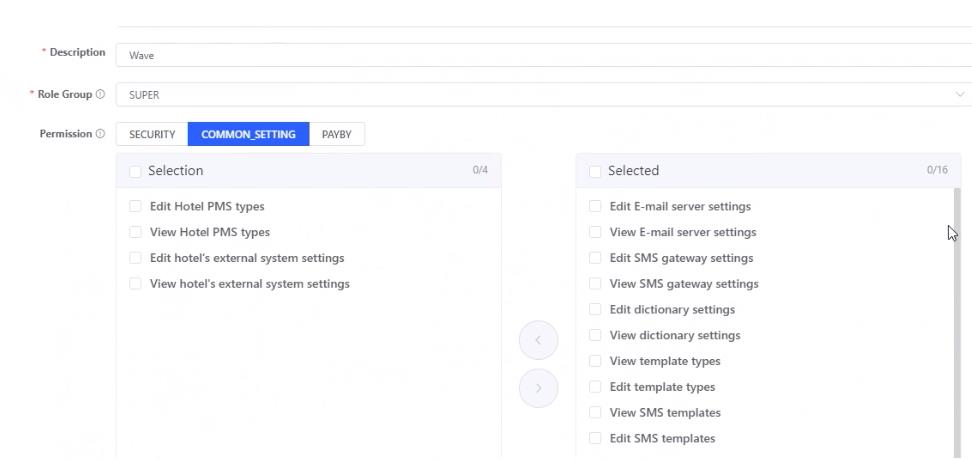
To further strengthen security and protect data, you now can activate ‘IP whitelist’ function, once activated, user can only login to PayBy through whitelisted IP. To activate this function, please add the permission ‘View ip whitelist server settings‘ and ‘Edit ip whitelist server settings‘ to certain role, and the user with the corresponding role can see the ‘IP Whitelisting‘ option on settings → Configuration. To activate this function please add at least one IP.

Dynamic fields are now in use for both templates and posting

Want to extend the content for posting? Need to add custom fields in payment confirmation email? Now we eliminate the restriction of dynamic fields. You can add customer details on PMS note.

Bug Fixes 🛟

1 Fixed the bug of eligible refund amount for refund error payment requests

2 Corrected the reservation sequence of multiple reservation payment request

3 Corrected the IP records in operation log

4 Unified the currency symbol in payment request creation page

Version
3___.7_.7_
Project
Shiji Digital | PayBy

New Features 🚀

Create one payment request for multiple reservations

Want to have your guest pay for multiple reservations? You now can create one payment request for more than one reservations! On the payment request generation page, you can add more reservations by clicking ‘+ Add Reservation‘. Please note you need to specify payment amount for each reservation.

Once paid, PayBy will post the amount indicated before to each reservation. When refund we will ask you to specify the refund amount for each reservation for the purpose of refund posting.

PayBy now supports Infor HMS

PayBy now can query reservations and post payment/credit card token to Infor HMS PMS. We also support to set different PMS note messages for payment posting and credit card token posting.

Support to set eligible payment methods for each reservation type

Want to have certain payment method banned for group reservation? Now it’s possible. Please go to settings → configuration → advanced setting to use this function.

New dynamic field available

Use {payBy.expenseSummary} to show payment item details in email/payment landing page and posting messages.

Bug Fixes 🛟

1 Fixed the error of SEP group query

Version
3___.5_.8_
Project
Shiji Digital | PayBy

Bug Fixes 🛟

1 Transaction history search criterial will be reset when switching hotels

2 Fixed the maxim line limitation when exporting payment/transaction history

3 Improved the error notification when query data dictionary failed

4 Added mechanism to prevent redundant payment posting

5 Show notification and refresh login status once user switch login account

Version
3___.4_.6_
Project
Shiji Digital | PayBy

New Features 🚀

Now you can add CC and BCC to your payment request recipient

Having a group of client who wants you to send payment request to multiple addresses? Hotel managers want to be notified when payment request is sent out? Now you can send one payment request to more than one recipients! You can also set CC and BCC . This function is available when you set email recipient.

Quickly find and switch hotel in PayBy

For hotel groups with long hotel list, for your corporate users they now have a better way to find the hotel from his access list! In the hotel list on top right corner of PayBy user portal, you now can search hotel names. You are able to also search hotel by hotel code which allows users to choose quickly the right hotel which he would like to go to.

More dynamic fields support for PMS posting

Now you can use the dynamic fields [internal comment] and [comment for guest] in the note and alert pushing into PMS. This feature is available at settings → Configuration → advanced setting

Bug Fixes 🛟

1 Improved OWS reservation pulling requests

2 Improved error messages of permission restriction

Version
3___.3_.3_
Project
Shiji Digital | PayBy

New Features 🚀

Custom fields are available for payment landing pages

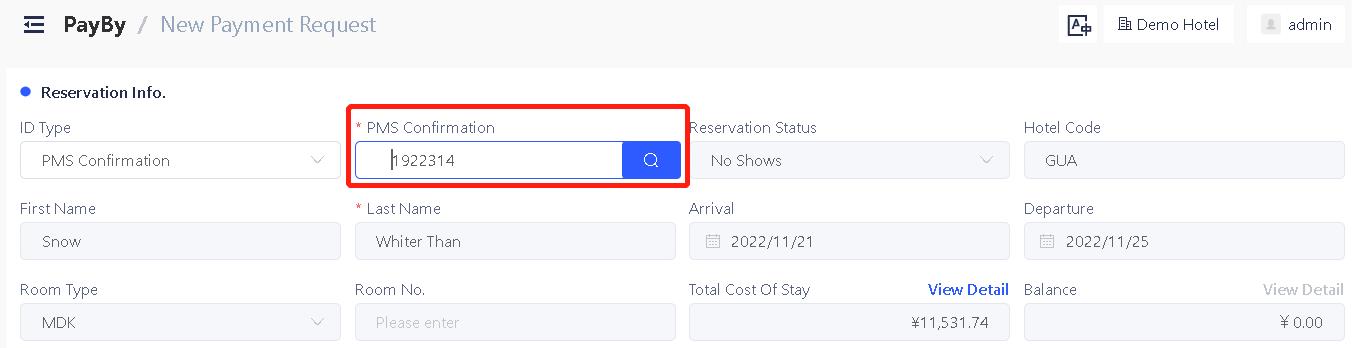
Now you can define customize form e.g. payment items or breakfast options and insert it into your payment landing page to provide better customer experience. Once guest filled in the form, the information will be saved at payment request detail page, you can also post this form to PMS.

Create Notes in Shiji Enterprise Platform automatically from PayBy

Use PayBy’s latest feature to create notes sending rules to Shiji Enterprise Platform! Once guest paid, PayBy can create note in SEP reservation with payment references, internal comments and custom fields. Please go to Settings → Configuration → Advanced Setting

Guest’s name is now editable for SEP groups and accounts

Once you pull the reservation/group/account details in PayBy, you now can change the guest name to show on emails and payment landing pages.

User permission items are improved

The cancel payment request permission and refund permission are separated. Please go to Settings → Role and User → Role setting to set permission items for each role.

Email/SMS sending option will be pre-selected according to configuration.

No longer need to choose sending method manually each time. If SMS configuration is disabled then SMS sending option will be unchecked by default.

Bug Fixes 🛟

1 Fixed token posting status errors on payment detail page

2 Made dynamic field ‘internal comments’ available for emails and landing pages

3 Fixed tenant level setting saving error

Version
3___.0_.5_
Project
Shiji Digital | PayBy

New Features 🚀

PayBy can now post credit card token to specified folio window in Shiji Enterprise Platform PMS

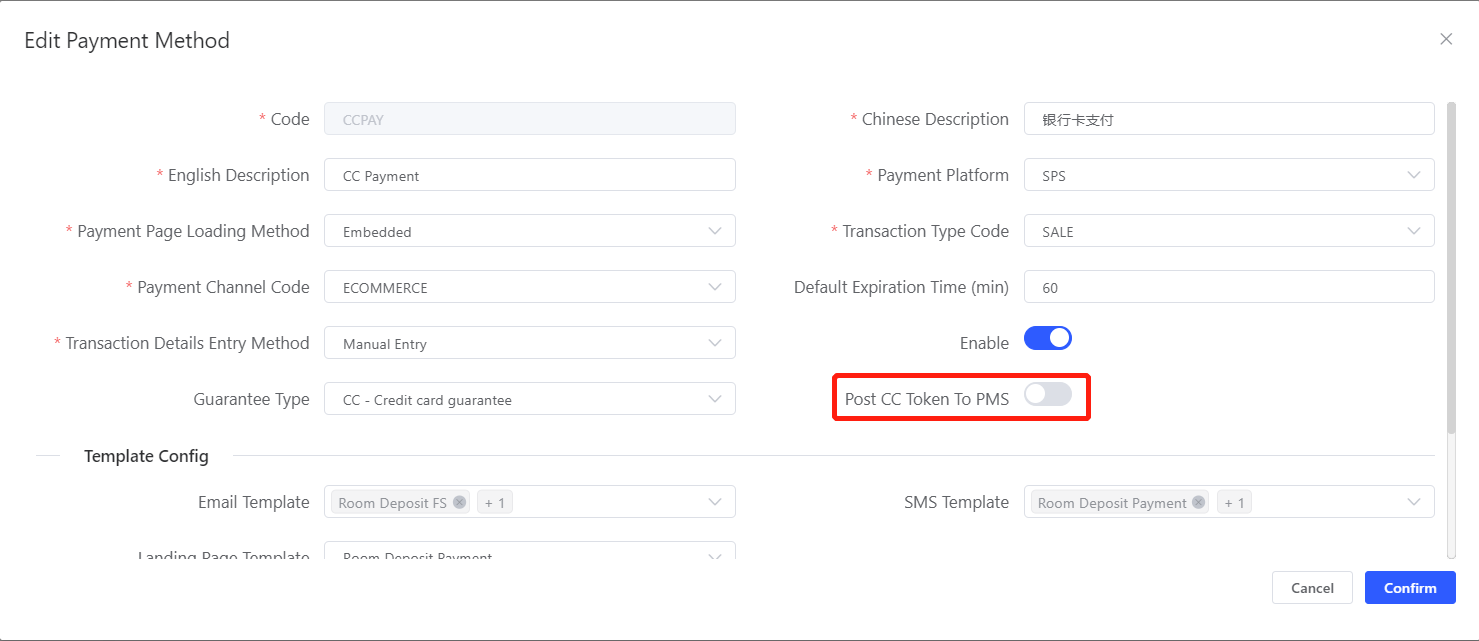
Credit card token can now be updated into the chosen folio window when you create the payment request. If you want to active this function, please go to setting ->Payment Function -> Payment Methods , choose a payment method and switch on ‘Post CC Token to selected folio’ toggle, this option is only available for hotels with Shiji Enterprise Platform PMS.

New API available to support F&B use cases

PayBy API can now support to create payment requests for Table Management System by receiving outlet information / table number/ booking period etc.

Payment method configuration page improved

When configurating payment method, to create mapping method mapping list, transaction code will show along with transaction code name which makes it easer to choose from.

Bug Fixes 🛟

1 Payment request detail page load speed improved

2 Guest’s title value corrected for Shiji Enterprise Platform PMS

3 Corrected payment request expire timestamp error

4 Corrected ID type name for Shiji Enterprise Platform PMS

5 Fixed the log details issue of multiple reservation tokenization request

6 Fixed the bug of incomplete display of error notification

7 Fixed the Channel Transaction Number error in dynamic fields

Version
2___.22.34
Project
Shiji Digital | PayBy

Resolved Issues:

1 Resolved the bug of user login with different tenant in same browser with same user name.

2 Fixed the transaction history page display issue

3 Fixed refund records date error when filtering transaction history

4 Fixed failed payment timestamp error

5 Fixed the loading error when the “ID type“ in advanced setting is void

6 Template’s English name will show in PayBy Chinese user panel if templates do not have a Chinese name.

Version
2___.22.__
Project
Shiji Digital | PayBy

New Features 🚀

Condition consent and signature function are now available

Now you can ask client to accept your conditions and provide signature before they enter the payment process. Guest’s signature will be stored at payment request detail page. Configuration is available at settings → Templates and notifications → Landing page templates. To active this function please refers to PayBy configuration guide.

PayBy now can charge Groups and Accounts in SEP

Now you can use PayBy to not only charge reservations, but also to charge Groups and Accounts in Shiji Enterprise Platform. To use this function please add “Group No“ or “Account No“ at Settings → Advanced setting → ID Type.

Payment method setting improved

Now you can edit existing payment method mapping records, changing payment method codes and card types.

Bug Fixes 🛟

1 Disabled capital letters input when creating new tenant

2 Improved CC token posting API to SEP

Version
2___.21.__
Project
Shiji Digital | PayBy

New Features 🚀

Charge SEP account directly with Shiji Digital PayBy

Now in Shiji Digital PayBy you can query account details and create payment request based on it. PayBy can also post payment or credit card details into the specific account. This feature can help you to charge group accounts, event and meeting, and AR account in Shiji Entreprise Plateform.

To activate this function, please go to settings → Advanced settings , in ID Type please add account code. When creating a new payment request, choose account code and input the account id, the account detail will show.

Configuration items sequence is fixed

For configuration items (email/SMS templates, payment methods, user. roles etc) all items will be listed according to the creation date.

New option for payment method configuration available

Now you can create payment method which does not change the guarantee type of the reservation. This option is isolated with post token.

Maximum expiration time for payment request has been extended to 96 hours

You now can set request expire time to maximum 96 hours.

Added Input length limit for comments

For internal comments and comments for guest, the input restriction is 100 characters.

Bug Fixes 🛟

1 Deleted the invalid dynamic fileds

2 Added the necessary log item to service system log

3 Changed the API used for alert in SEP

4 Added database password setting in PayBy management panel

Version
2___.20.__
Project
Shiji Digital | PayBy

Bug Fixes 🛟

1 Fixed the refund notification message error

2 Enhanced PayBy security policy on attack defense

3 Corrected the password input method for system configuration page

Version
2___.19.__
Project
Shiji Digital | PayBy

New Features 🚀

PayBy now suports hosted version of OWS

Now Shiji Digital PayBy can support ows hosted. You can configure it at Setting - PMS - OWS version setting.

Partial refund function can be disabled

As for some payment processors in some specific region, partial refund is not supported, thus we add a toggle to control if partial refund should be enabled, it’s available at settings - payment account setting

Login process is improved

User will be blocked from login in after 20 failed login attempts. Also we now allow user to reset password via email if this user has email information on his profile.

Password input method is improved

To change password in PayBy setting, a pop up window will show and ask user to imput password twice, the change will be applied if the 2 inputs are identical.

Bug Fixes 🛟

1 Fixed the bug of SMS channel setting issue

2 Deleted PayBy irrelevant codes

3 Fixed the bug of default role delete issue

Version
2___.18.__
Project
Shiji Digital | PayBy

New Features 🚀

PayBy now support Cambrige PMS

Now Shiji Digital PayBy support a new PMS type Cambrige. Once connected PayBy can query and post payment to Cambridge PMS.

Bug Fixes 🛟

1 Improved user/password error notification

2 Improved the refund success notification

3 Improved the PMS log wording

4 Add ‘all‘ option for payment method for auto notification setting

5 Disabled the folio windows 2-8 for tokenization related payment method for Opera

Version
2___.17.__
Project
Shiji Digital | PayBy

New Features 🚀

Tokenization for multiple PMS reservations is now available!

Now you can create Tokenization request for multiple PMS reservations in Shiji Digital PayBy. To active this feature please go to Settings - Payment Function - Payment Method - Card on file. This function will be activated once you turn on the toddle ‘Allow Tokenization For Multiple Reservations‘ .

Once activated, after you choose card on file at payment method, you can add up to 9 reservations for one request.

Each payment method can have specified payment/refund notification

To improve guest experience, Shiji Digital PayBy allows to set different auto notifications Email/SMS for each payment method. This feature is available at Setting - Templates and Notifications - Auto Notification.

Credit card type setting is now available for Opera PMS

If you use different codes for Credit Card type and payment method code in your Opera setting, now you can synchronize the setting in PayBy in order to guarantee successful payment posting at Setting - Payment Function - Payment Method.

Credit card posting status is available now

Now at payment request detail page, credit card posting status is showed for all request which request to post credit card token.

Bug Fixes 🛟

1 Corrected payment method code in SPS api calls for refund

2 Fixed the bug of payment retry failure

3 Fixed the bug of unexpected payment request expiration

Version
2___.16.__
Project
Shiji Digital | PayBy

New Features 🚀

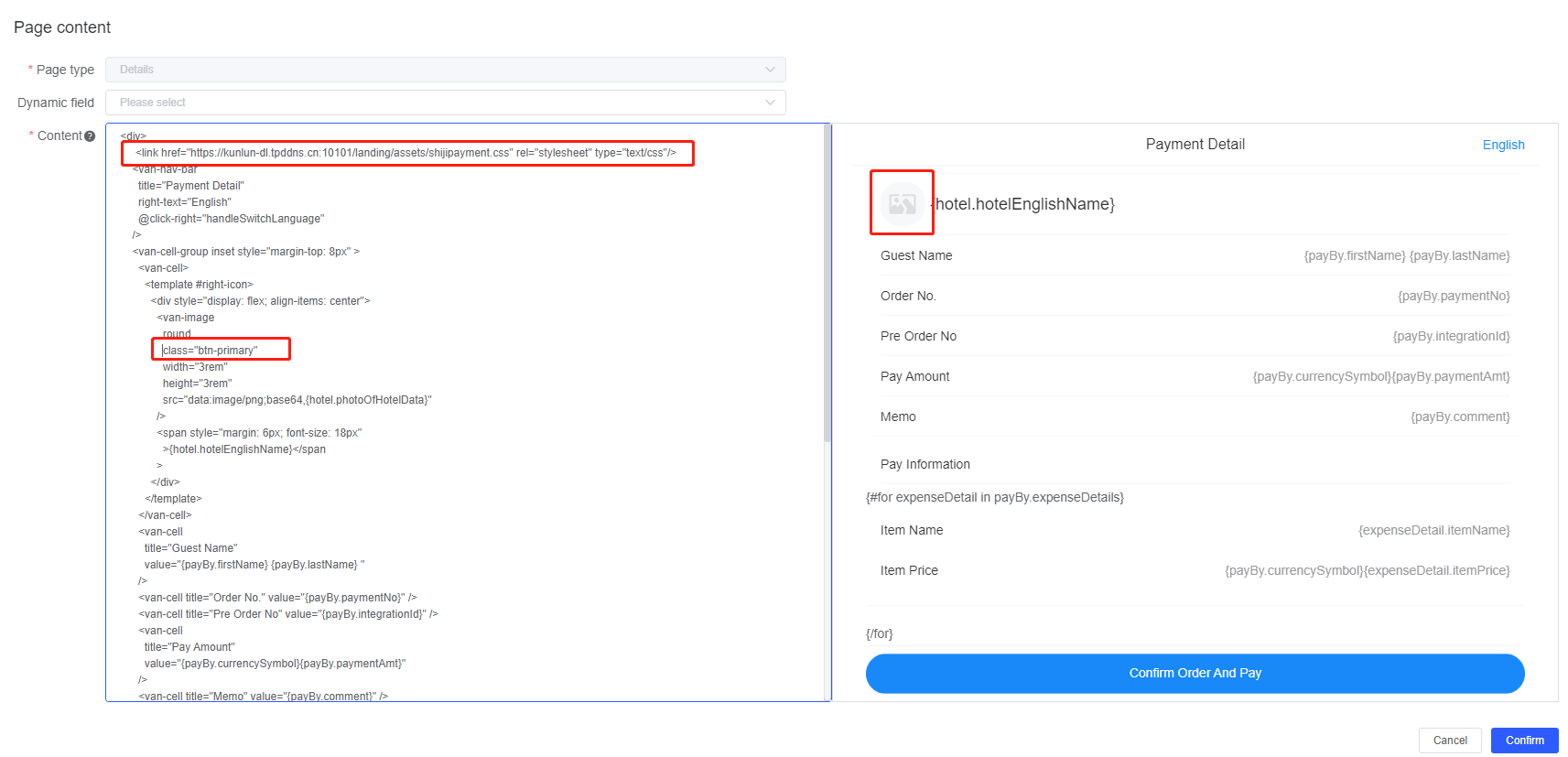
You can now define hotel logo by url

Hotel users now can define hotel logo in PayBy by inserting the logo url. It’s practical if hotel wants to update their logo. This logo can also be inserted in E-mail or landing page templates using the dynamic field {hotel.photoOfHotelData} . Setting is available at Settings → Configuration → Hotel Info

Guest’s First Name and Last Name now is changeable

You can now change the guest’s name once the reservation is pulled from PMS. In some scenarios user needs to change guest’s name to send out payment request e.g. use pseudo room reservation. It’s available for both Shiji Enterprise Platform and Opera.

Currency options will be prefilled for new created tenants and hotels

You don’t need to define currencies for your hotel group. We will Provide you with a list of mostly used currencies at Settings → Configuration → Data Dictionary → Currency

Bug Fixes 🛟

1 Fixed the bug of transaction code error at payment method configuration.

2 Fixed the bug of blank page showed when Payby doesn’t receive webhook

Version
2___.15.__
Project
Shiji Digital | PayBy

1 Fixed the bug of ‘Edit advanced setting‘ dependency to edit payment method

2 Fixed the bug for Payment Landing Page, deleted the hided browser language

3 When creating a new payment request, tenant level template will show with an identifier

4 Fixed the bug of code showing for email template at payment method editing page

5 Tenant level and hotel level Data Dictionary items with same name will be distinguished

6 Refund button is hidden for tokenization request

7 Fixed the bug of hotel code error for PMS reservation

8 Fixed the bug of repetitive user created for SSO login

9 PMS reservation query method improved. All information is now acquired by one API call instead of 2.

Version
2___.14.__
Project
Shiji Digital | PayBy

New Features 🚀

Tenant Level Configurations and templates are now available!

New features are available to speed up the configuration management in PayBy! No need to copy templates and configurations for new hotels. Now you can define tenant level Email/SMS/Landing Page templates as well as Data Dictionary items and pre-filled options. These items will be applied automatically to all the hotel under your tenant. And updates are automatically synchronized to the hotel.

Users with tenant access in PayBy and corresponding configuration permission can edit tenant level configurations.

Tenant Level settings for Data Dictionary and pre-filled options are available at Tenant page → Configuration → Data Dictionary / Advanced Setting

Tenant Level settings for Email/SMS/Landing Page templates are available at Tenant page → Templates and Notification

Bug Fixes 🛟

1 Improved the server log items

2 Fixed the bug of new created hotel cannot edit Data Dictionary

3 Fixed the bug of items cannot be copied for operation log

4 Fixed the error message of payment account setting error

Version
2___.13.__
Project
Shiji Digital | PayBy

New Features 🚀

Internal comments can now be post to PMS now

Now you can choose to post payment request’s internal comments to PMS. Please go to settings → configuration → advanced setting.

You can use the dynamic fields # {payBy.internalComment} for payment supplement or payment reference at Posting Setting section so that your internal comments can be post into PMS.

Bug Fixes 🛟

1 Fixed the bug on the Payment method filter of Transaction history page

2 Fixed the bug of manual posting error

3 Fixed the bug of auto posting error

4 Fixed the bug of display misalignment

Version
2___.12.__
Project
Shiji Digital | PayBy

New Features 🚀

Permission item modified following the function

1 ‘View template type’ and ‘Edit template type’ deleted following the removal of template type

2 ‘Edit payby configuration‘ is changed to ‘Edit advanced setting‘

Rules updated for hotel code

In order to avoid conflict and unpredictable errors, when define a hotel code for a new hotel, the code cannot contain special characters neither be the same as hotels existed in the same tenant.

Operation Log improved

1 Fields not relevant to business, such as the last update time of database, version number and other information will not be displayed on the operation log

2 Image changes will be displayed as image instead of codes

Bug Fixes 🛟

1 Fixed the bug of hotel name display error at hotel management page

Version
2___.11.__
Project
Shiji Digital | PayBy

New Features 🚀

Operation log is now available for client

At user portal, hotel users with corresponding permission can see operation log at Settings → Operation Log. Every changes on configuration items and user login information will be logged for each hotel. In order to give user access to this operation log, please add this permission to roles. Please go to Settings → Role → Edit role → Add ‘view operation log’ to this role.

UI improvements on configuration pages

1 Setting menu is separate from PayBy functionalities

All the configuration pages is moved under setting menu. Also we improved the configuration page hierarchy that all configurations are classified into 4 categories: Role and User, Configuration, Payment Function and Templates and Notifications. We also renamed certain pages to be more intuitive. Following the sequence of configuration items, user can finish the configuration of PayBy easily.

2 The UI of configuration pages are improved

We improved the ui of Data Dictionary and Advanced Setting configuration pages: items are reorganized to be more intuitive. Previous External Data page and PMS setting page are unified as PMS page also input items are minimized at Role setting page. Call back notification setting items are moved from advanced setting page to API setting page.

Version
2___.10.__
Project
Shiji Digital | PayBy

New Features 🚀

UI of landing page template setting is improved

Input fields are simplified at landing page creation page

Landing page titles are renamed to be more understandable

Tenant level user management is now moved to group management

Users with multiple hotel access are managed at hotel group page. Users with access to group page and has user edit permission can edit tenant level user’s profile.

Bug Fixes 🛟

1 Templates now will be saved at edit page instead of parent menu

2 When creating a new payment request, folio window input box will be hided for non integration payment request.

Version
2___.9_.0_
Project
Shiji Digital | PayBy

New Features 🚀

Automatic retry posting payment to PMS is now available

Now you can set rules to retry posting payment to PMS if the posting is failed. In some cases the first posting attempt may fail, this function will retry automatically without user’s intervention. You can set retry interval and maximum posting retry times at Basic Hotel Settings → PayBy → function.

Improvements on templates setting

1 the concept of template type is deleted

To facilitate the configuration process and simplify template setting, we removed the concept of template type. You can directly define E-mail/SMS/Landing page templates.

2 The ui of auto notification setting page is improved

The setting options for auto notification has been reorganized to be easier to understand.

Version
2___.8_.0_
Project
Shiji Digital | PayBy

New Features 🚀

Payment card type mapping logic is improved

PayBy improved the card type mapping between Shiji Payment Solution and PMS. You no longer need to create mapping rules for every acceptable card type, instead you can define a card to post to PMS for ‘others’ card type. To see this feature please go to Basic Hotel Setting → PayBy → Payment method.

Bug Fixes 🛟

1 improved the API call frequency for Shiji Enterprise Platform

2 Corrected copyright announcement at login page

3 corrected error notifications and placeholder for email/SMS/landing page templates

Version
2___.7_.0_
Project
Shiji Digital | PayBy

New Features 🚀

Shiji Digital PayBy now support Shiji Enterprise Platform

PayBy now can work with Shiji Enterprise Platform, pulling reservations from Shiji Enterprise Platform and post back payment/tokenization results.

You can create automatic payment remainder before the request expire

Now hotel users can set automatic notification rules to remind guest to pay before the payment request expired by E-mail or SMS. The content of remainder as well as when to send this remainder is customizable. This can be configurated at Basic Hotel Setting → Notification → Auto Notification

URL of PayBy agent UI is improved

The url of PayBy agent UI has been improved to be more user friendly and understandable.

Bug Fixes 🛟

1 Fixed the bug on the payment method setting page error message

2 Fixed the bug of password reset process

Version
2___.6_.0_
Project
Shiji Digital | PayBy

New Features 🚀

1 Language options for PayBy user interface are now configurable for hotels

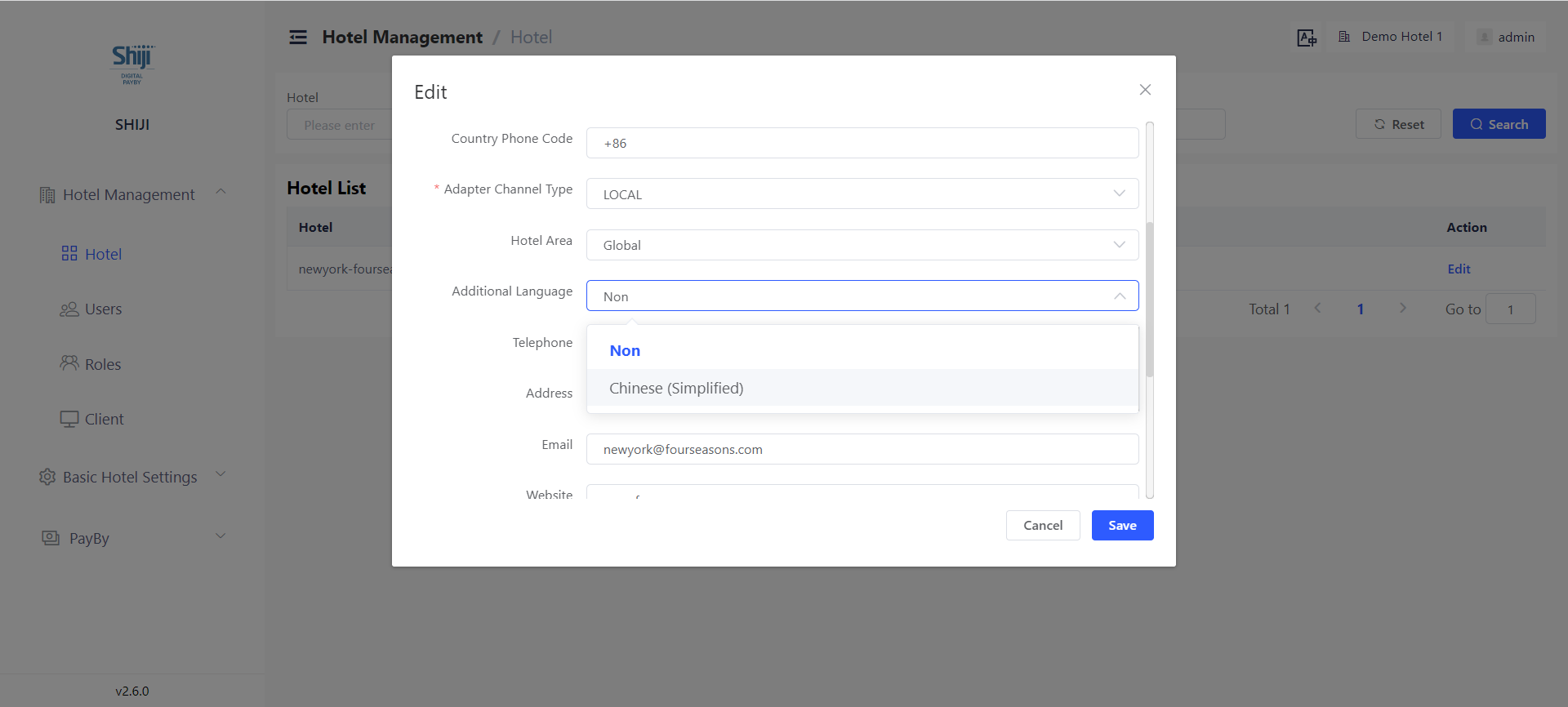
PayBy user interface can now be set to be English only or English+Chinese by users who has the access to hotel settings. Please go to Hotel Management → Hotel to configurate. As demonstrated below, if we choose ‘non’ for additional language, then PayBy user interface will be displayed in English only. If we choose ‘Chinese(Simplified)’ then the language switcher will show and users can switch languages in PayBy.

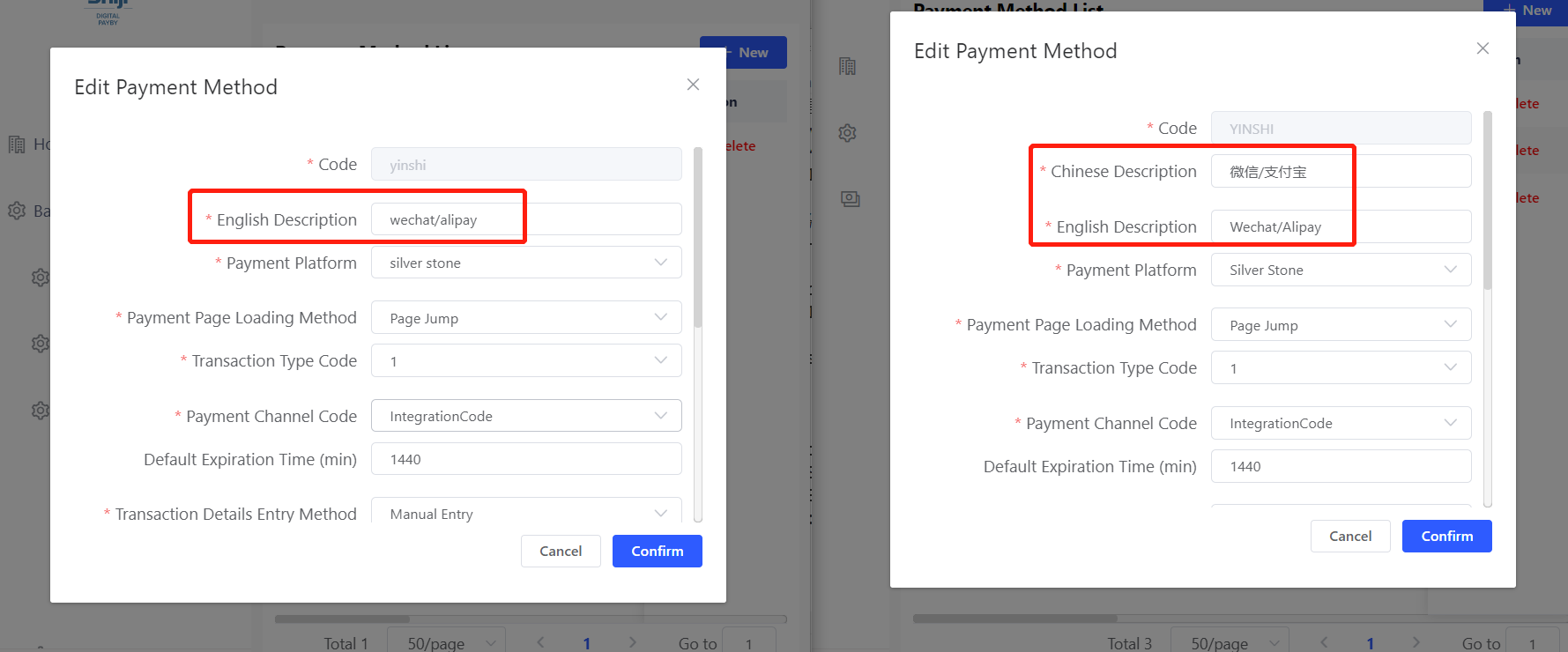
Furthermore when defining values(e.g. Email templates, payment methods), PayBy will ask user to define the value’s name in both English and Chinese if this hotel has these 2 language options, if not, users will need to define just the name of value in English.

2 PayBy API enhancements

a) Tenant level API users can be created to have access to multiple hotels.

b) PayBy API callbacks are secured

Bug Fixes 🛟

1 Fixed the bugs on transaction history page.

2 To avoid errors, SMS/email/landing page in use shouldn't be deleted

3 Tenant name cannot be the same as PayBy management tenant

Version
2___.5_.0_
Project
Shiji Digital | PayBy

New Features 🚀

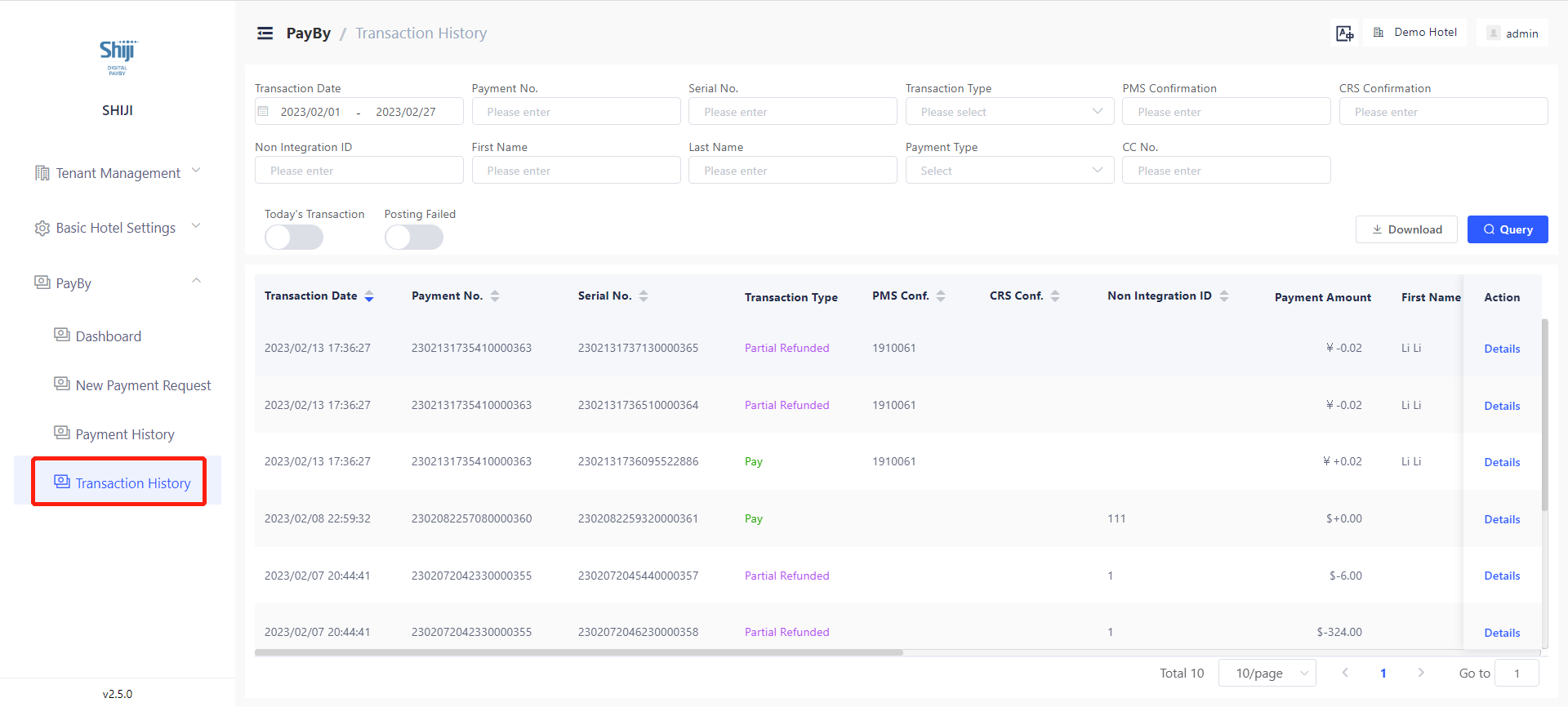
Transaction History is now available

From this version Shiji Digital PayBy will provide transaction history helping you to reconcile your balance at the end of each day or month. Every transaction(payment, refund) will show as a separate record. Transactions can be searched by dates, payment methods, posting status etc. You can also export an excel file of filtered transaction history.

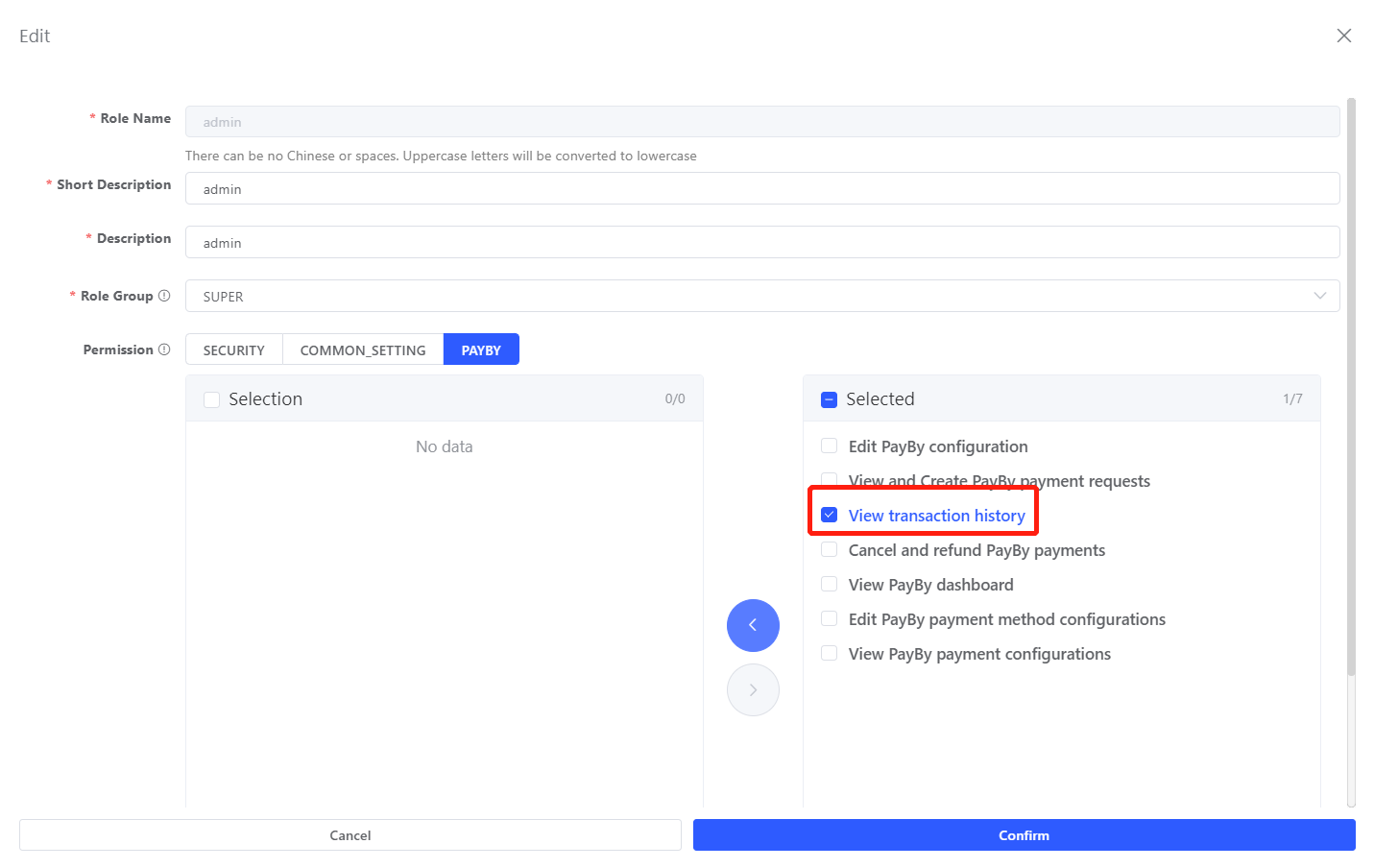
To grant access to see transaction history for roles, please go to Tenant Management → Roles, then choose the role which you want to edit, then choose the ‘view transaction history’ for this role.

Known issue: cannot list the latest transaction by default, unsuccessful payments listed.

Credit Card Tokenize is now optional

Digital PayBy now become more customizable, you can specify if you want to post card token to PMS when editing payment methods. This allows user to define a payment method which will only take payment but do not store credit card info. Please go to Basic Hotel Settings → PayBy → Payment method for setting.

Payment request integration methods are optional

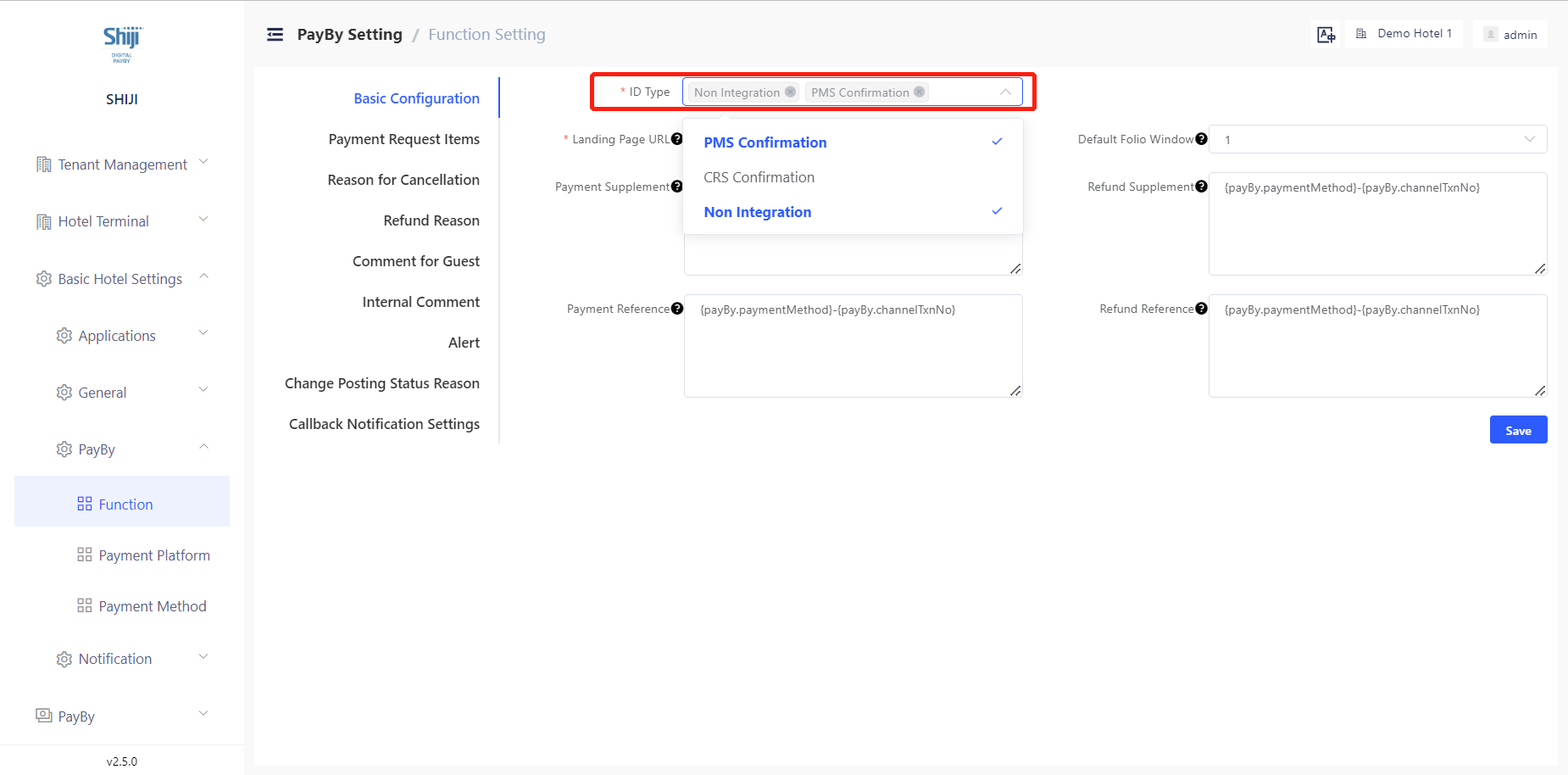
Digital PayBy provides 3 ways to integrate payment request: 1 PMS integration 2 CRS integration 3 Non integration. Now you can decide which integration methods you want to display for hotel’s front desk users. It’s a property level setting please go to Basic Hotel Settings → PayBy → Function

Payment landing page’s language configuration is available to help better match the browser’s language

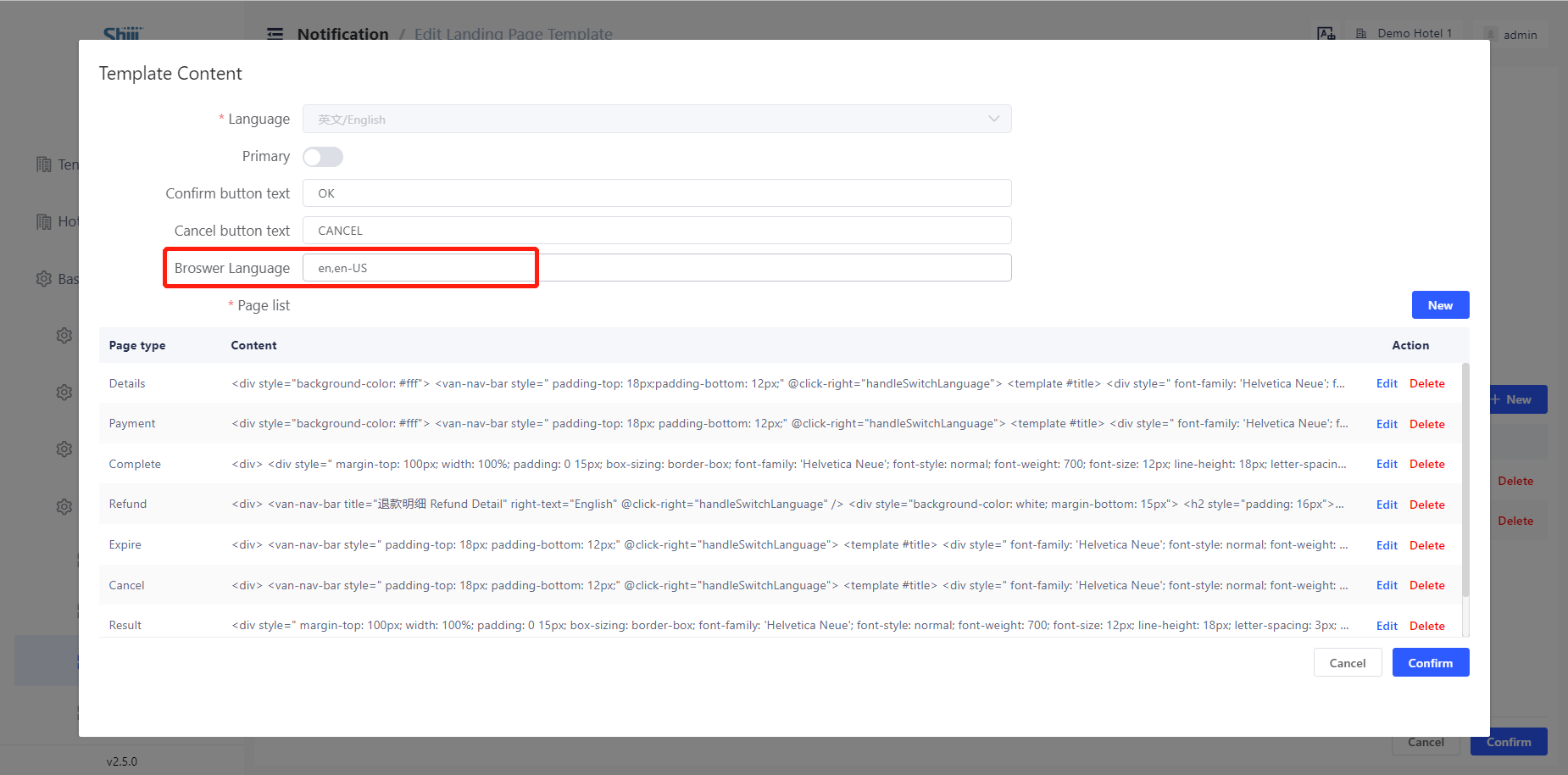
You can now type in the language codes which you want the browser to match for payment landing page. Digital PayBy team will provide suggestions on language codes. Please go to Basic Hotel Setting → Notification → Landing page to configurate it.

Improved the property display format.

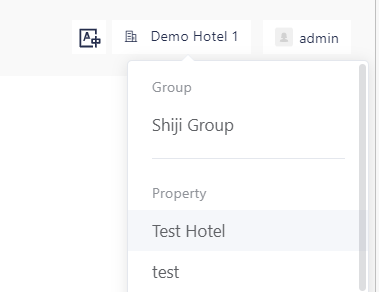
We enhanced the design of property list, so that for users who have access to group and several hotels, they can find the group more easily.

Bug Fixes 🛟

1 Fixed the bug of SSO user login issue

2 Fixed the bug of new void hotels creation

Version
2___.4_.0_
Project
Shiji Digital | PayBy

Bugs fixed 🛟

  • Fixed the bug on landing page on partial refunded payment requests.

  • Improved the prevention methods of user edit error and hotel list error

  • Fixed the bug of payment method page error when delete payment platform

  • Disabled the browser’s console log for PayBy user portal and PayBy payment landing page

  • Fixed the bug of payment records searching error

  • Fixed the bug of template edit error

Jan 16, 2023

Shiji PayBy v2.3.3

Version
2___.2_.3_
Project
Shiji Digital | PayBy

New Features 🚀

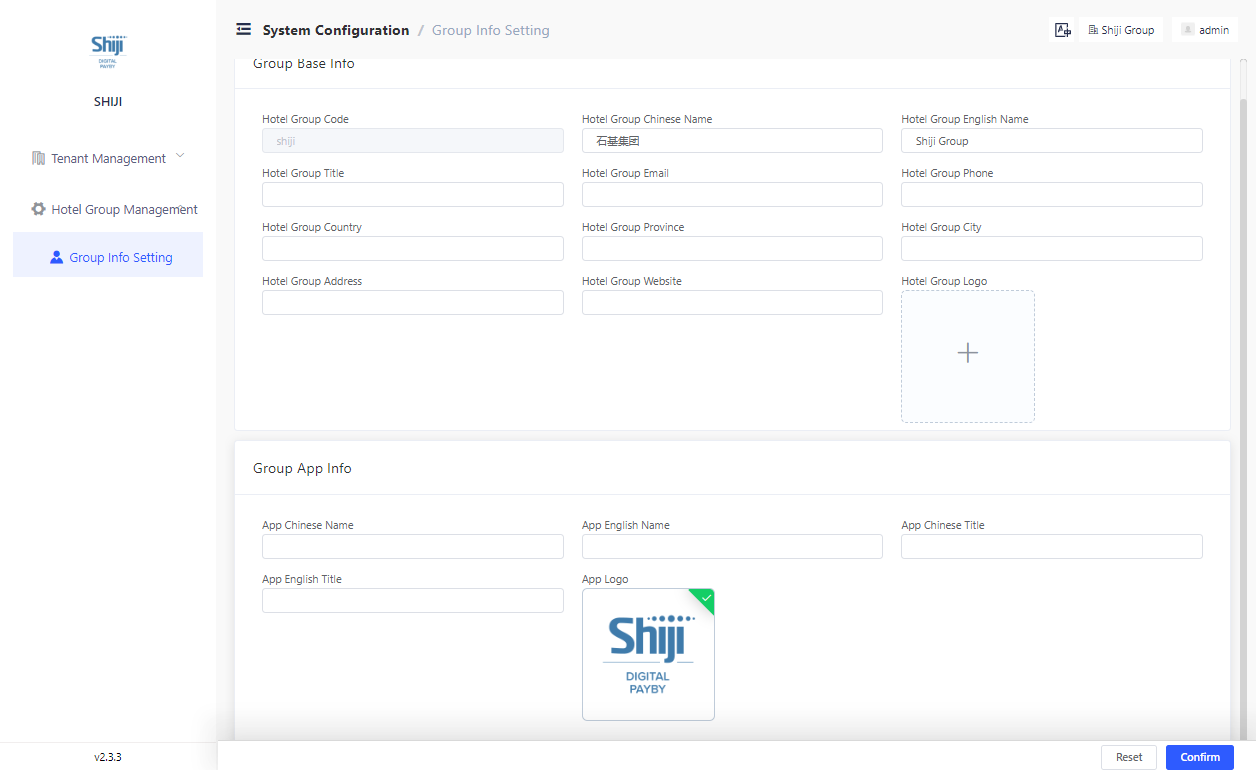
Admin now can edit Tenant Information

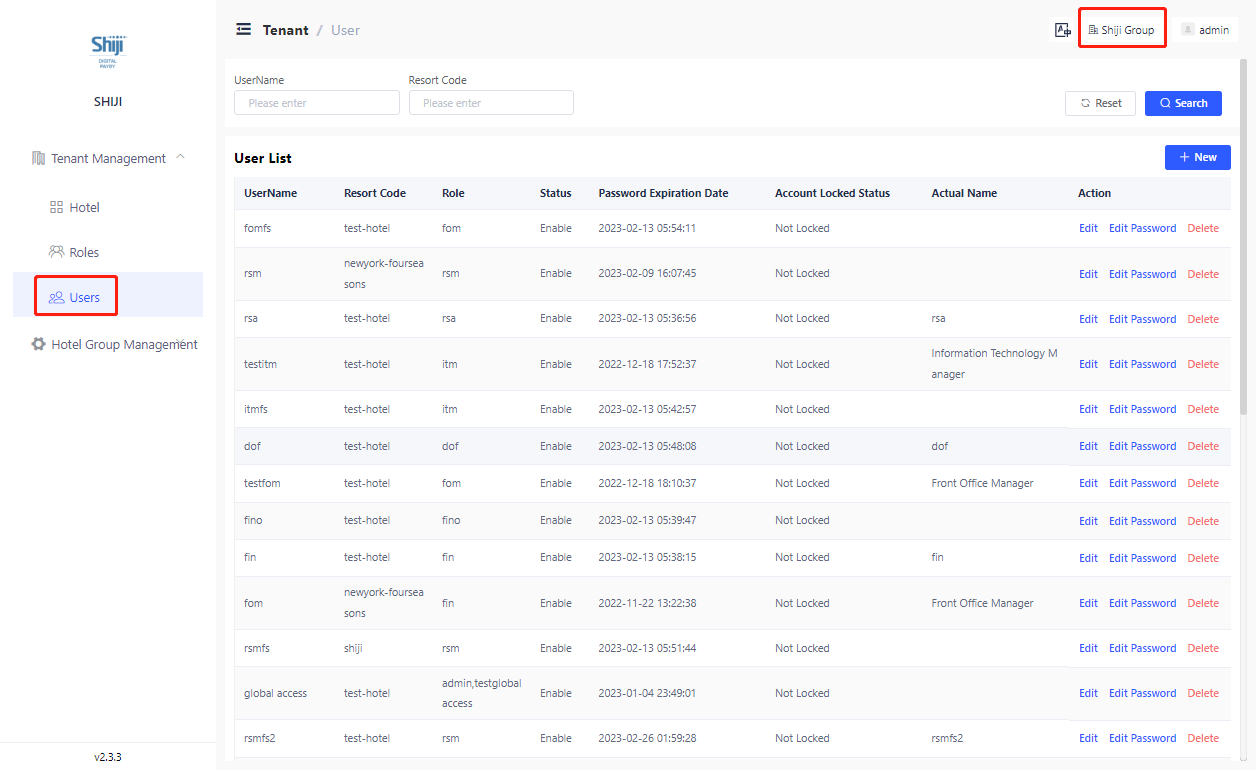
Admin now can edit tenant information. Firstly on the right top of the user panel choose the group name, then admin can edit group information on this page.

Also admin can edit all the user including tenant level users with multiple hotel access in this tenant on tenant management view:

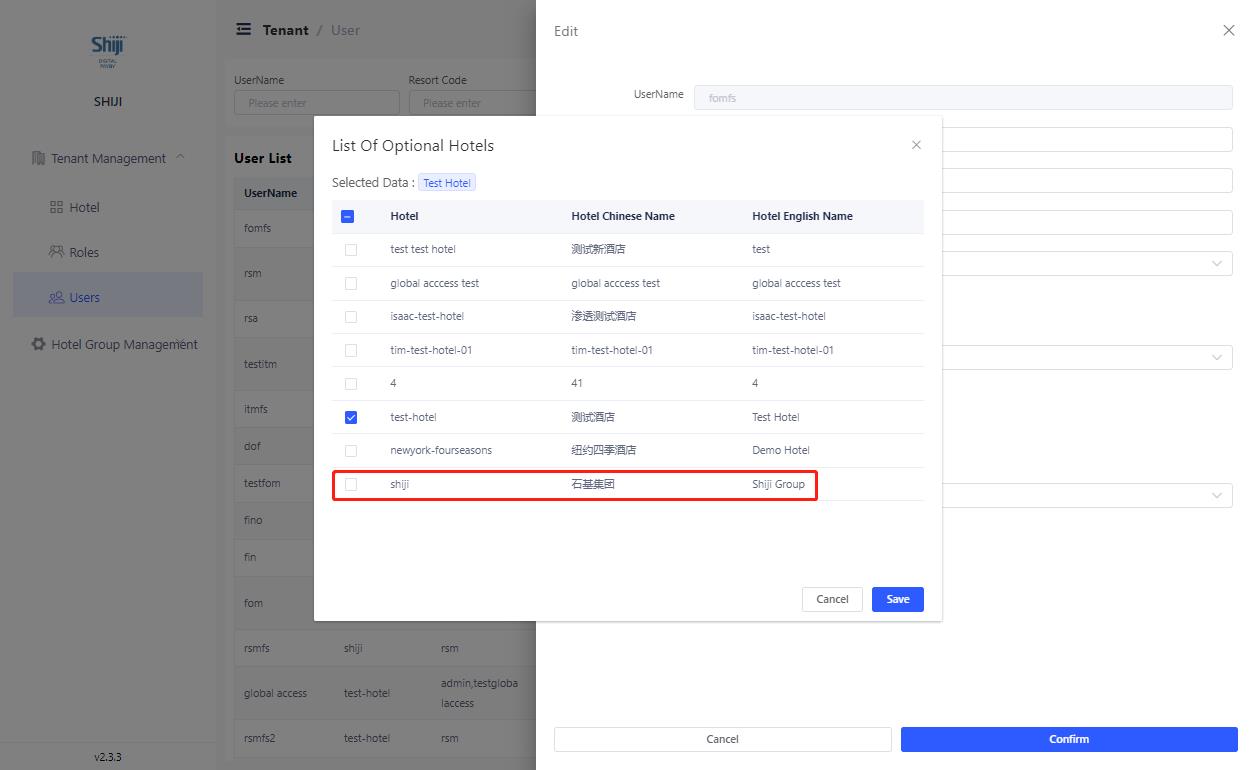
This permission can be granted to users by adding the tenant group as hotel access to one user shown as below. Only user with this group access can grant this option to users.

PayBy now provide options to maintain SSO user profile

Tenant now can choose to maintain sso user’s profile including roles and hotel access whether:

a) In PayBy: at Tenant Management > Users

b) Through SSO, users’ hotel access and role will be updated every time he log in

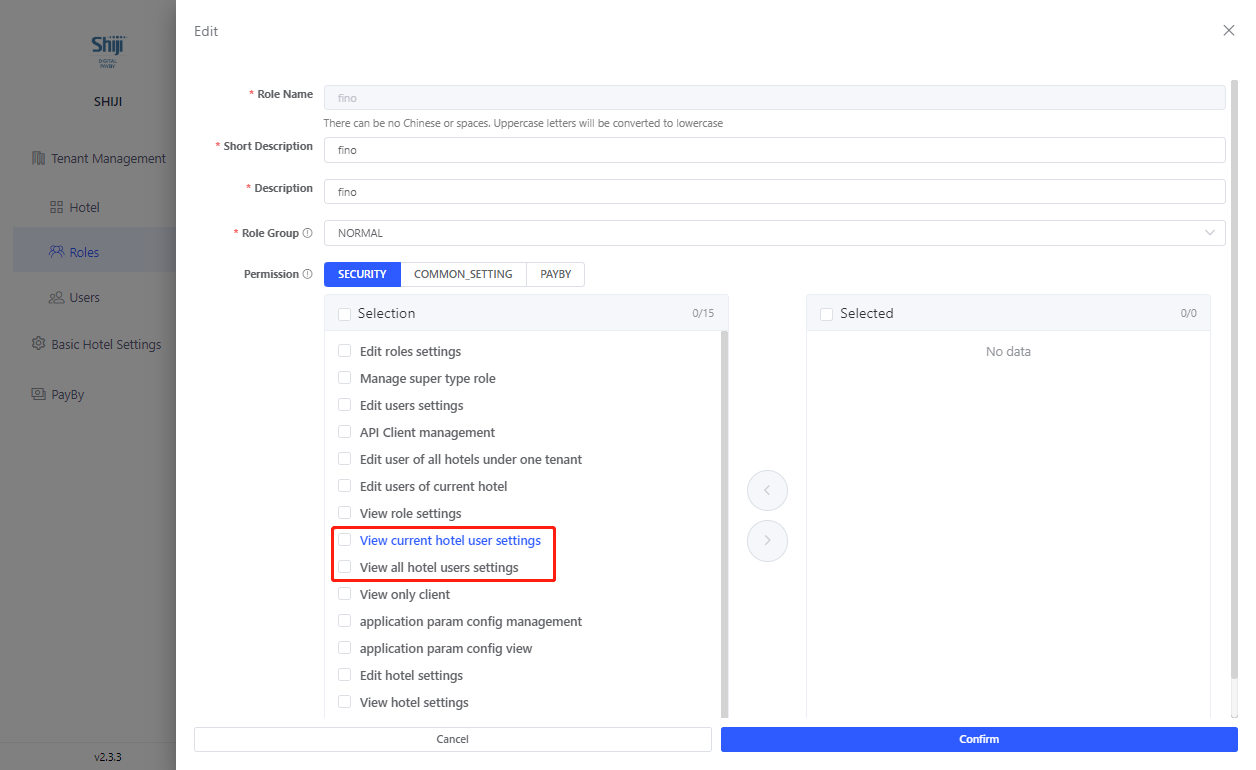
View User Setting permission is now splitted into 2 permissions

‘View current hotel user settings‘ allows users to view users of current hotel and ‘View all hotel users settings‘ allow users to see all users under one tenant.

Built in roles option available for new clients

We now provide option for tenant to have built in roles pre-defined by PayBy.

Bugs fixed 🛟

  • Fix the bug of dynamic fields [plateform tnx number] and [channel tnx number]

  • Changed the description of PayBy product on start page

  • Change the word ‘Silver Stone’ in PayBy user portal to ‘SPS China’

  • Fixed the bug of void user name in sso login process

  • Add 'reserved' to non integration reservation status

Version
2___.2_.7_
Project
Shiji Digital | PayBy

New Features 🚀

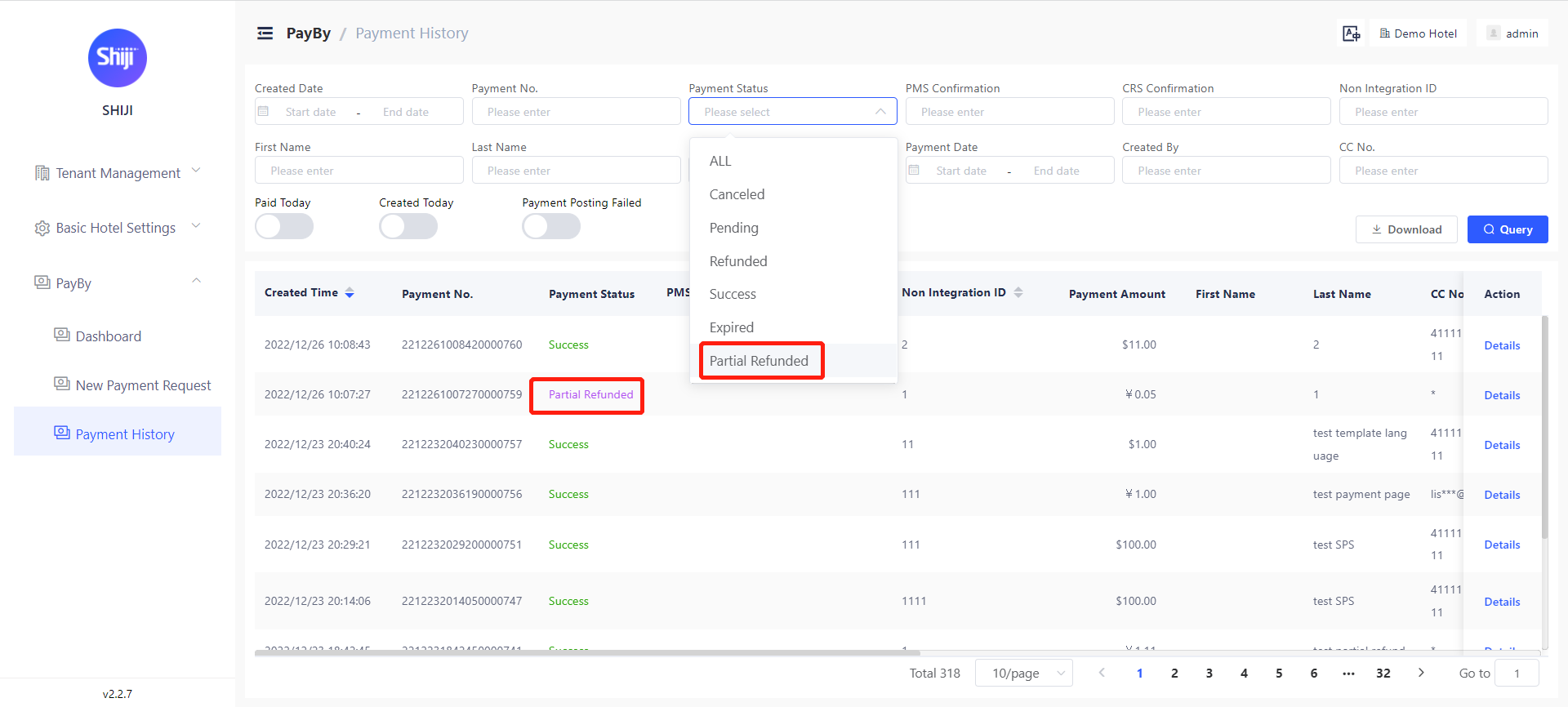
Partial refund

Users can now perform partial refund in PayBy user backend.

We added a new payment status as “partial refunded“ Users can see and query the partial refunded requests on payment history page

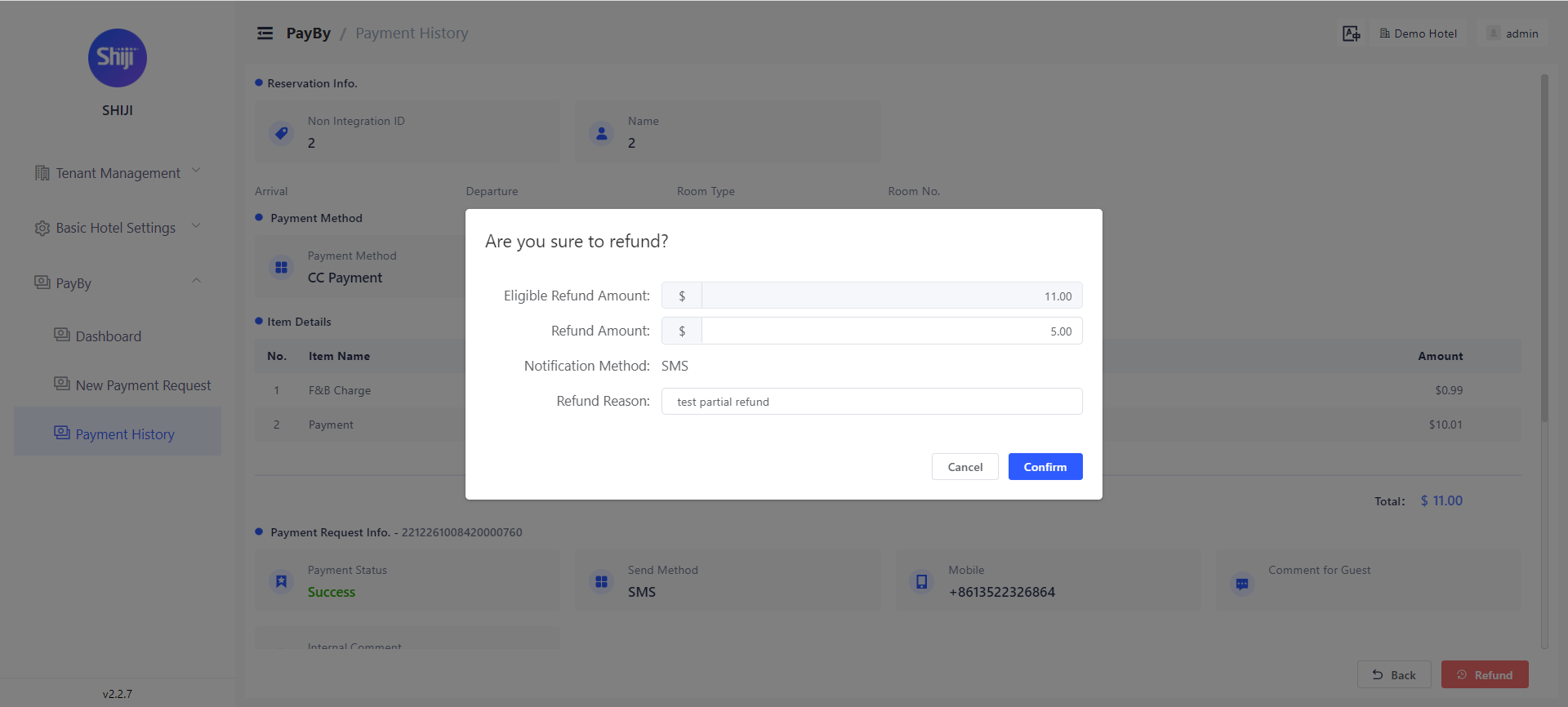
On the pop-up window of refund:  

1 eligible refund amount will show   

2 refund amount can be inputted, can accept positive number with 2 decimals amount should be less or equal to the eligible refund amount

If the refund amount inputted is equal to the eligible refund amount, once refund succeed, the payment requests status will be changed to refunded.

If the refund amount inputted is less than eligible refund amount, once refund succeed, the payment requests status will be changed to partial refunded and the ‘eligible refund amount’ will be actualized.  

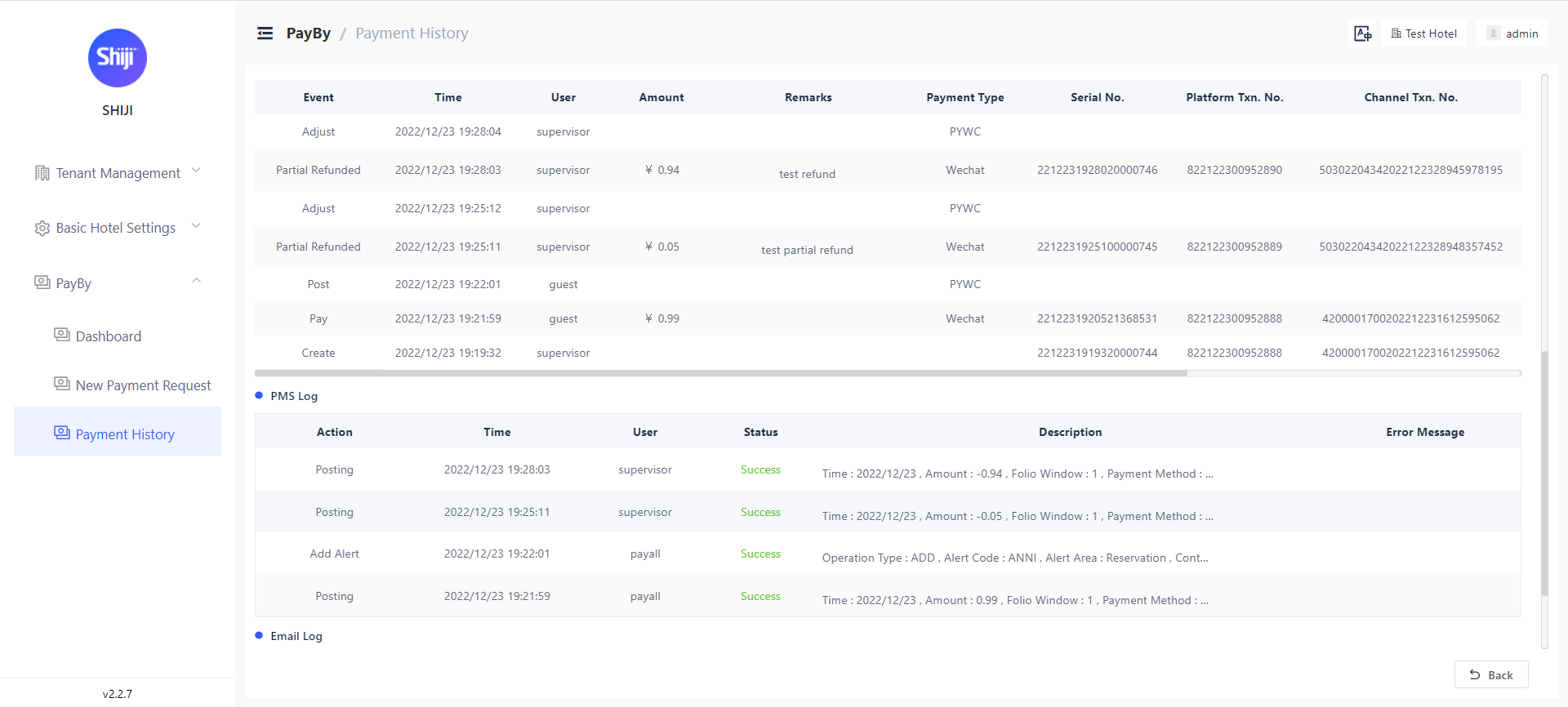
Partial refund records will show at payment detail page as above. Partial refund amount, time, internal comments will show at ‘Changes’.

If this payment request has PMS confirmation number, the refund will also be posted to PMS.

Multiple payment attempts allowed for CC Payment

When payment fails, guests can refresh the payment page and try again. Every payment attempts will be recorded at payment request page. Attention:Need to define PaymentFailed landing page and update codes on payment landing page.

Security Enhancements:

a) Passwords in PayBy will not be returned to front-end. User with permission can change the password but won’t be able to see the password.

b) Every OWS requests will be filtered before sending

Bugs fixed 🛟

  • Auto Notification’s language is now consistent with the payment request language.

  • For guests on desktop devices choosing Alipay/WeChat Pay, they now will be redirect to payment payment after they finish the payment process.

  • Fixed the SSO cache problem

  • Fixed the PMS posting error on connectivity

Version
2022.12.12
Project
Shiji Digital | PayBy

New Features 🚀

Improved the design of error page

We improved the appearance of error page. This page will show if a guest get the wrong payment landing page url

Improved the input experience for creating and searching payment requests

The spaces at the very front and end of the input box will be deleted automatically when submitting. For example when querying reservation information at payment request page, users won’t get the error message causing by blank spaces at the front or end of the reservation number.

Bugs fixed 🛟

1 Non integration payment requests won’t have PMS interaction logs

On the detail page of ‘non integration‘ payment request, there is no PMS logs.

2 Fixed the bug of inconsistency of records on ‘Total cost of stay’ details

3 Corrected the notification icon for PayBy management backend

Version
2022.11.28
Project
Shiji Digital | PayBy

New Features 🚀

1 Payment landing page URL upgraded

To enhance stability and robustness we added a link parameter for landing page URL to distinguish between different tenants.

2 Integration of payment requests created via API

Payment requests created via PayBy API are integrated in PayBy user backend with marks of resource. 

Bug Fixes 🛟

1 Fixed the problem of auto notification, guests now can receive payment/refund notifications by E-mail/SMS according to the rules set in Basic Hotel Setting>Notification>Auto Notification

2 Fixed the bug of permission setting for roles.

3 Fixed the bug of cannot pull ‘total cost of stay’ when reservation has or had transactions on folio window other than 1 or 2

4 Fixed the payment status consistency problem, payments status shows correctly at PayBy user portal and payment landing page.

5 Fixed the bug of SMS/E-mail sending status.

6 SSO login option will be hidden if SSO is disabled for certain tenant.

7 Fixed the bug of total amount error with more than 10 payment items with each amount less than 0.1

Version
2022.11.15
Project
Shiji Digital | PayBy

v2.1.8-RC17

New Features 🚀

SSO users can be assigned to corresponding hotel

With configurations of SSO of client side, PayBy can assign SSO user to the hotel to which he belongs.

Login portal of PayBy improved

The link of SSO login is know showing as icon.

Bug Fixes 🛟

Fixed the SSO login bug

Fixed the bug in permission setting for dictionary

V2.1.8-RC14

New Features 🚀

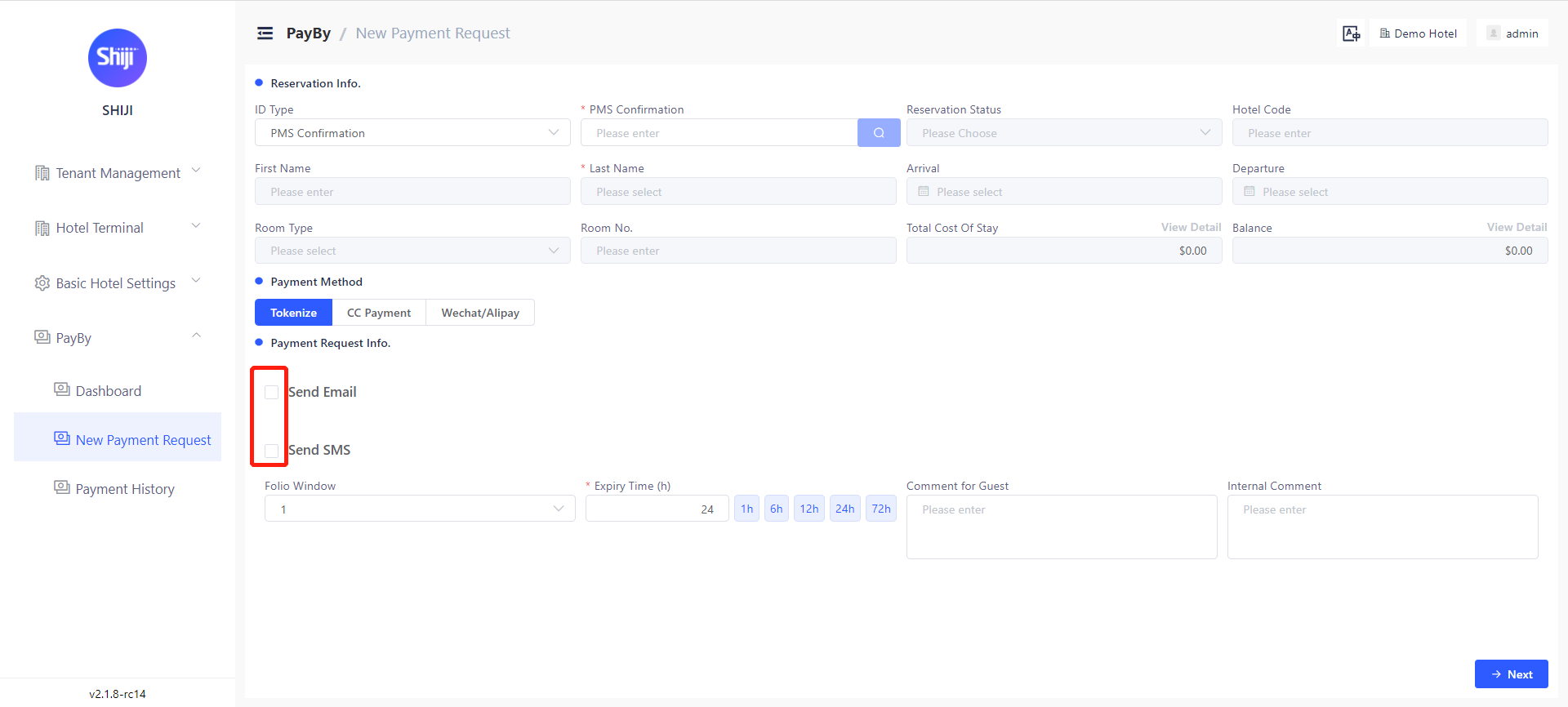
Payment link can be created without sending E-mail / SMS

Users can create payment link at PayBy user portal without sending E-mail or SMS to guest. In order to do that, simply uncheck the ‘send E-mail’ and ‘send SMS’ when creating the payment request.

V2.1.8-RC8

New Features 🚀

Reservation Type in Opera PMS will be updated once a credit card payment/tokenize is accomplished

For CC payment and tokenize, when the transaction is completed, the reservation type of reservation in Opera PMS will be updated accordingly.

PayBy Logo updated

PayBy logo will be used at user portal and official documentations.

Bug Fixes 🛟

Fixed the bug on the OWS connection test

OWS connection test is now based on the value typed in instead of value saved.

User permission logic improved

Under current permission>role>user structure, users with ‘user edit‘ permission can only edit users under the same hotel. Users with multiple hotel access can not be edit by user with only one hotel access, even with ‘user edit‘ permission.

Version
2022.10.14
Project
Shiji Digital | PayBy

V2.1.8-RC8

New Features 🚀

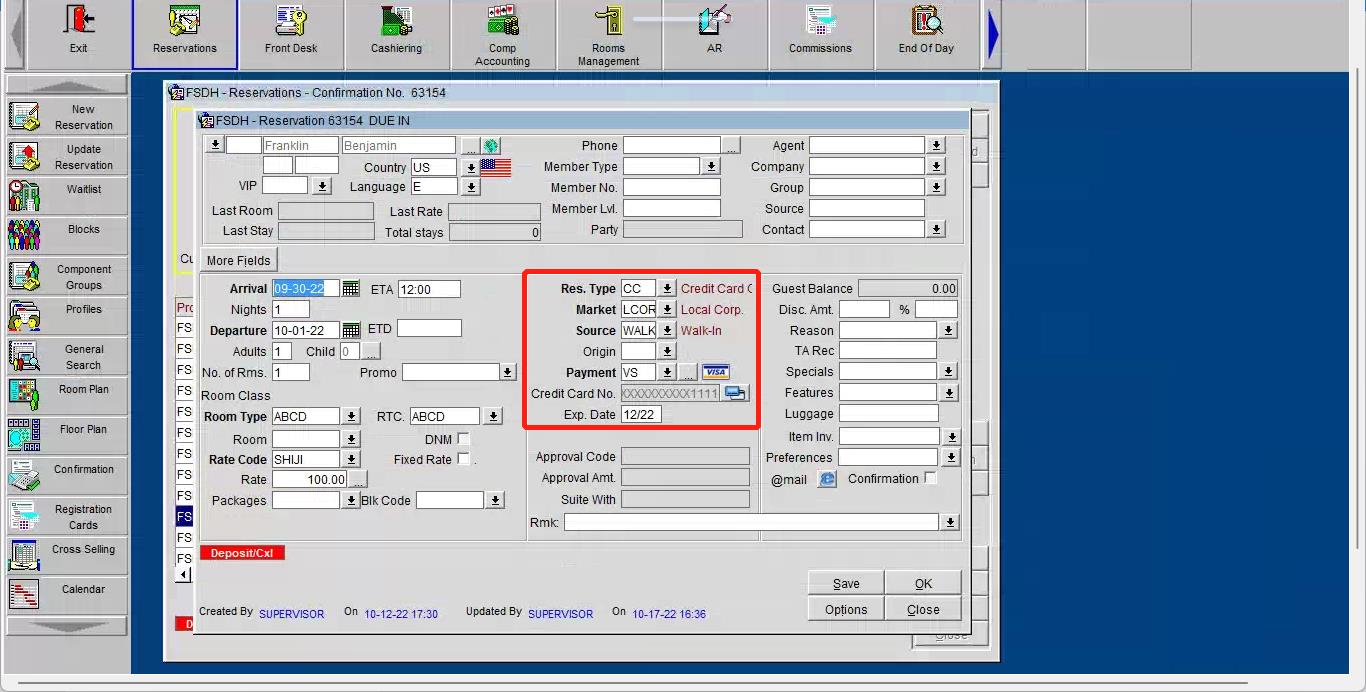
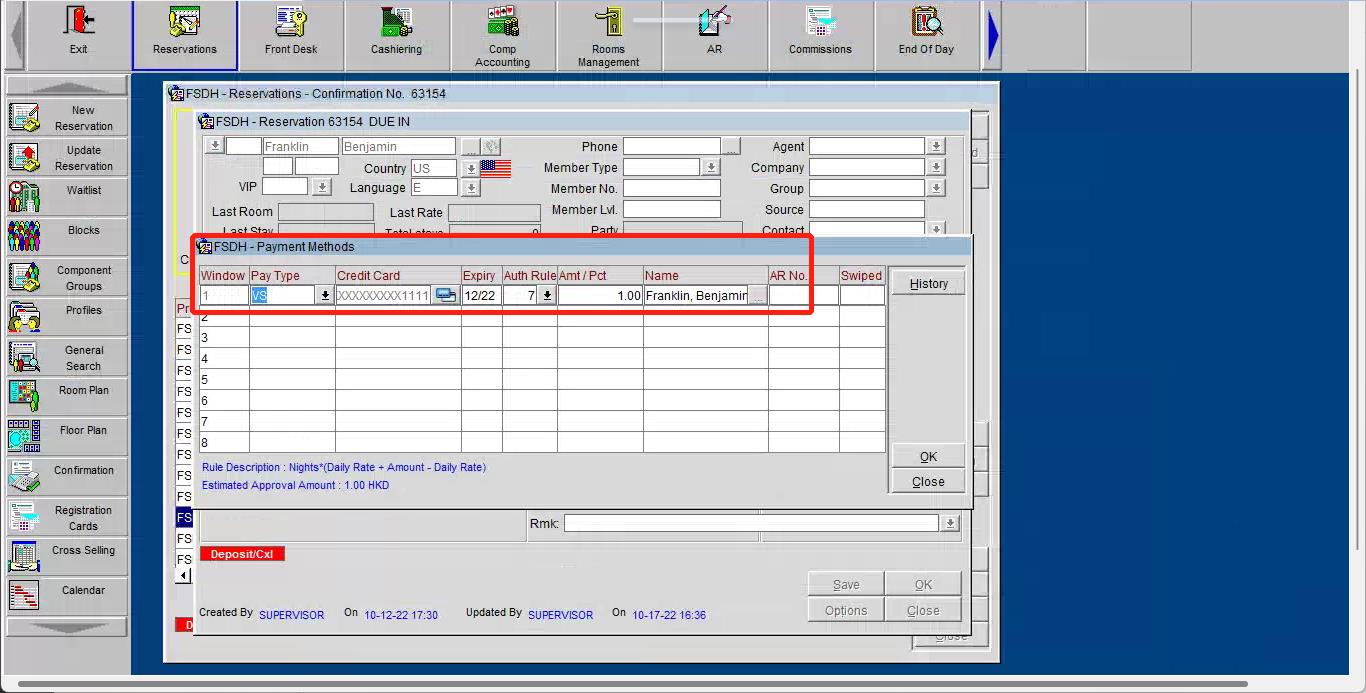
Guest‘s partly masked Credit Card information will be recorded and posted to Opera PMS after payment completed

Once the guest accomplished the payment/tokenize process , the masked credit card number, payment method and card’s expiration date will be updated on the reservation detail in Opera.

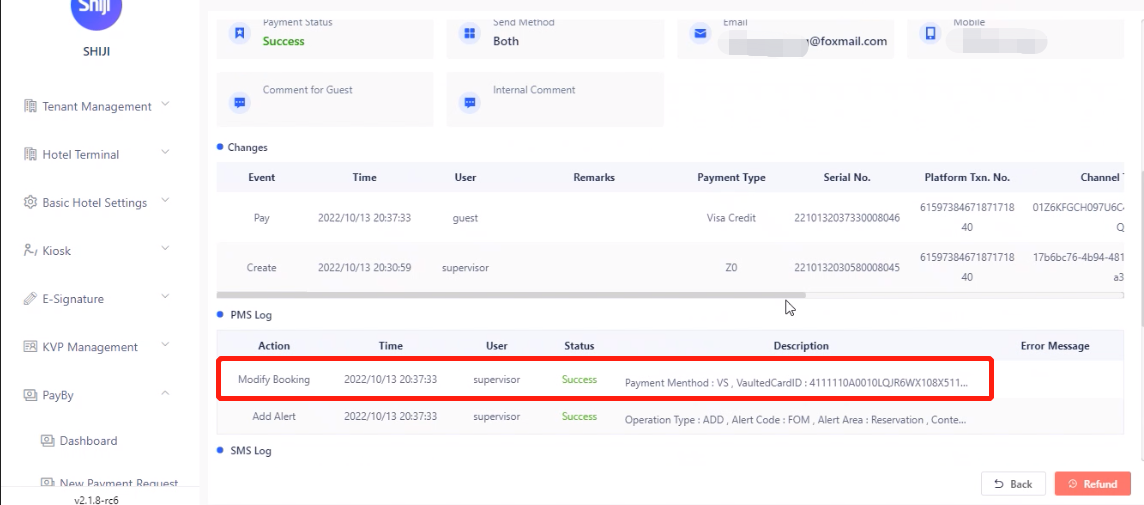
In the meantime a record will be created on PayBy’s payment detail page showing the content being posted to Opera.

For tokenization, in order to post card information to PMS we need to parameter guarantee type: 1) Create guarantee type under Basic Hotel Settings → General → Data Dictionary 2) Choose a guarantee type for Tokenize under Basic Hotel Settings → PayBy → Payment Method. Please see configuration guide for detailed instruction.

Searching capacity is enhanced

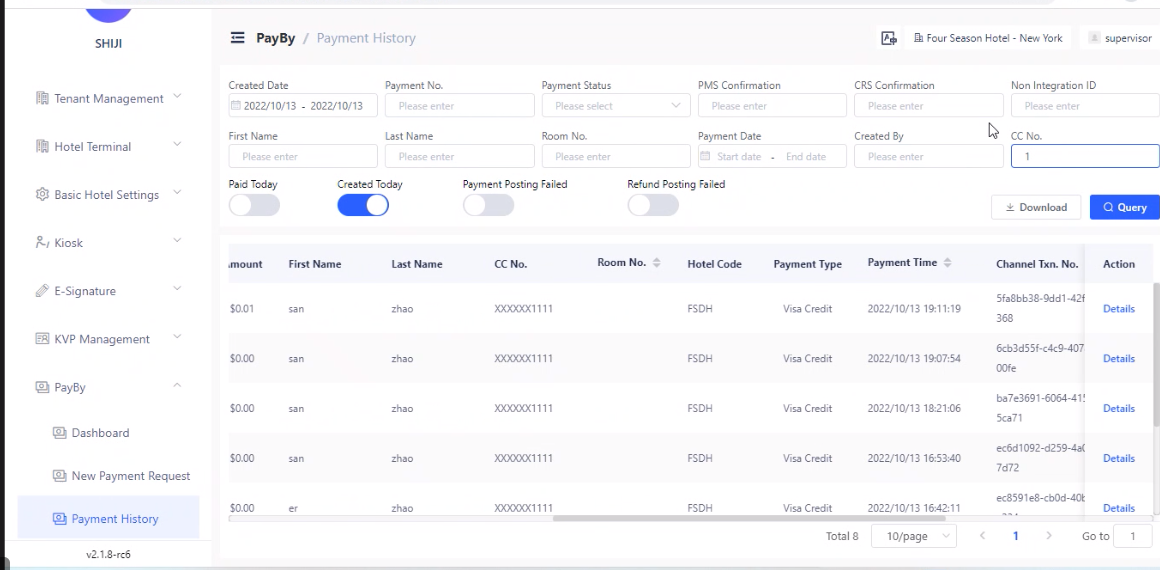
We expanded the search criteria in PayBy → Payment History. In addition to the existing search criterial, users can now search for payment by

a) Time period;

b) The Last 4 digital numbers of the guest’s credit card number;

c) Room number;

d) User;

Permissions are more logical understandable

a) English translation updated for all permissions

We updated the permissions’ English translation in order to be more intuitive.

b) Irrelevant permissions hidden

Permissions not used in this version of PayBy are hidden.

c) Documentation created

A detailed explanation of every permission is available in chapter 7 of PayBy configuration guide in the Shiji Documentation Center.

Bug Fixes 🛟

CC Payment pages will expire following the rule set by the user

The landing page and payment page will expire at the time specified by the user. If guests open the link after expiration, the page will show that the transaction has expired, it’s no longer possible to pay now. This expiration page is also customizable at Basic Hotel Settings → Notification → Landing page

Corrected logic of default SMS Gateway

Different SMS gateway can be added at Basic Hotel Setting → General → SMS, PayBy will define one default SMS gateway for each region. Once there is more than one SMS gateway for one region, users can set one SMS gateway as default.

Unified ‘overdue’ and ‘expire‘

From now on, expired unpaid requests in PayBy will all be described as expired in order to avoid ambiguity.

Version
2022.09.23
Project
Shiji Digital | PayBy

Note: From this release, we will split the release notes into New Features and Bug Fixes.

V2.1.8-RC1

New Features 🚀

Tenant level roles can be defined to access all hotels

In PayBy User Portal: Permission of ‘Global access to hotels’ can be granted to roles, so that user who is granted with this role can access to all hotels without any configuration. This permission is controlled by PayBy team, corresponding setting will be communicated to client during initiation phrase.

For PayBy API: Payment request can be created in all hotels under given Tenant with corresponding hotel code.

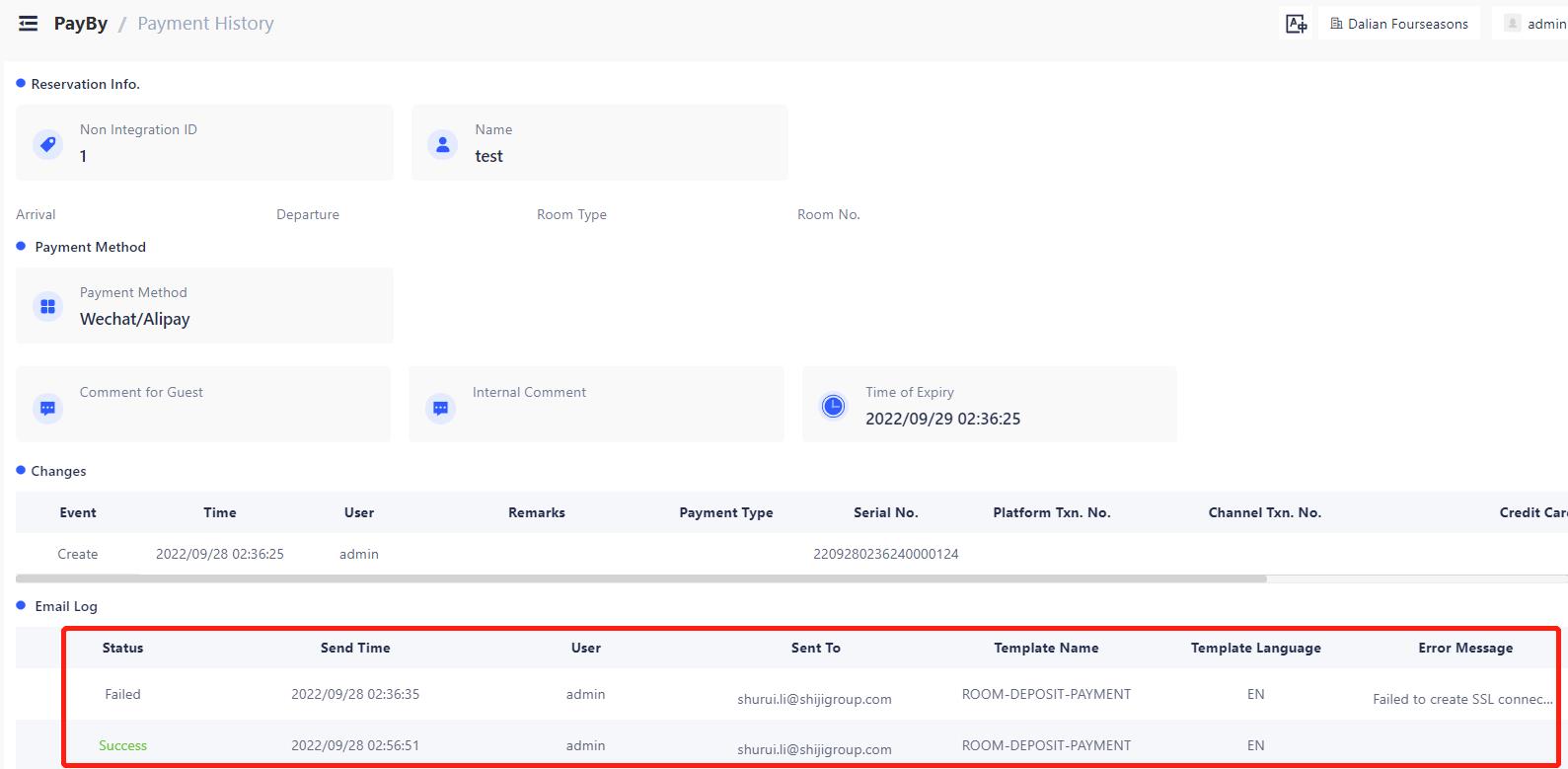
Added E-mail / SMS delivery status records

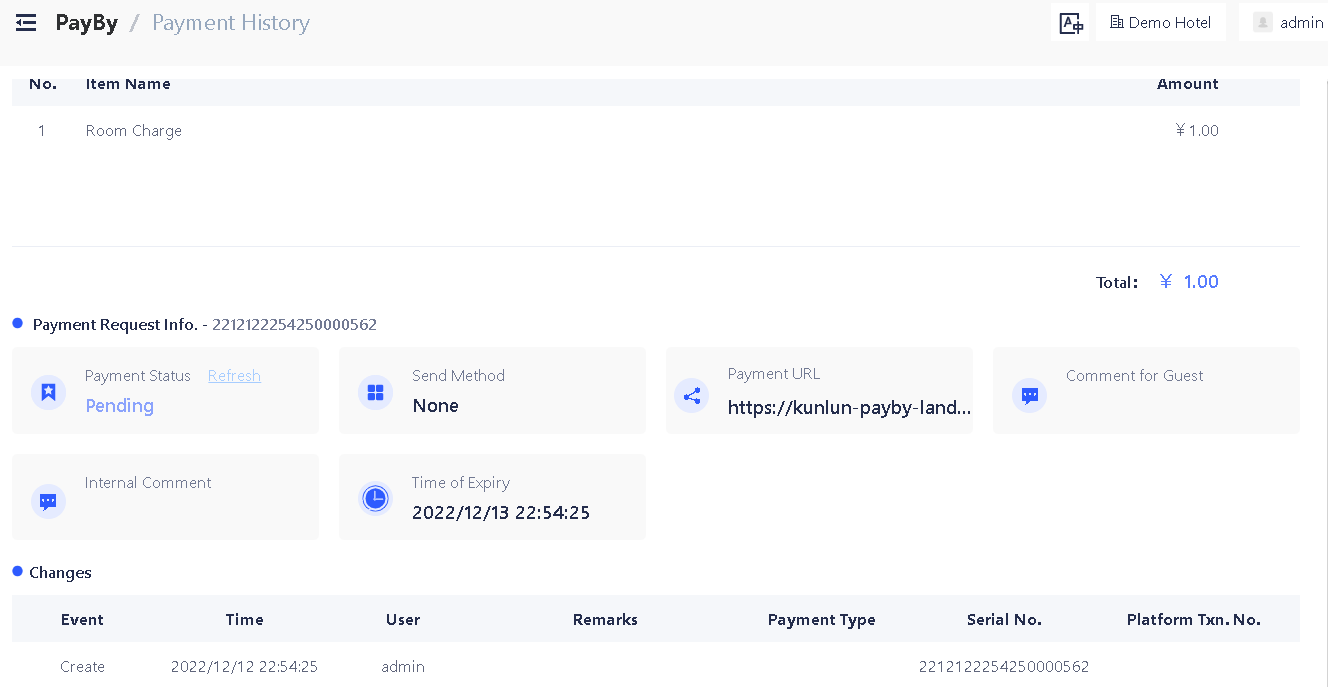
Email / SMS sending records including sending status, sending time, user, e-mail/SMS address, template name and template language will be shown on payment detail page. This could be find under PayBy → Payment History → Details

E-mail sending status could be Success or Failed according to the response from E-mail server. If failed error message from e-mail server will be displayed.

SMS sending status could be Sent, Success or Failed, once SMS sent, status will be Sent until SMS gateway return the SMS sending result to PayBy. Then the status will change to success or failed accordingly.

Bug Fixes 🛟

Payment platform integration

Fixed bug related to SilverStone Shiji Payment Platform integration.

System prompt messages and text labels changed

Corrected system prompt messages and text labels to be more user friendly. Hided PayBy irreverent user settings.

Permission constraint adjusted for hotel level users

Role permissions adjustment is made by add/delete permissions for certain role.

Hotel level IT managers cannot grant users with access of any other hotels, only Tenant level admin can

Hotel level users can not see users/roles of other hotels

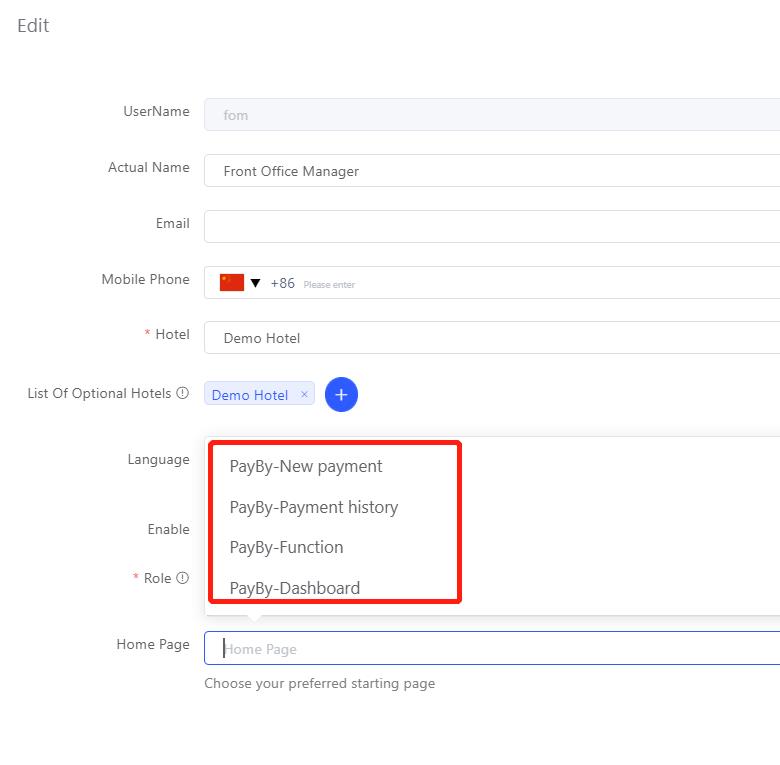
Updated user home page setting scroll down menu

At user setting page(Tenant Management→Users→Edit) , only pages the user has access to will be shown at home page scroll down menu.

Version
2022.09.09
Project
Shiji Digital | PayBy

V2.1.8

PayBy API

PayBy now provides APIs for client to further integrate PayBy into their services. Payments request can be created via API request and payment link can be integrated to your workflow seamlessly.

PayBy API documentation is available in the Shiji documentation center https://docs.shijigroup.com/fr-FR/bundle/SPS_PayBy_API/page/index.html

Front-end bugs fixed

  1. Fixed ‘Enable’ button for Payment Method page.

  2. Fixed Hotel Group Province input box type for Hotel Group Information Setting page

  3. Fixed Error Page URL

  4. Fixed notification words on External Data Source Setting page

  5. Corrected marks for mandatory fields on External Data Source Setting

Label texts corrected for English Interface

Version
2022.08.26
Project
Shiji Digital | PayBy

V2.1.7.1

Separated Payment Requests for Tokenize and Payment

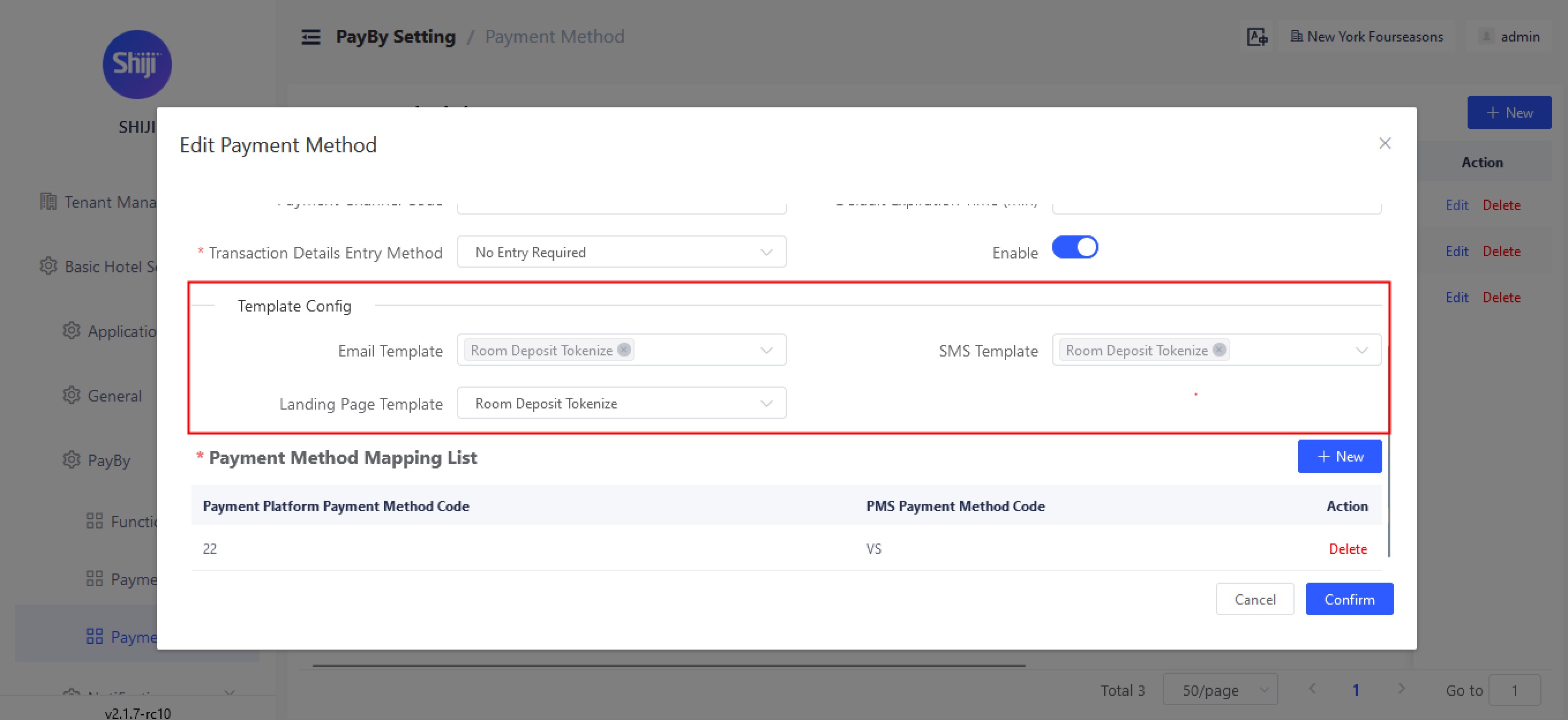
In this release we have added the ability to customize the payment request template based on the request type either being for a payment or a tokenize, this allows you to define separate content in the notifications for each use-case.

This can be enabled under Basic Hotel Settings → PayBy → Payment Method Settings

Auto-notification

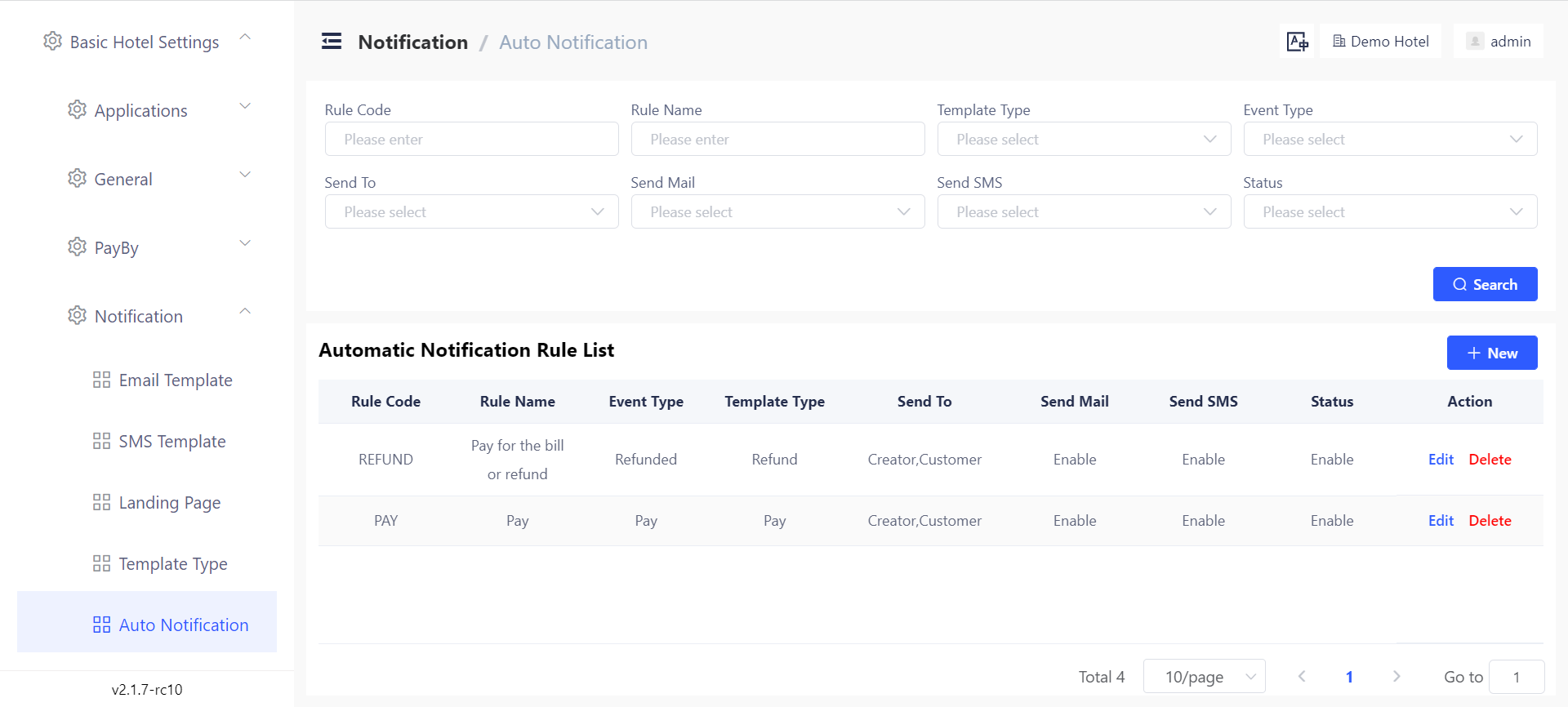
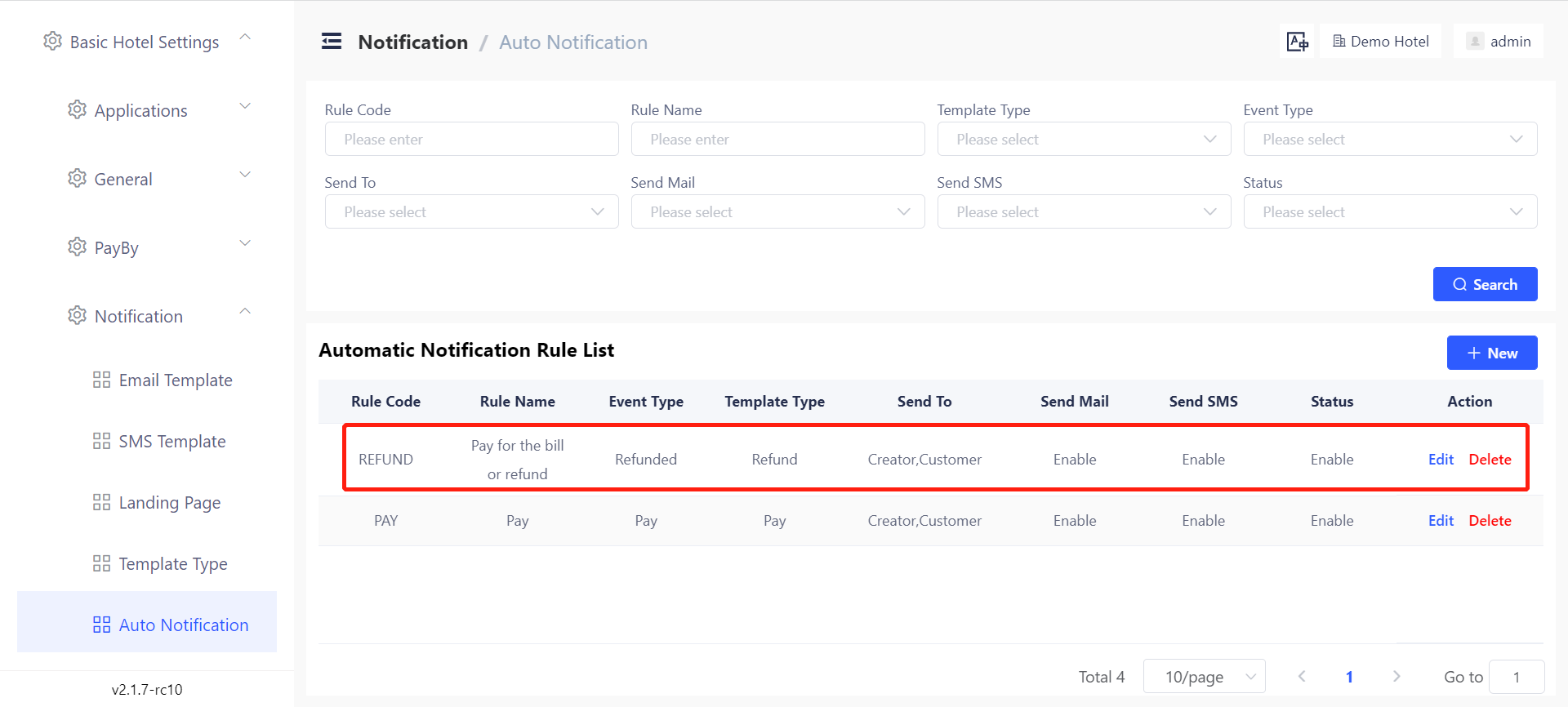
Users can set automatic notifications triggered by certain events: refund, payment succeeds, payment canceled and payment expired. Notifications could be both e-mail and SMS. Notifications can be sent to the corresponding guest, user who create this payment, and a specific e-mail address.

This can be set under Basic Hotel Settings → Notification → Auto Notification

Multi-language support for guests

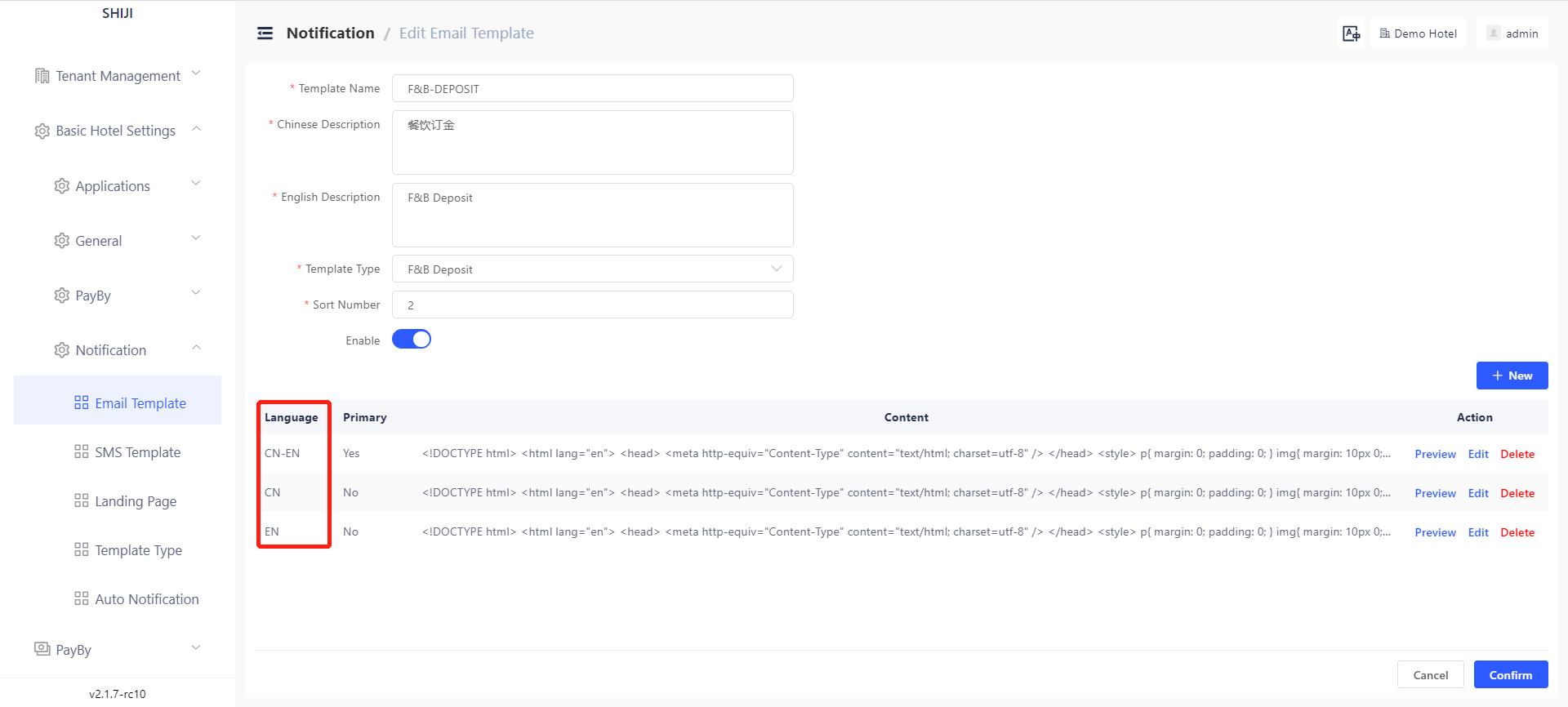
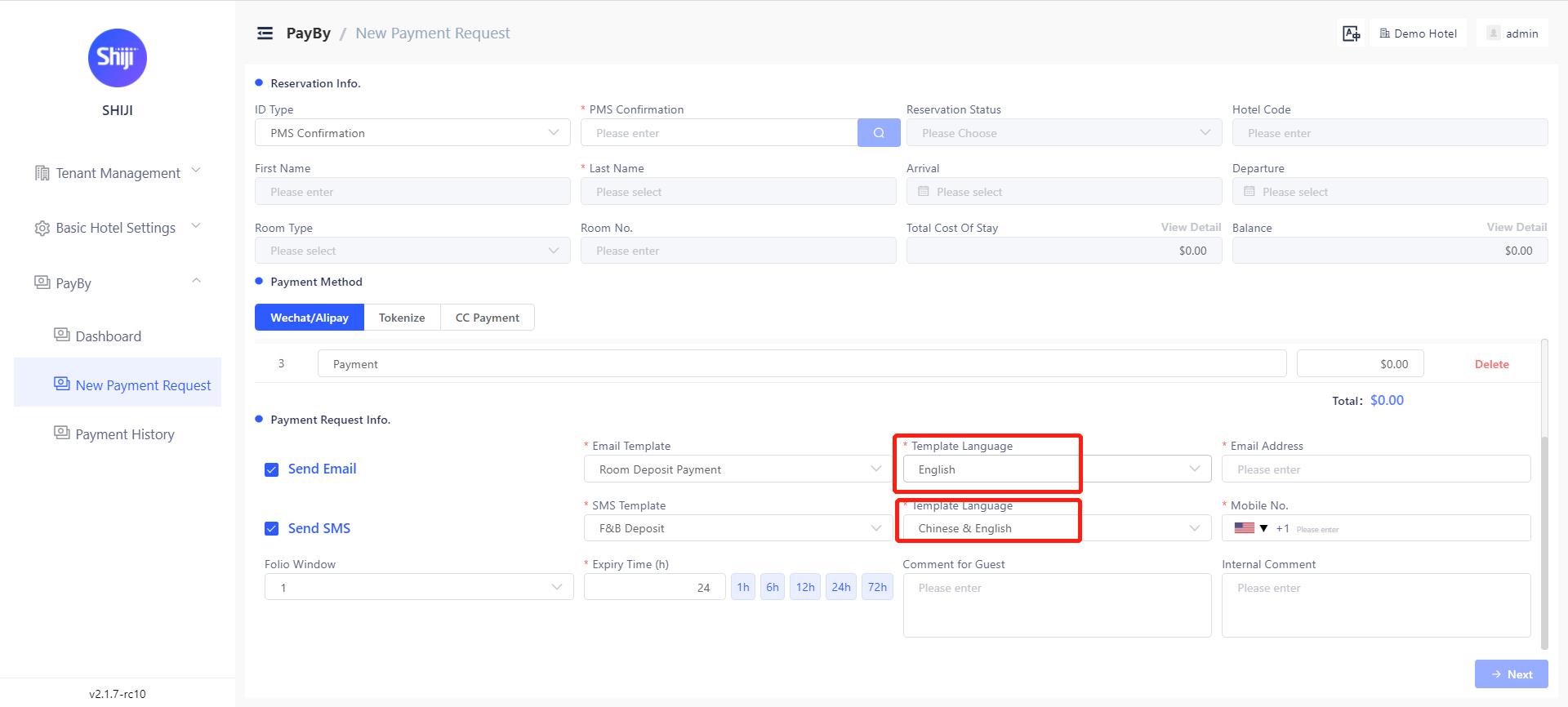
PayBy allows users to create E-mail and SMS templates in different languages. When creating a payment request user can choose the language of E-mail and SMS content according to the guest’s preference.

This can be set under Basic Hotel Settings → Notification → Email/SMS template

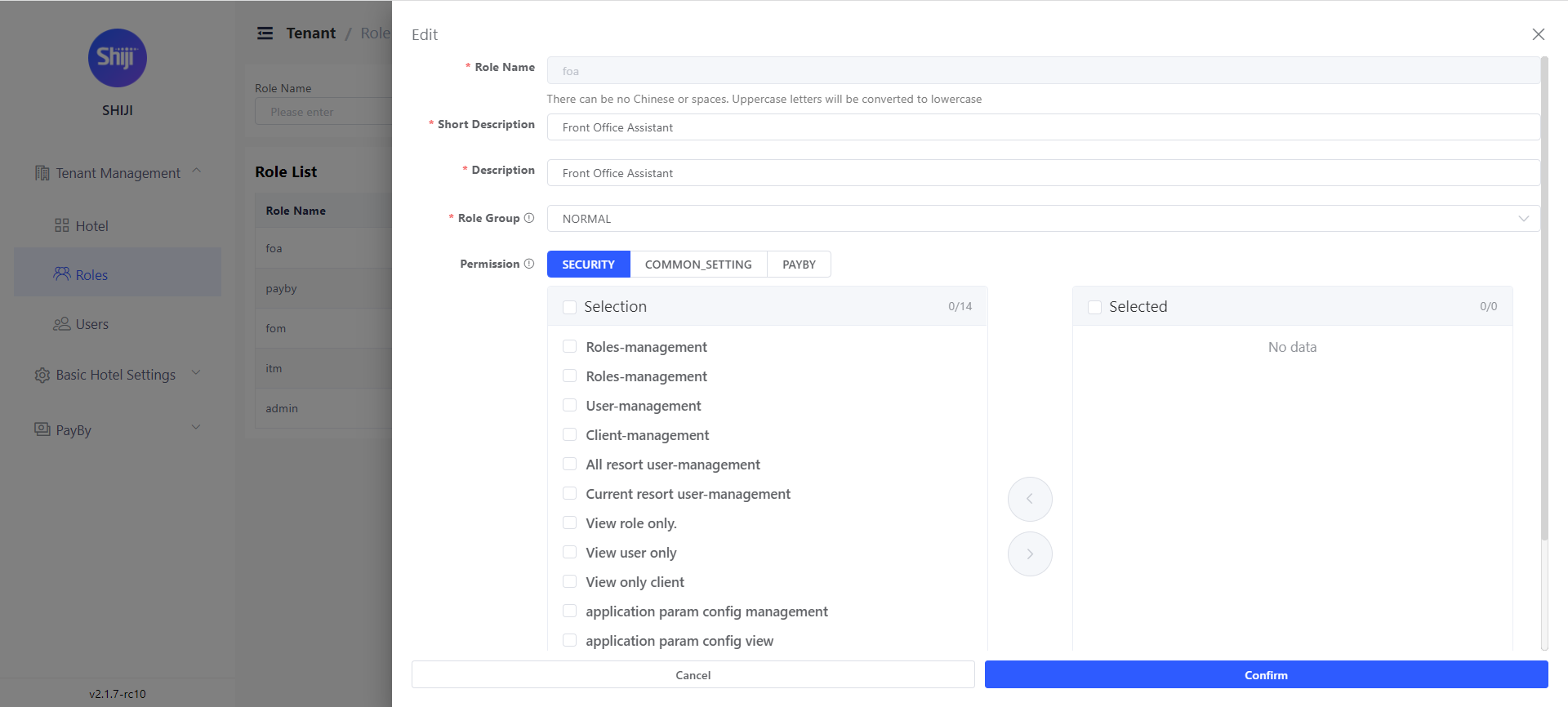
User Permissions Tiered Structure

PayBy ensures users have the correct permissions levels and only have access to the resources they need.

Users can define permissions for a certain role in PayBy. Once defined roles, we can define users and grant specific roles to one user.

This can be set under Tenant Management → Role/user. To access this setting users must have role/user management permission.

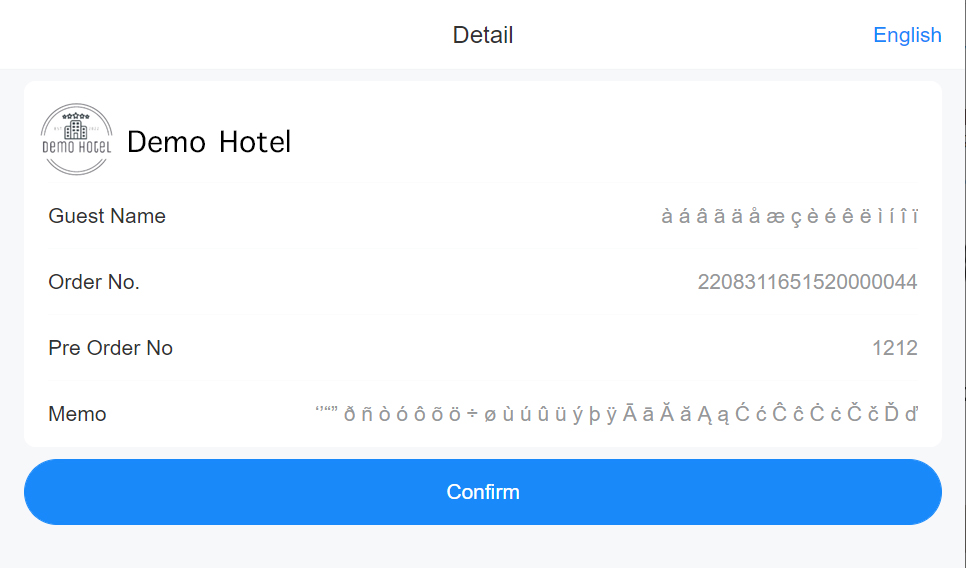
Support special character

PayBy supports special characters in different languages in Emails, notes and messages.

Display error message

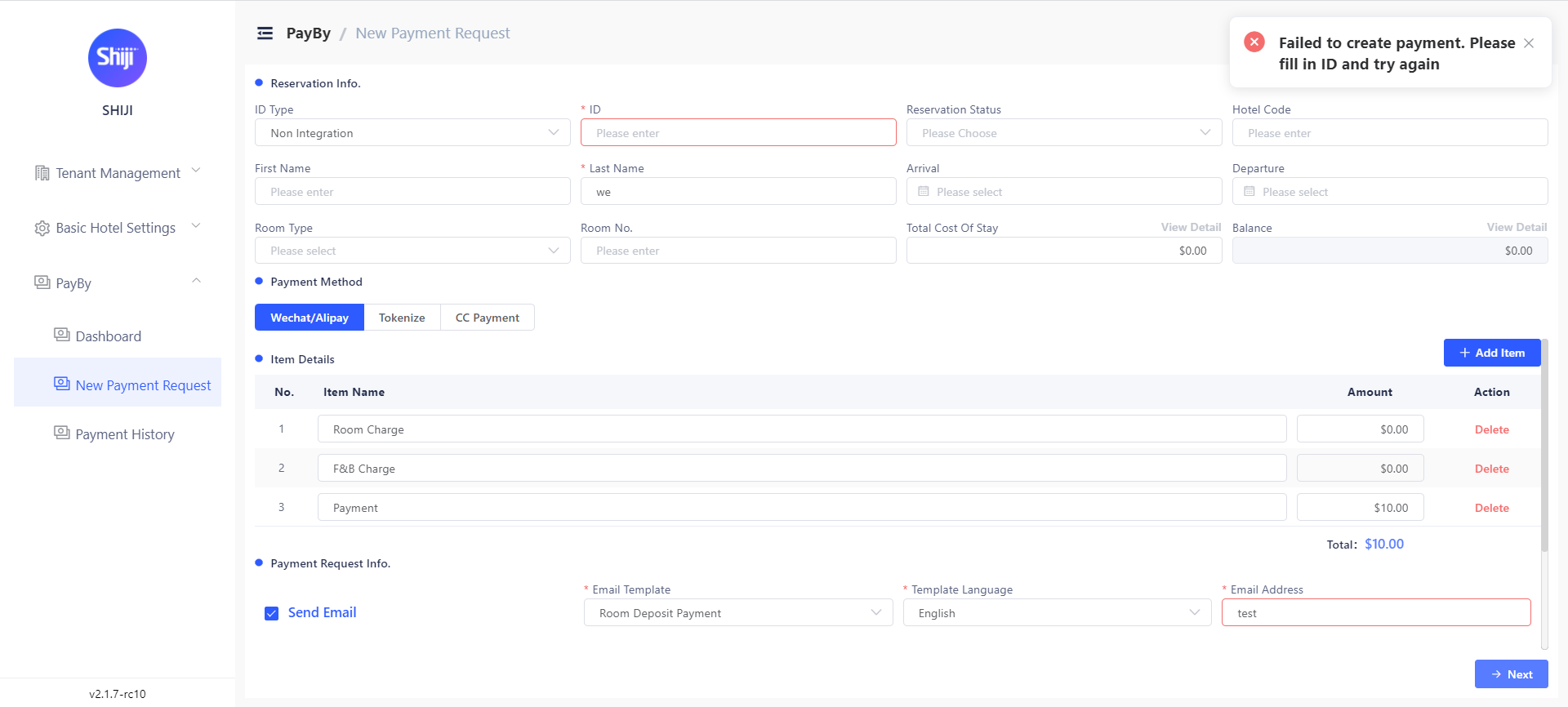
PayBy will display error messages on the left top side of the screen for errors and warnings. For example, when submitting a payment request, PayBy will remind the user if there are any mandatory fields left blank.

Version
2022.08.12
Project
Shiji Digital | PayBy

V2.1.6-rc6

Refund Support

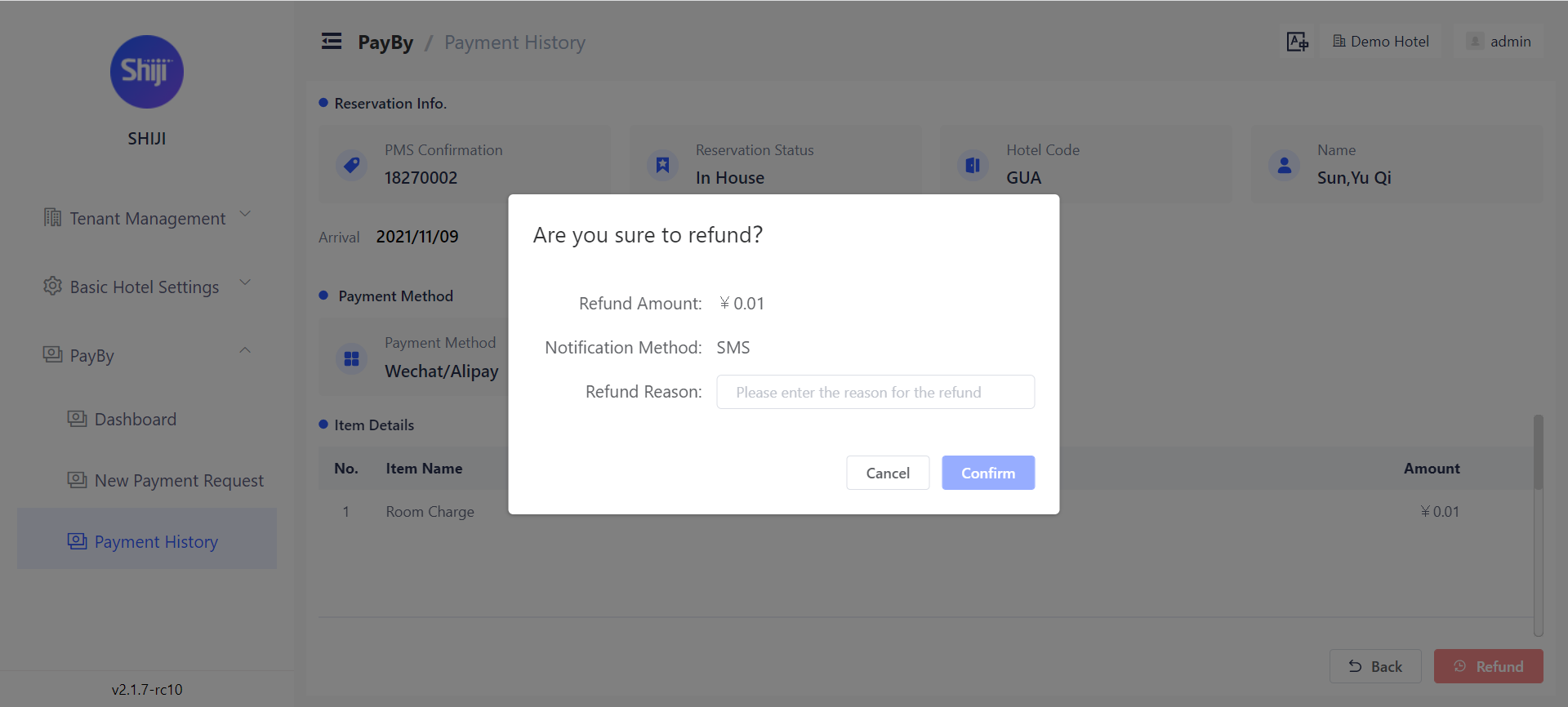
PayBy applies user permission to control refund privilege, refund can be done on successful transactions, upon refund approval PayBy will post a negative transaction to PMS, and the client will receive a refund confirmation in the original payment notification channel. Email/SMS template is configurable in templates.

To access refund, the user must have the [permission name] permission.

Payment & Refund Notifications

As part of the notification rules, you can now configure notification templates upon successful payment.

This can be enabled under Basic Hotel Settings → Notification → Auto Notification by creating new rules based on Event Type Pay or Event Type Refunded.

Notification Template Customizations

As part of our notifications revamp, You can now customize the notification templates by payment, notification channel, template type and language.

Templates can be customized under Basic Hotel Settings → Notification → Auto Notifications.

Manual Resend of Payment Requests

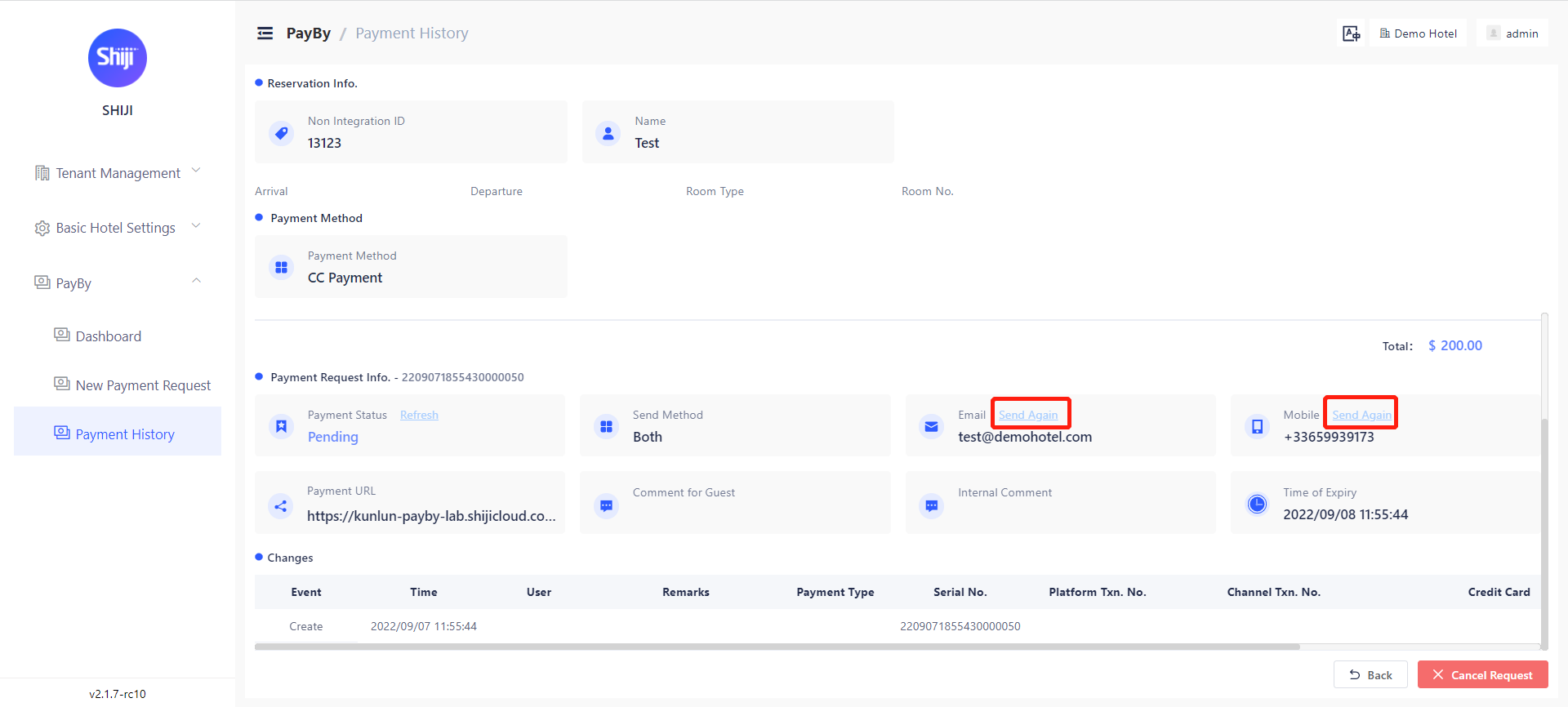
You can now manually resend the payment request if the request is in Pending status. Next to the delivery channel you will see a _Send Again _option

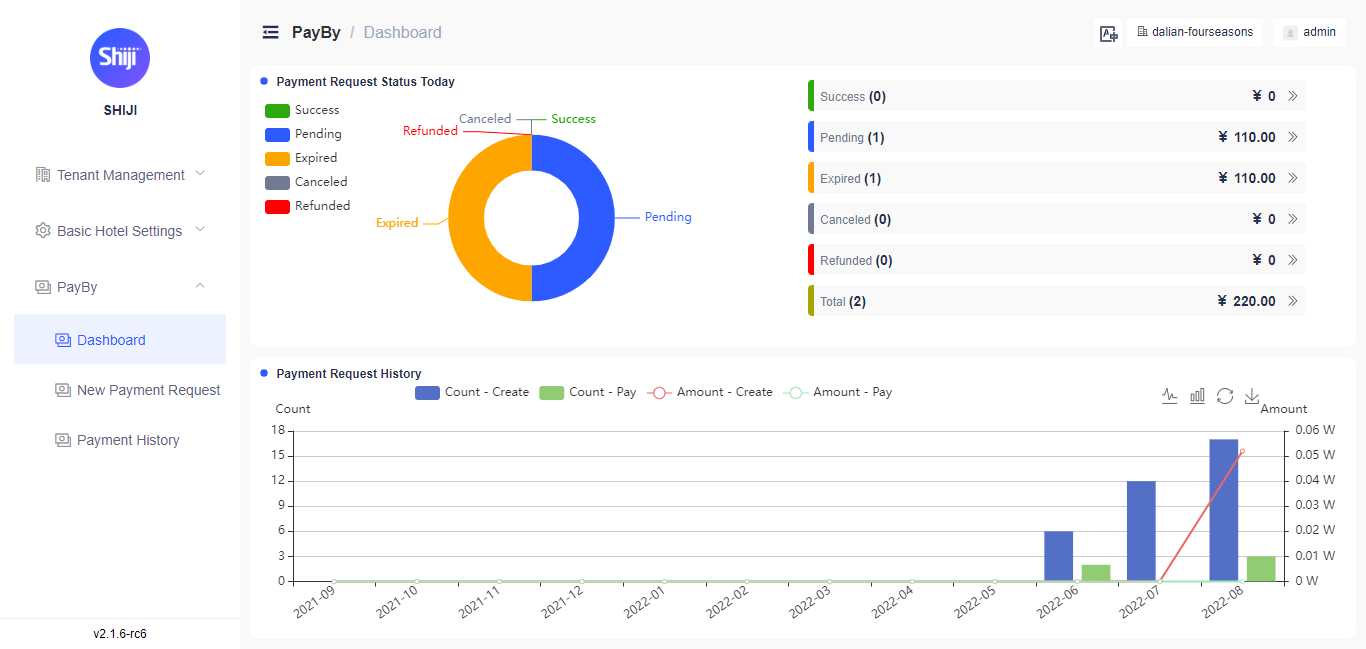
Payment Requests Dashboard

We have included a new dashboard for the payment requests. The dashboard will give you an overview of the payment requests status, with the ability to drill down and also export the filtered results.

Dashboard can be accessed via PayBy → Dashboard and requires the [insert permission name] permission to view.

Payment Request Expiration Time

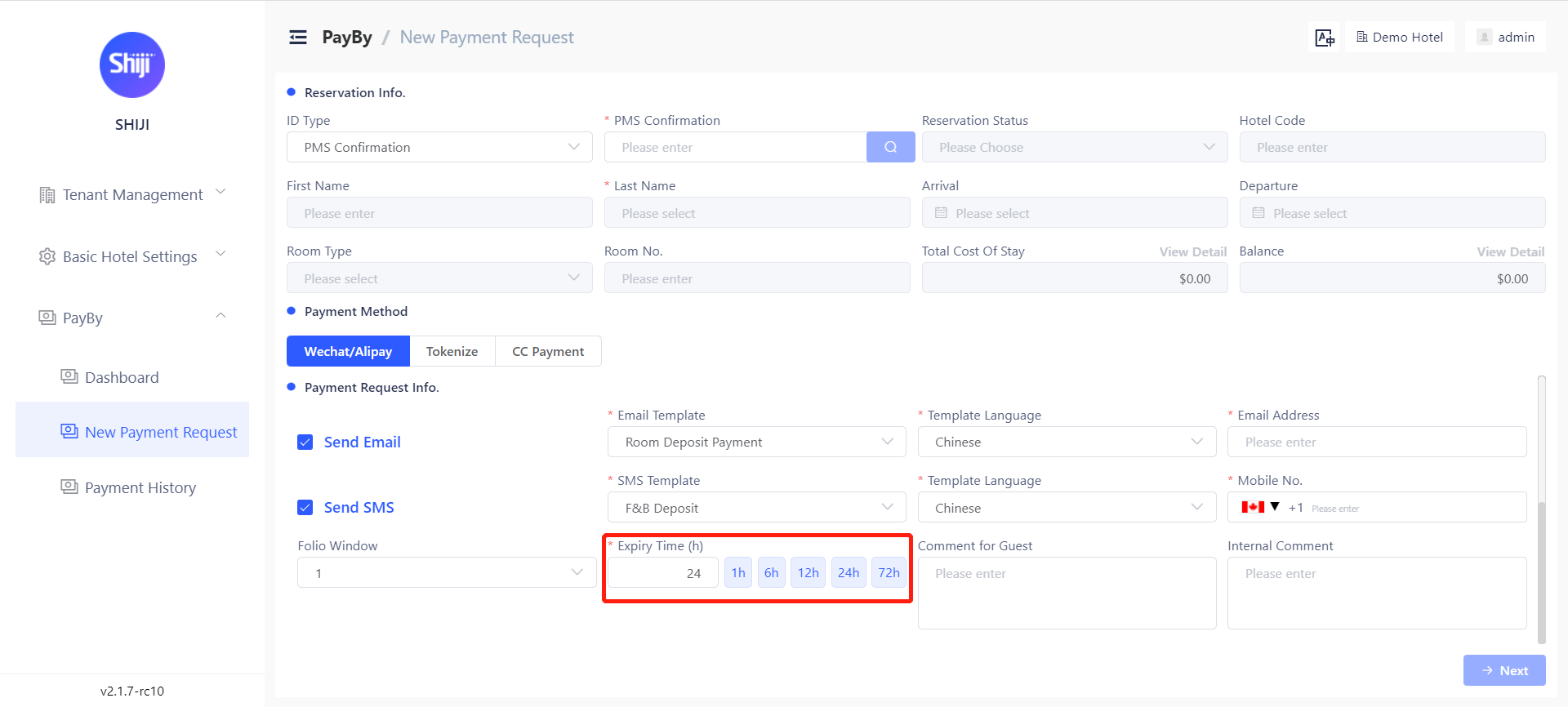
Users can set the request expiration time for each payment request. If the payment is not completed before the expiration time, the status of this payment will be "expired". it can be set from minimum 1 hour to maximum 72 hours.

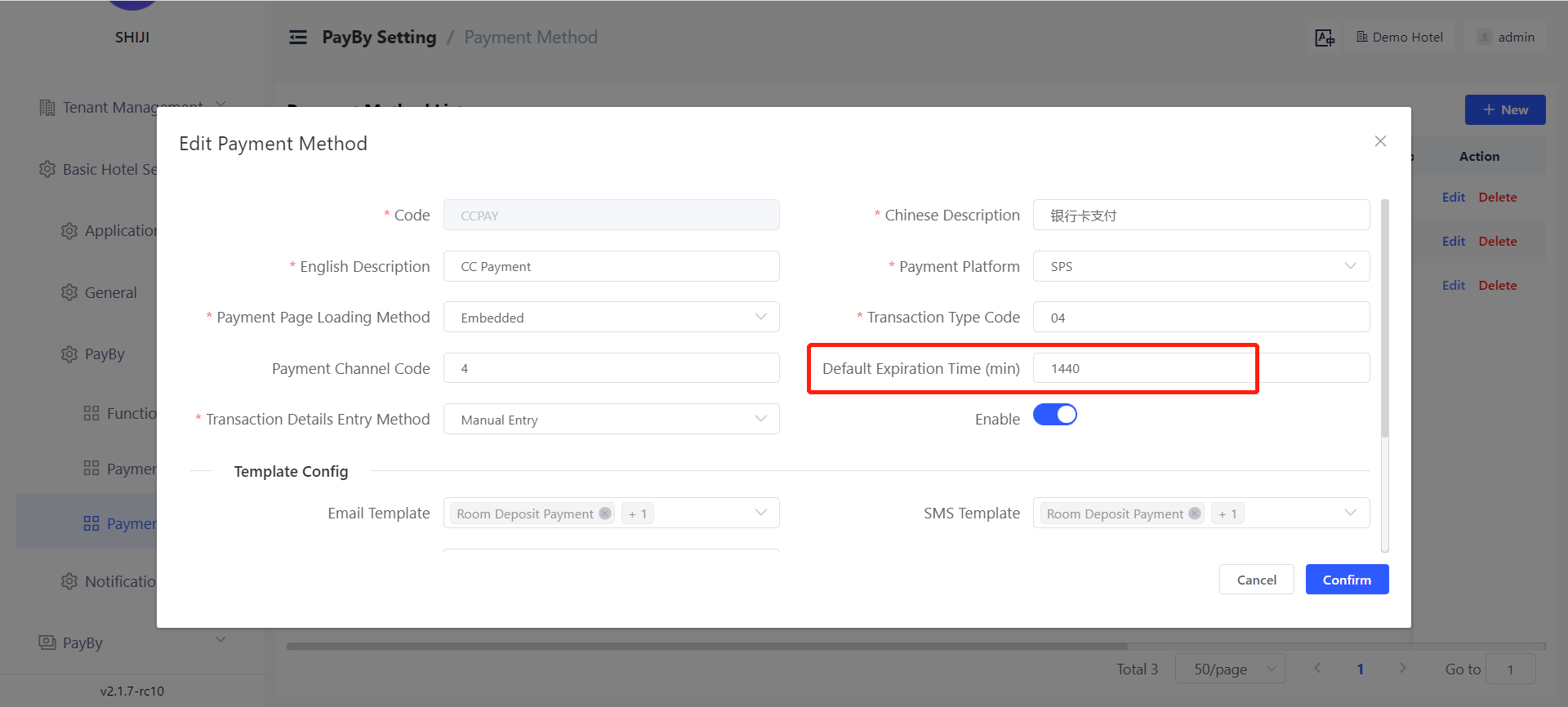
A default expiration time can be set for requests based on the payment channel. This can be set under Basic Hotel Settings → PayBy → Payment Channel → Default Expiration Time.
Note: The default expiration time is entered in minutes so 24hours would be 1440 minutes.

Global SMS Support

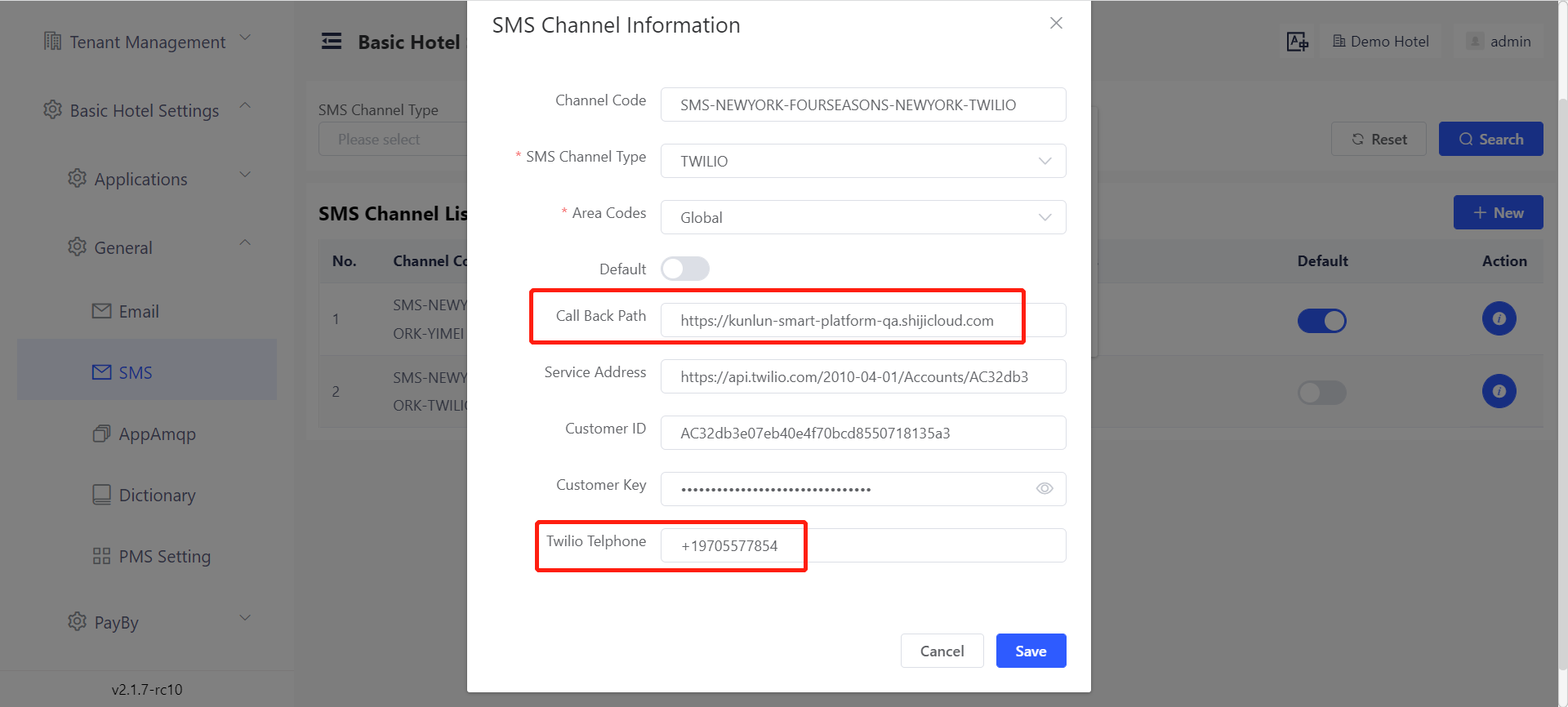
A new adaptor has been added for Twilio SMS sending gateway along with the existing adaptor for China SMS gateway, using the dual gateway allows you to configure split routing so that messages to China Mobile Numbers are delivered via China SMS Gateway, while International Mobile Numbers are delivered via Twilio.

To configure the Twilio adaptor, you will need to have the following configuration items from your Twilio account

a Call Back Path: The service address to receive the notification of sending result of the message.

b Twilio Telephone: The telephone number that Twilio channel uses to send message. 

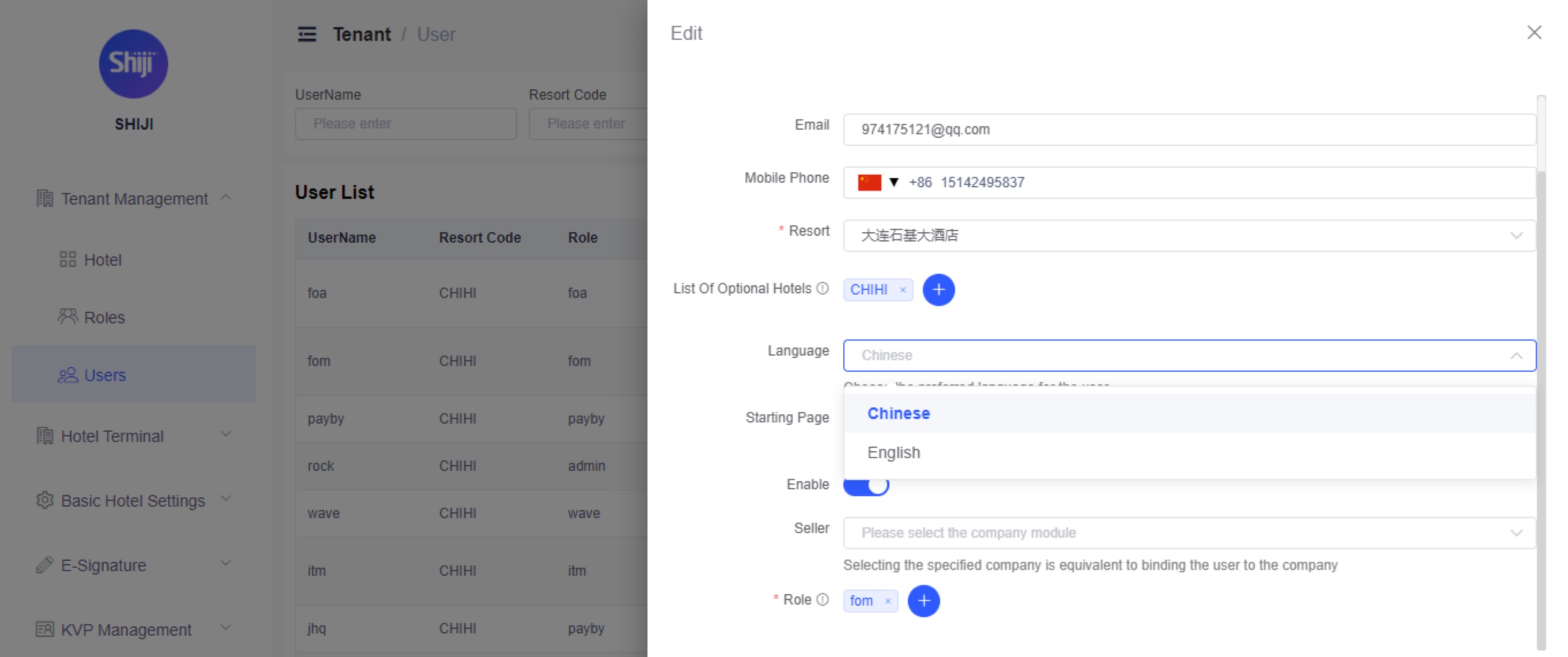
Agent UI - Default Language

You can now configure the default language for the Agent UI to be displayed. As of now this is configured for Chinese (Simplified) and English. Additional languages will be added in a later release

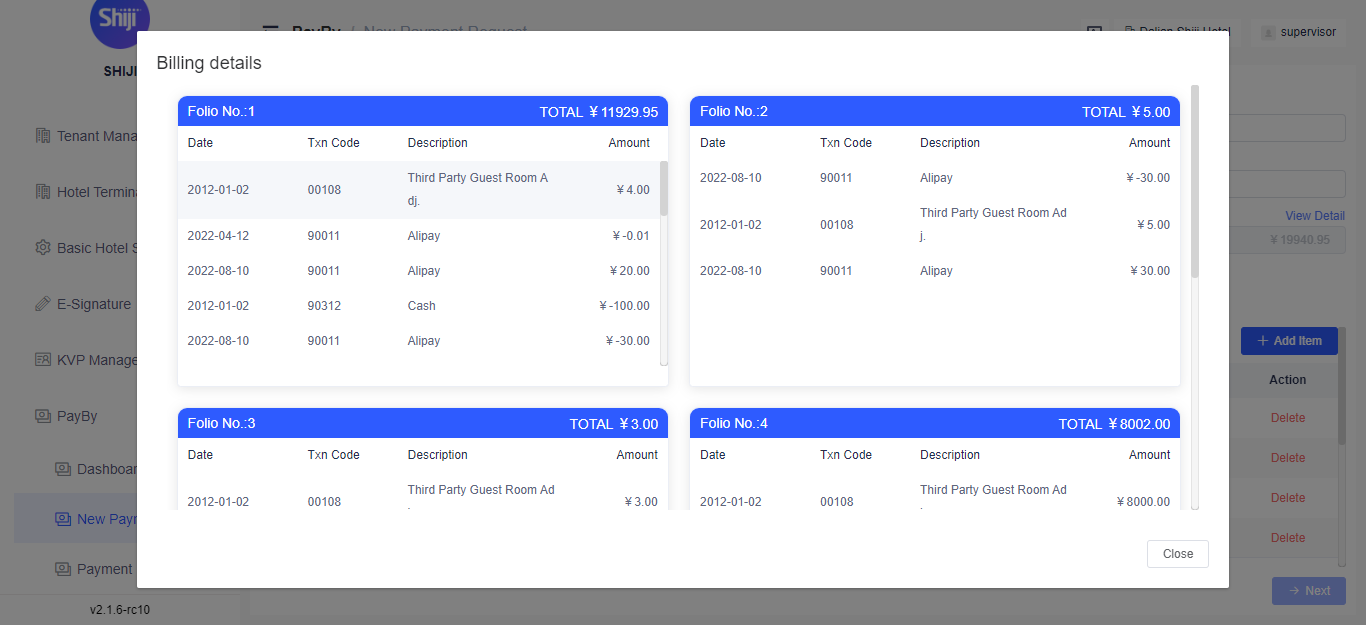
Guest Folio Preview

When creating an integrated PayBy request for an in-house guest, you can now see the folio detail within the PayBy AgentUI to make calculating payment request amounts easier.

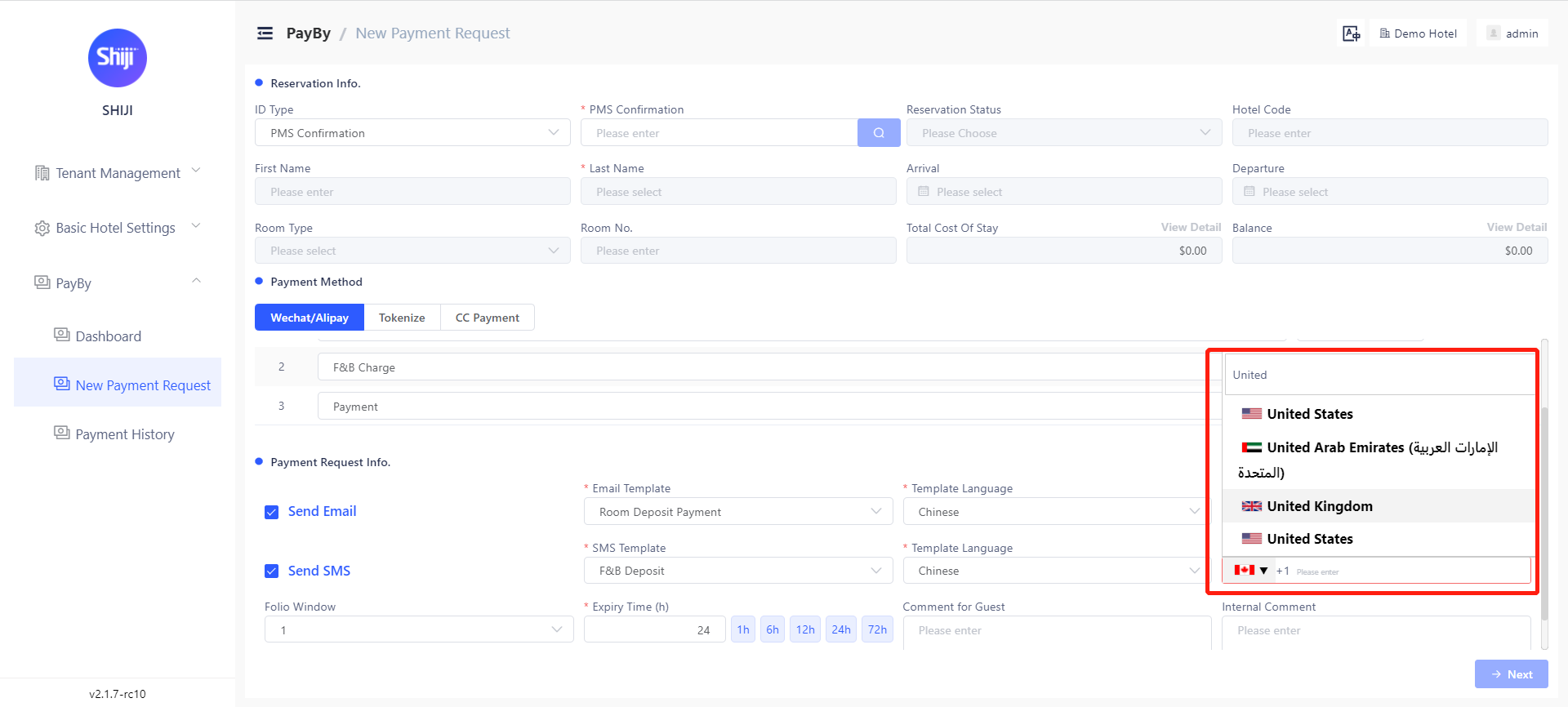
Country Code Assist

When inputting the client's mobile phone number, users can search the country names to get the corresponding country code. Users can also define the frequently used countries in settings so that those countries will appear at the top of the list. 

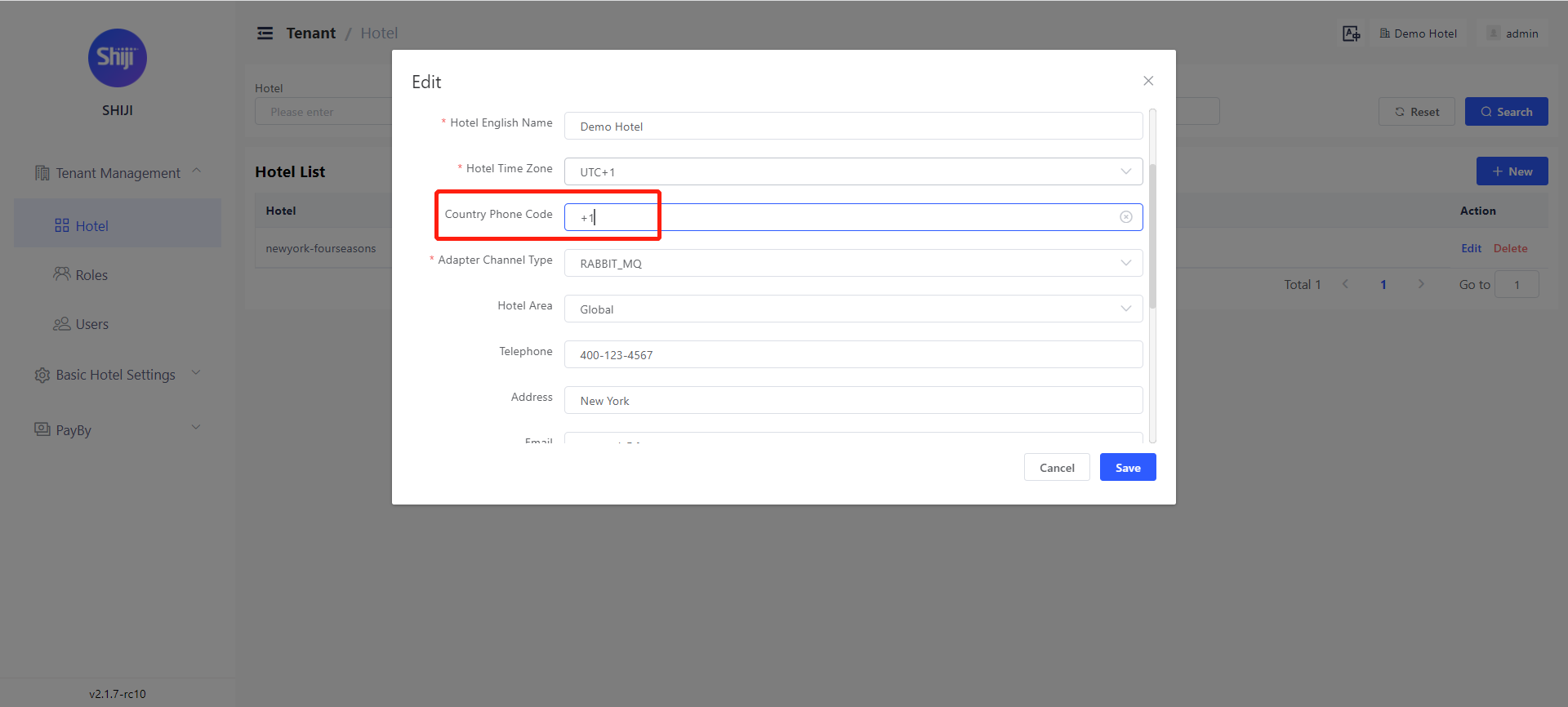
You can also set frequently used country codes in the settings, so these appear at the top of the list. This can be set in Tenant Management → Hotel under Country Phone Code

Payment Landing Page Customization

The Payment Landing Page is the page the guest will see when opening the link or scanning the QR code they received in the PayBy request. This is now fully customizable (HTML and CSS)