Shiji Digital | PayBy v2022.08.12
V2.1.6-rc6
Refund Support
PayBy applies user permission to control refund privilege, refund can be done on successful transactions, upon refund approval PayBy will post a negative transaction to PMS, and the client will receive a refund confirmation in the original payment notification channel. Email/SMS template is configurable in templates.
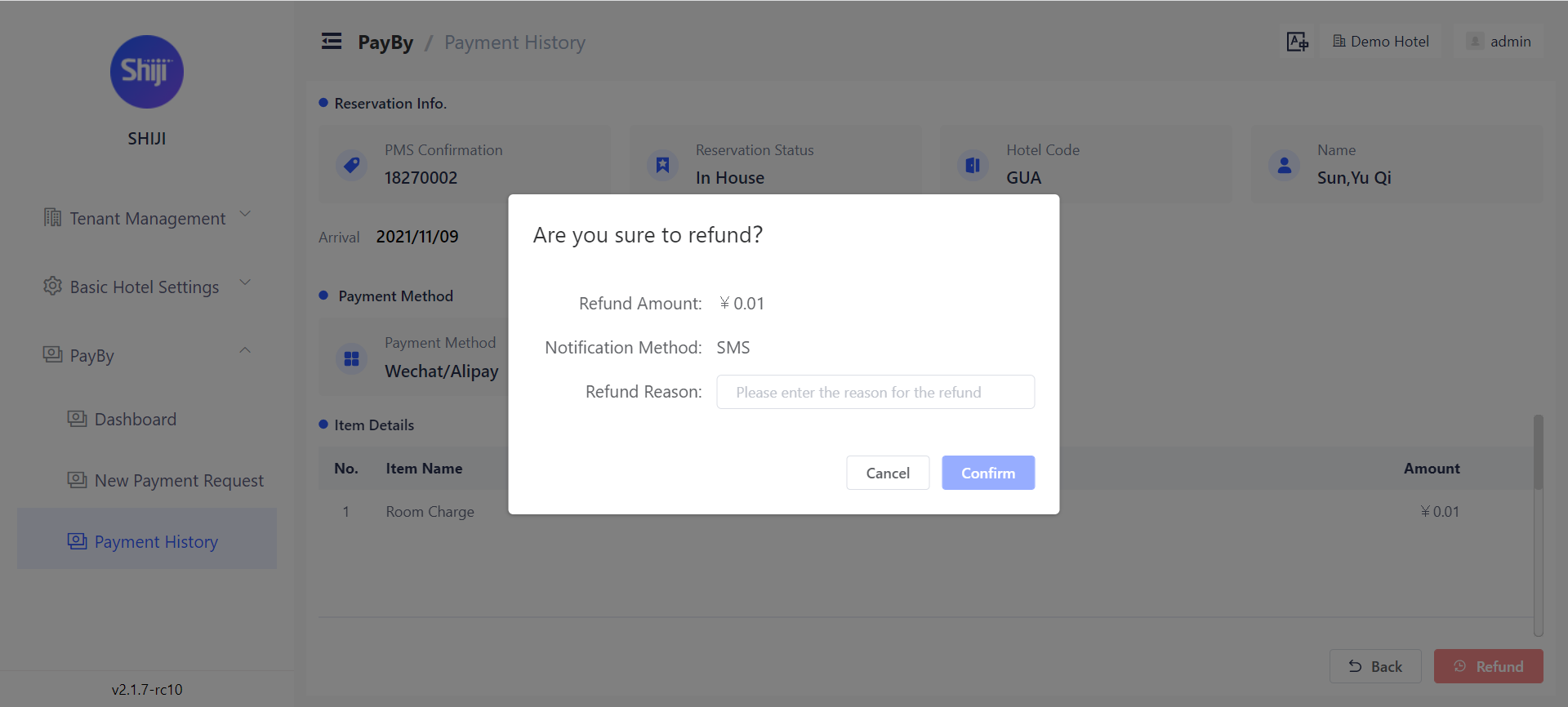
To access refund, the user must have the [permission name] permission.
Payment & Refund Notifications
As part of the notification rules, you can now configure notification templates upon successful payment.
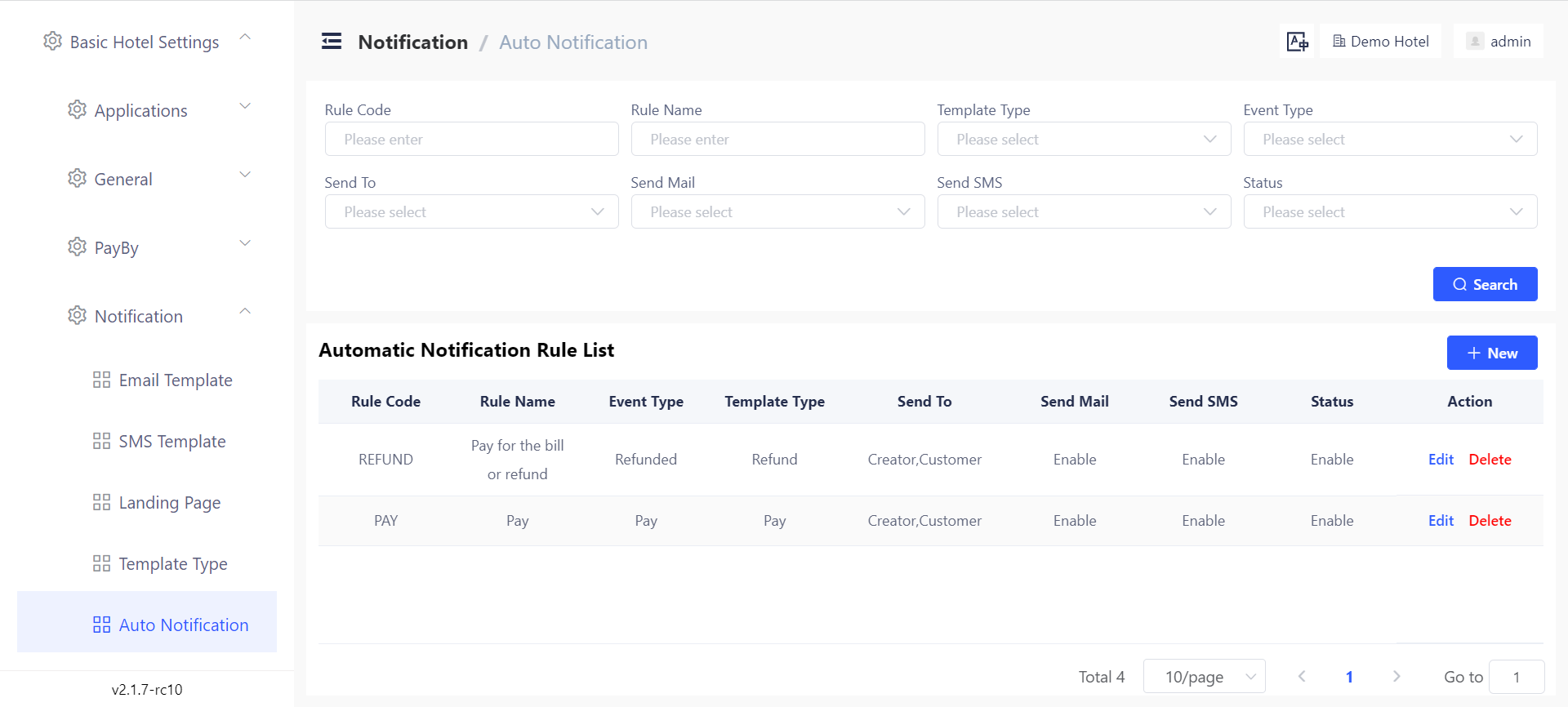
This can be enabled under Basic Hotel Settings → Notification → Auto Notification by creating new rules based on Event Type Pay or Event Type Refunded.
Notification Template Customizations
As part of our notifications revamp, You can now customize the notification templates by payment, notification channel, template type and language.
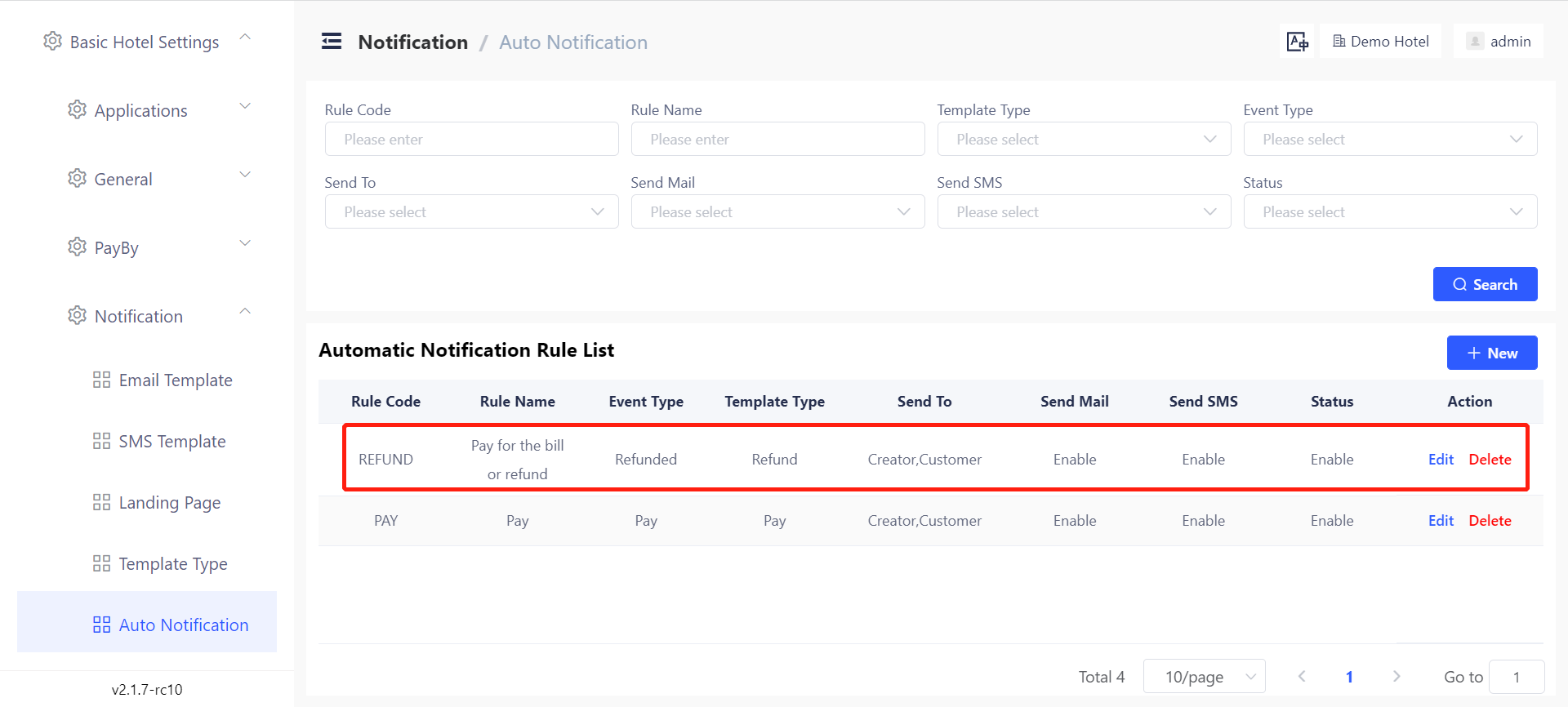
Templates can be customized under Basic Hotel Settings → Notification → Auto Notifications.
Manual Resend of Payment Requests
You can now manually resend the payment request if the request is in Pending status. Next to the delivery channel you will see a _Send Again _option
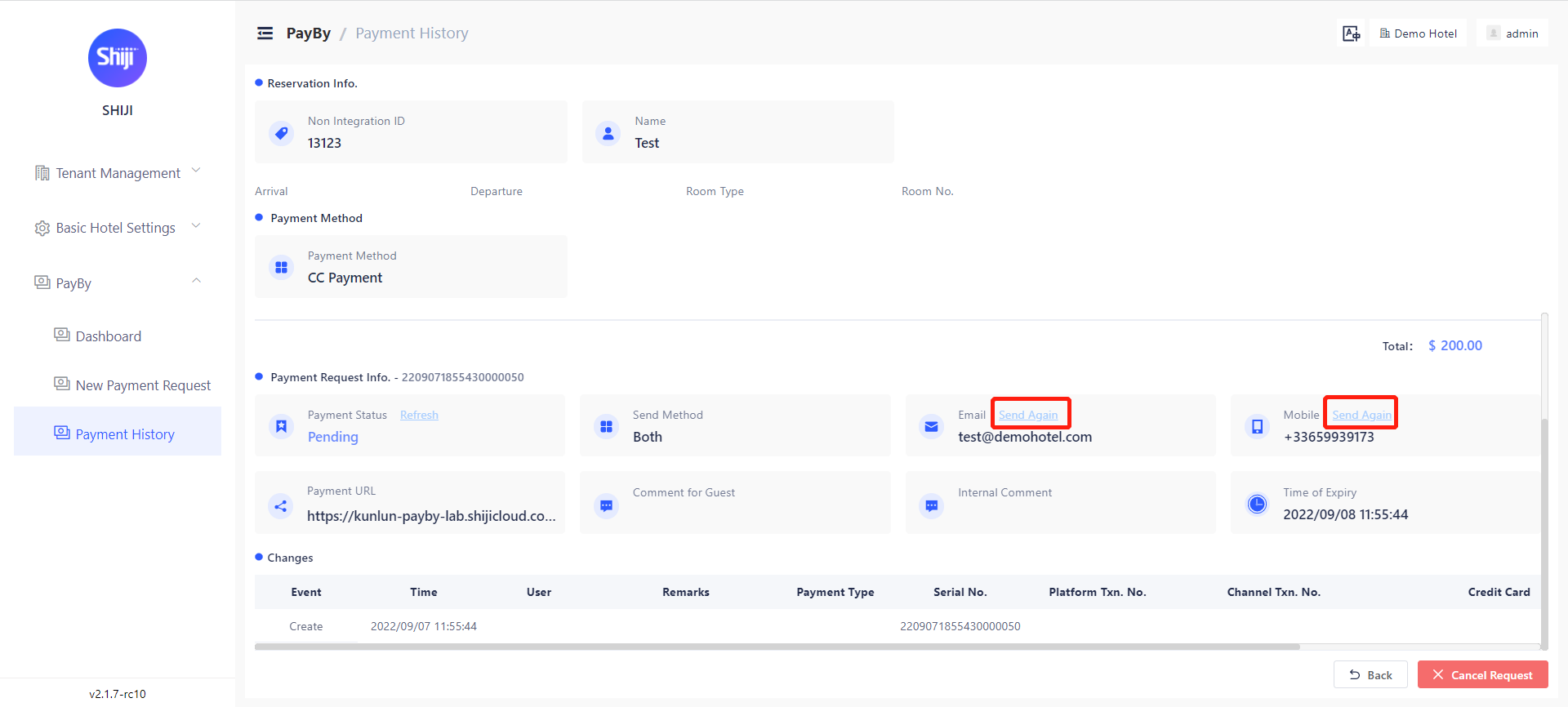
Payment Requests Dashboard
We have included a new dashboard for the payment requests. The dashboard will give you an overview of the payment requests status, with the ability to drill down and also export the filtered results.
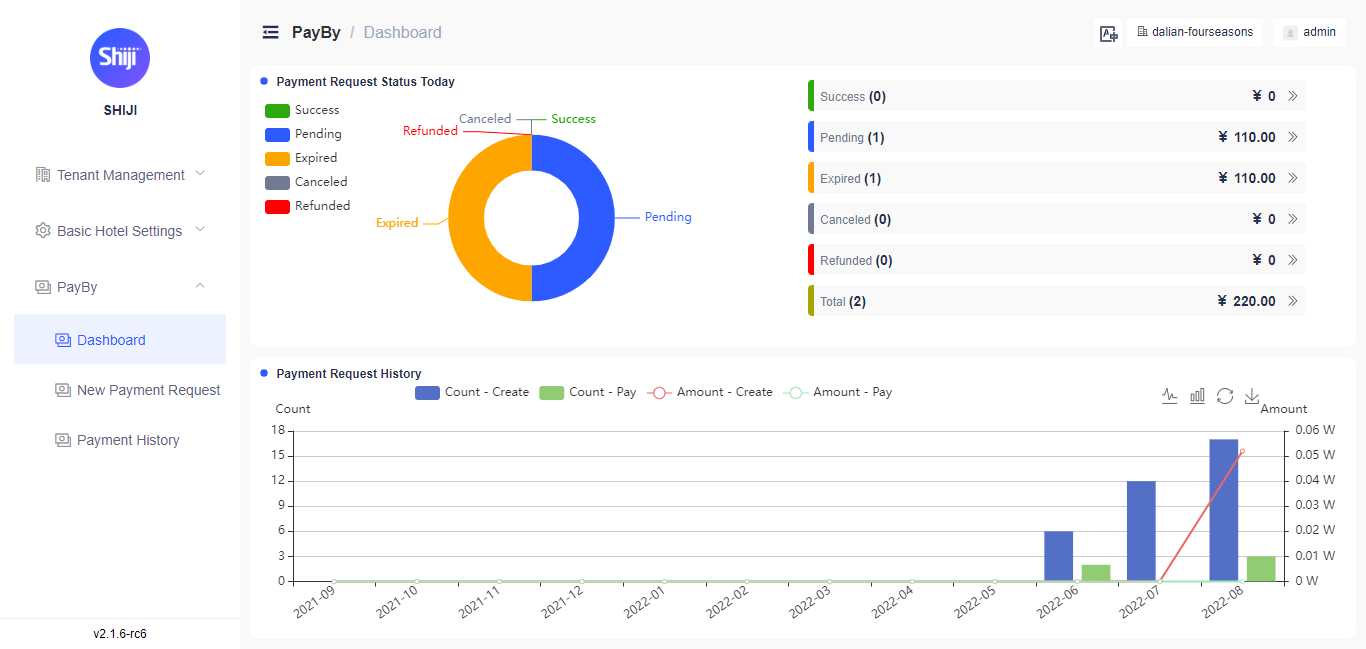
Dashboard can be accessed via PayBy → Dashboard and requires the [insert permission name] permission to view.
Payment Request Expiration Time
Users can set the request expiration time for each payment request. If the payment is not completed before the expiration time, the status of this payment will be "expired". it can be set from minimum 1 hour to maximum 72 hours.
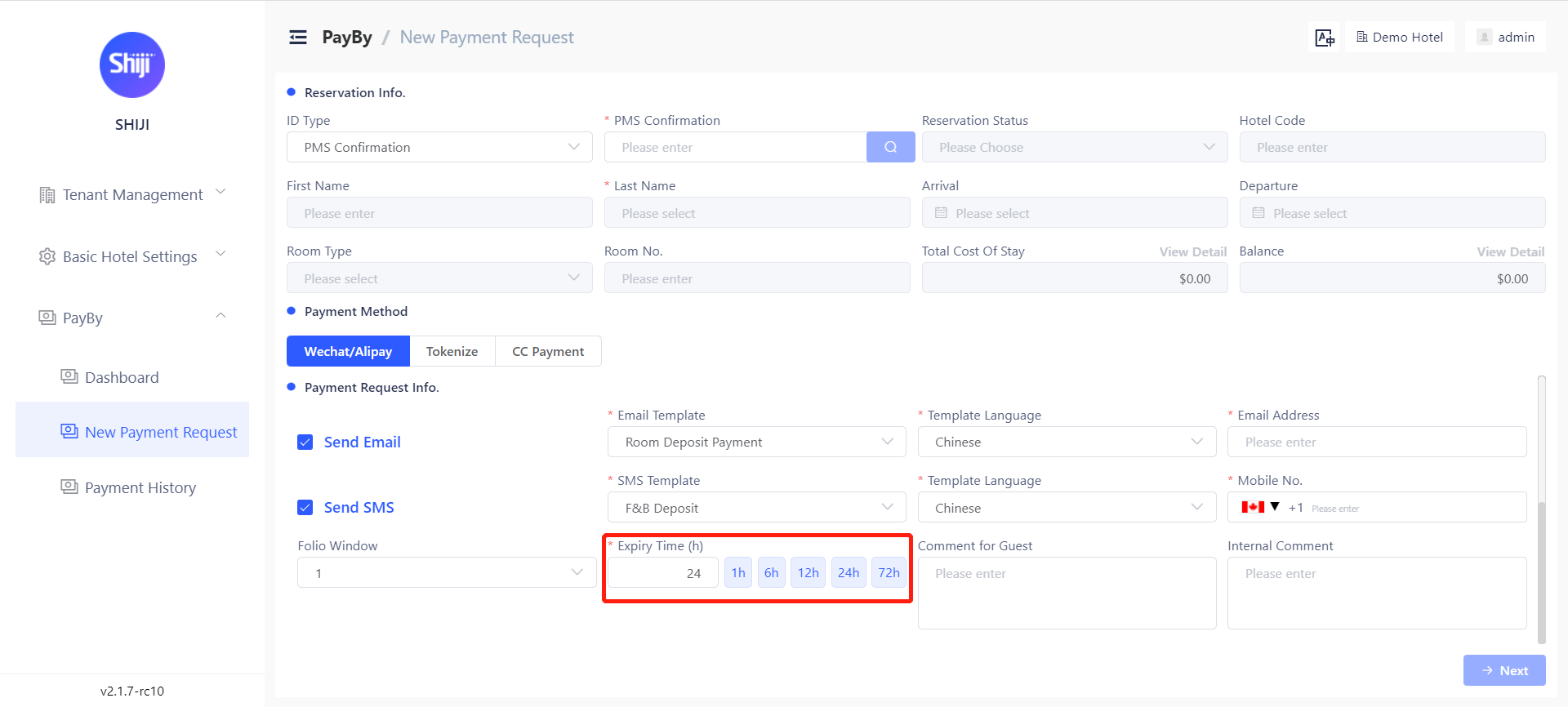
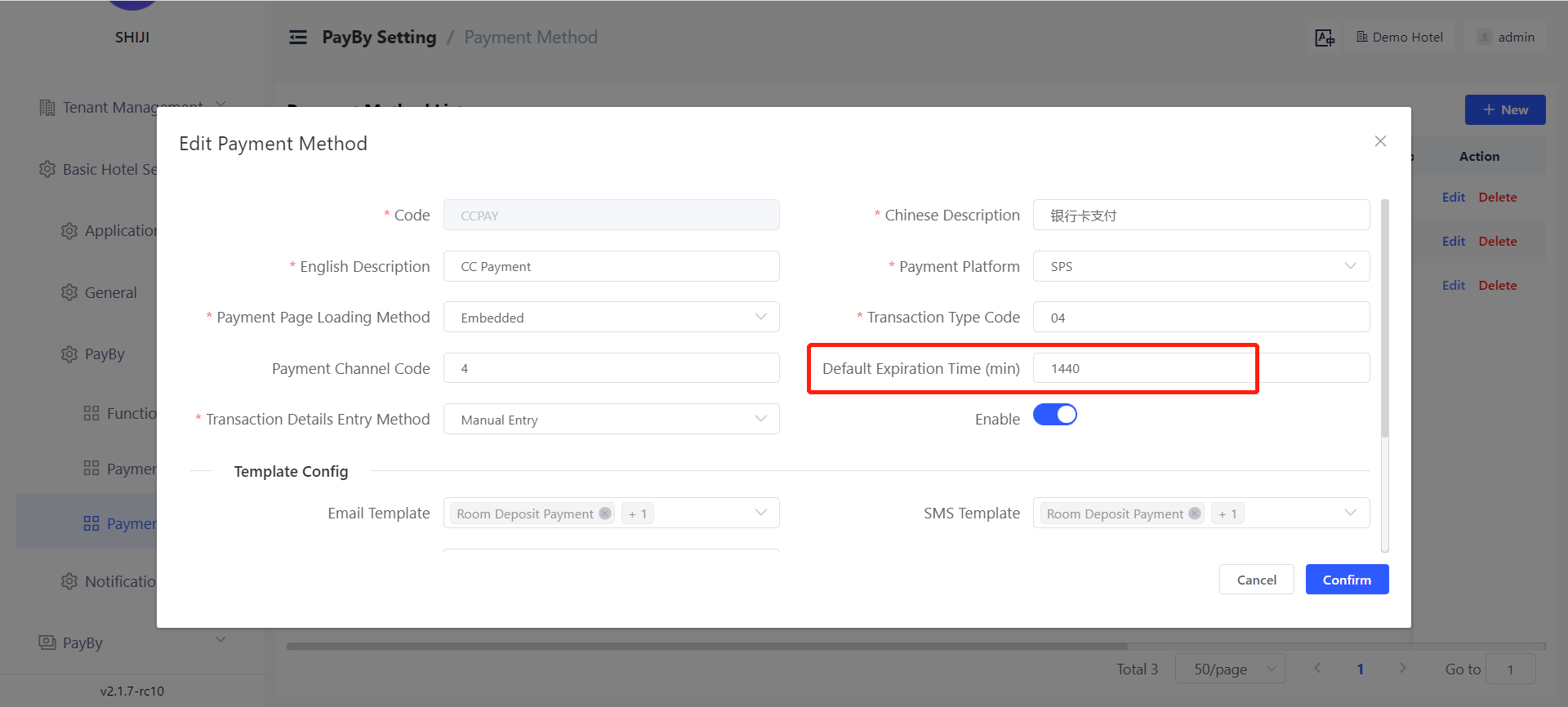
A default expiration time can be set for requests based on the payment channel. This can be set under Basic Hotel Settings → PayBy → Payment Channel → Default Expiration Time.
Note: The default expiration time is entered in minutes so 24hours would be 1440 minutes.
Global SMS Support
A new adaptor has been added for Twilio SMS sending gateway along with the existing adaptor for China SMS gateway, using the dual gateway allows you to configure split routing so that messages to China Mobile Numbers are delivered via China SMS Gateway, while International Mobile Numbers are delivered via Twilio.
To configure the Twilio adaptor, you will need to have the following configuration items from your Twilio account
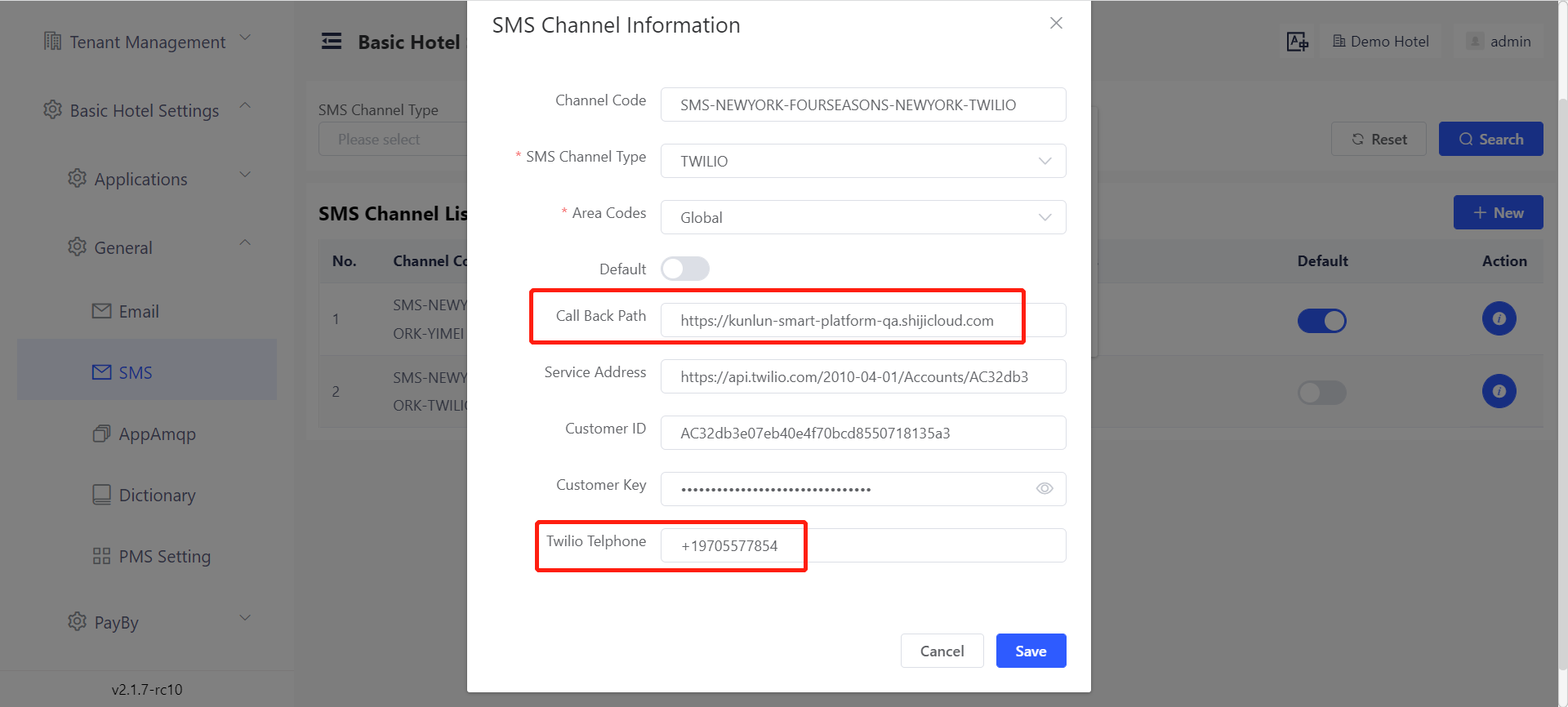
a Call Back Path: The service address to receive the notification of sending result of the message.
b Twilio Telephone: The telephone number that Twilio channel uses to send message.
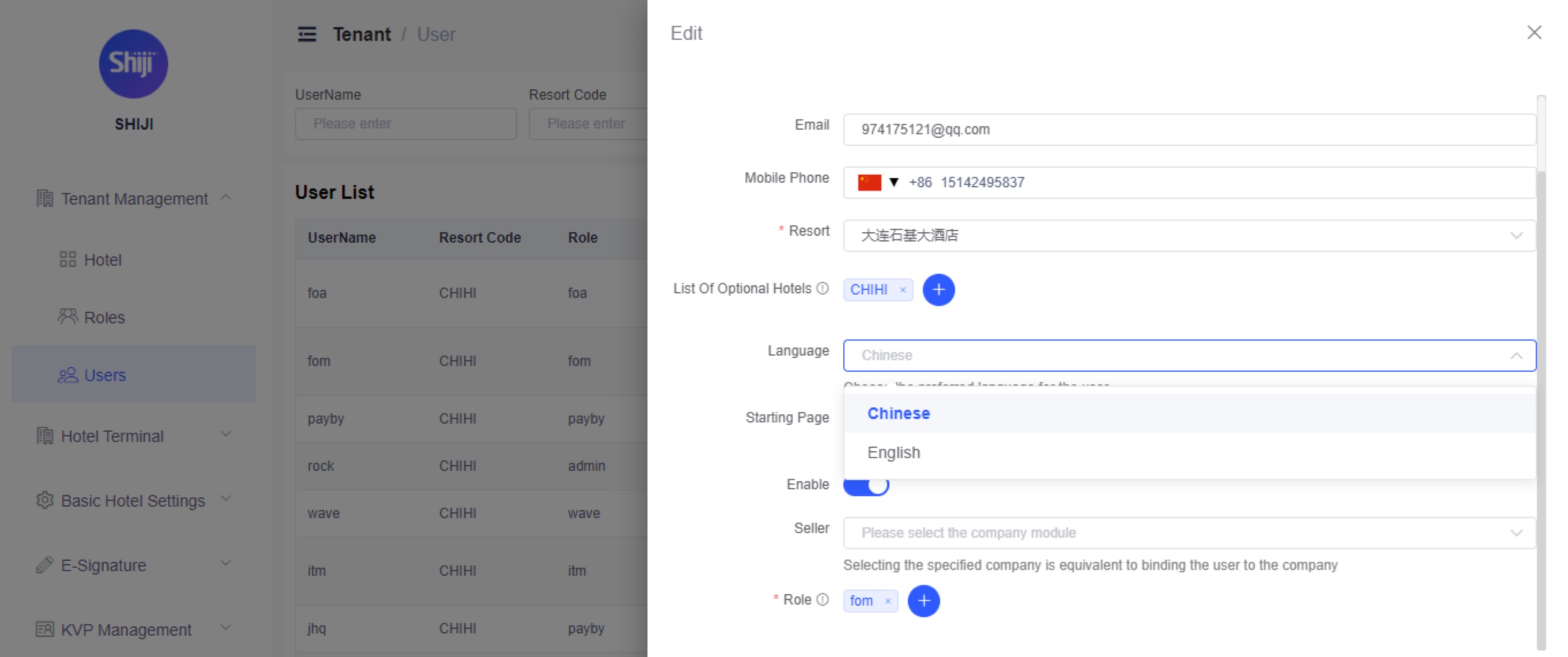
Agent UI - Default Language
You can now configure the default language for the Agent UI to be displayed. As of now this is configured for Chinese (Simplified) and English. Additional languages will be added in a later release
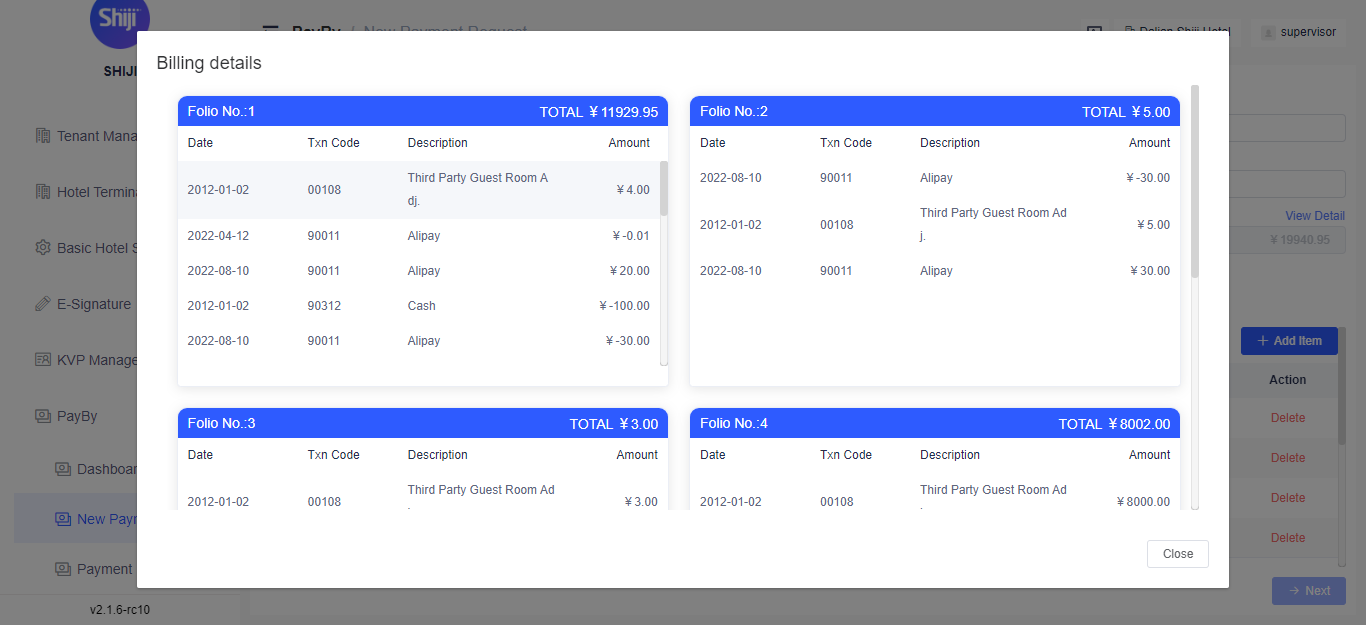
Guest Folio Preview
When creating an integrated PayBy request for an in-house guest, you can now see the folio detail within the PayBy AgentUI to make calculating payment request amounts easier.
Country Code Assist
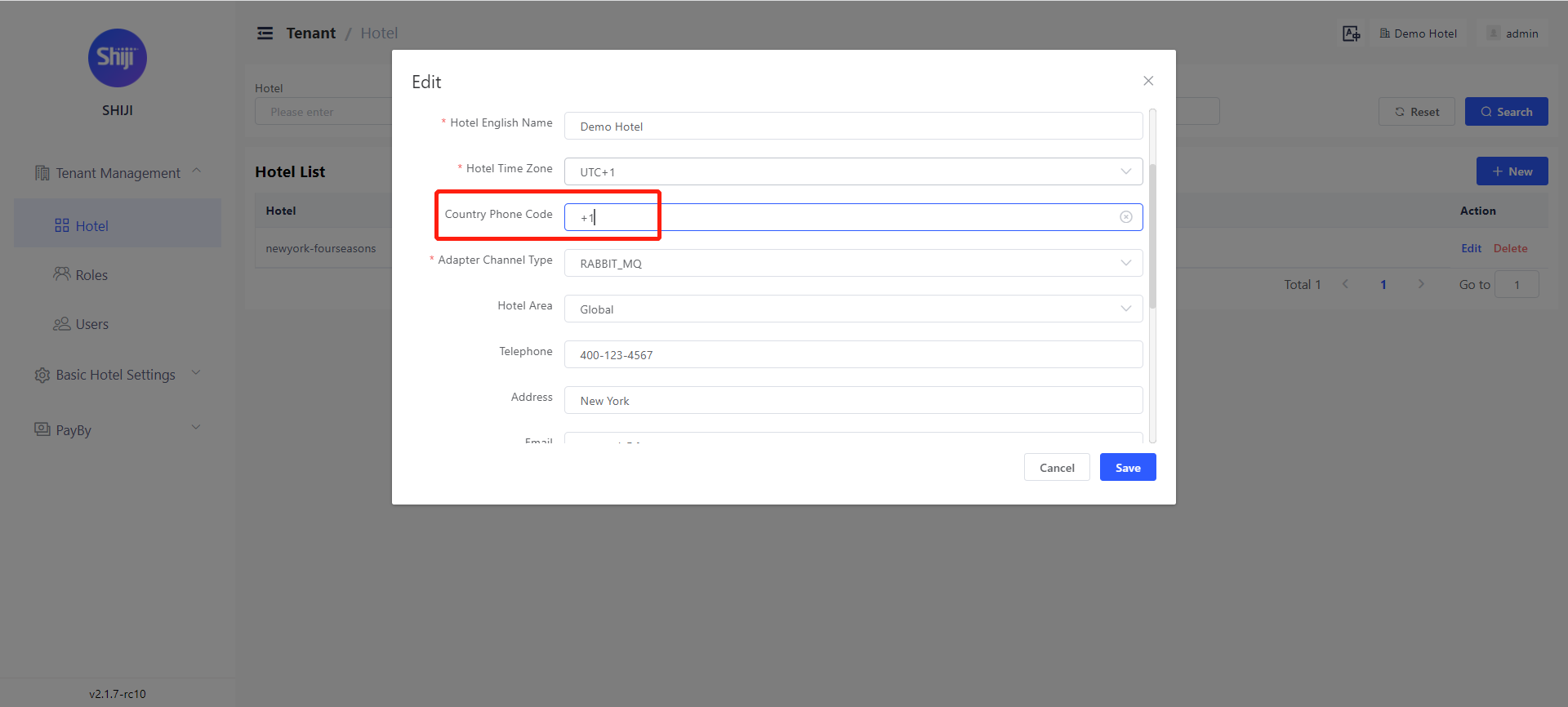
When inputting the client's mobile phone number, users can search the country names to get the corresponding country code. Users can also define the frequently used countries in settings so that those countries will appear at the top of the list.
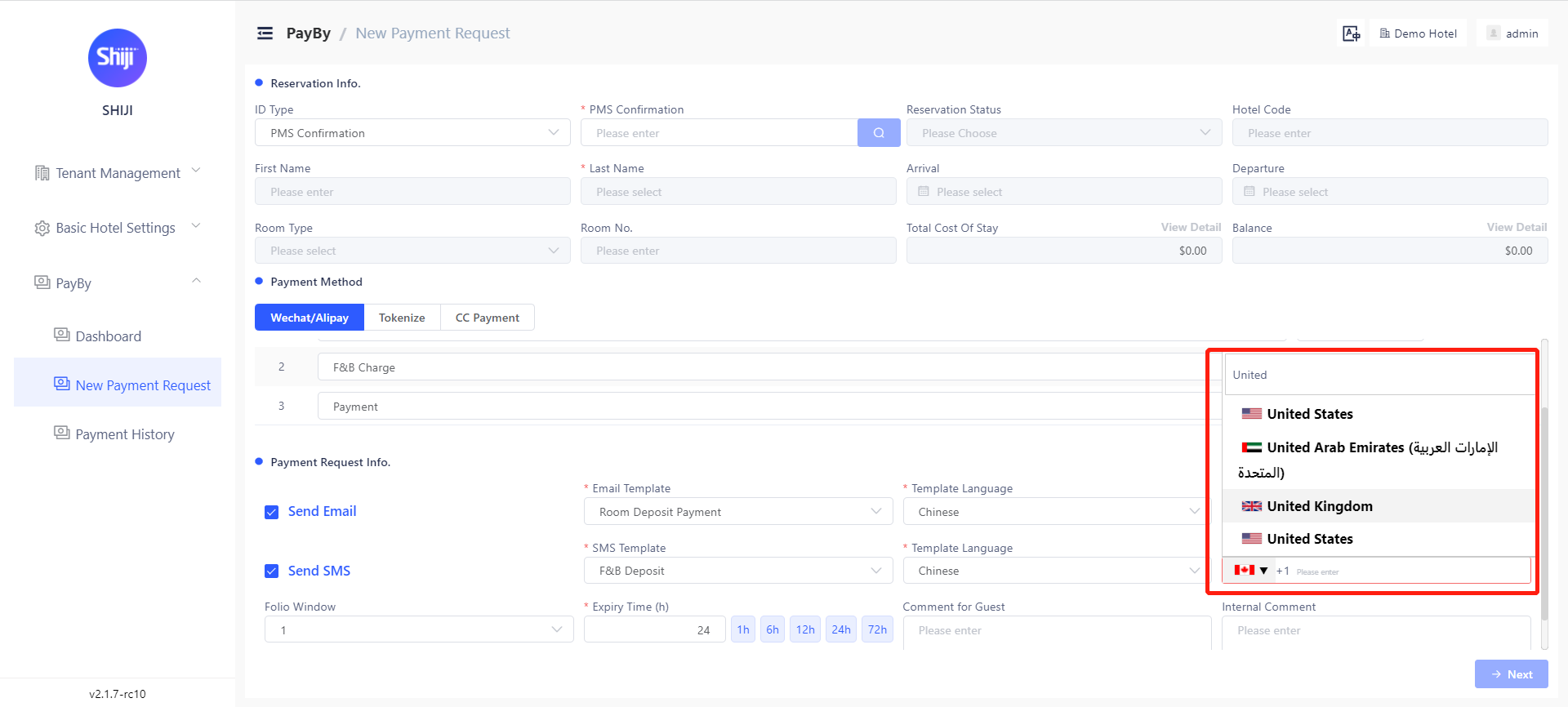
You can also set frequently used country codes in the settings, so these appear at the top of the list. This can be set in Tenant Management → Hotel under Country Phone Code
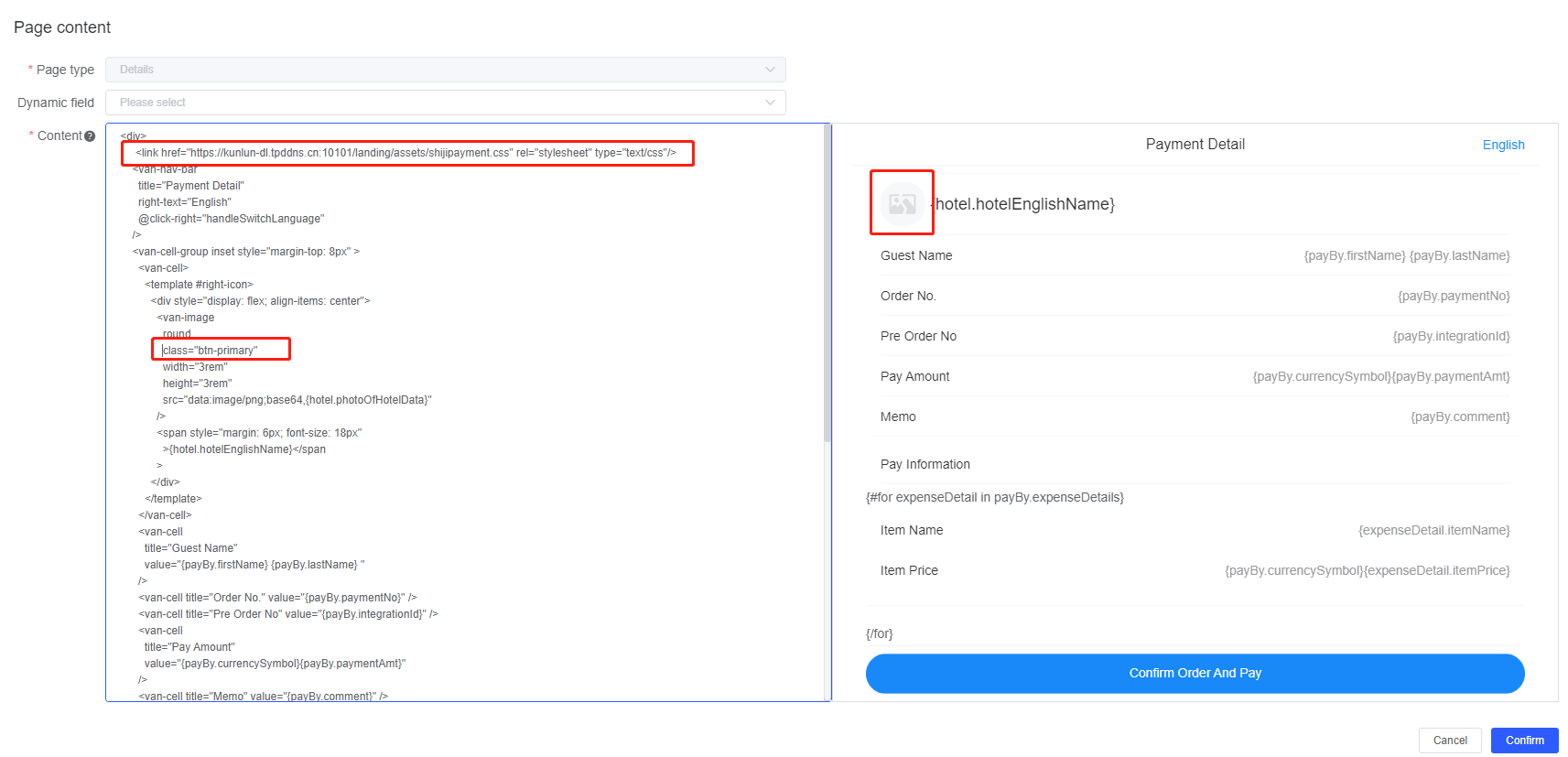
Payment Landing Page Customization
The Payment Landing Page is the page the guest will see when opening the link or scanning the QR code they received in the PayBy request. This is now fully customizable (HTML and CSS)