
Shiji PayBy v2.3.3
New Features 🚀
Admin now can edit Tenant Information
Admin now can edit tenant information. Firstly on the right top of the user panel choose the group name, then admin can edit group information on this page.
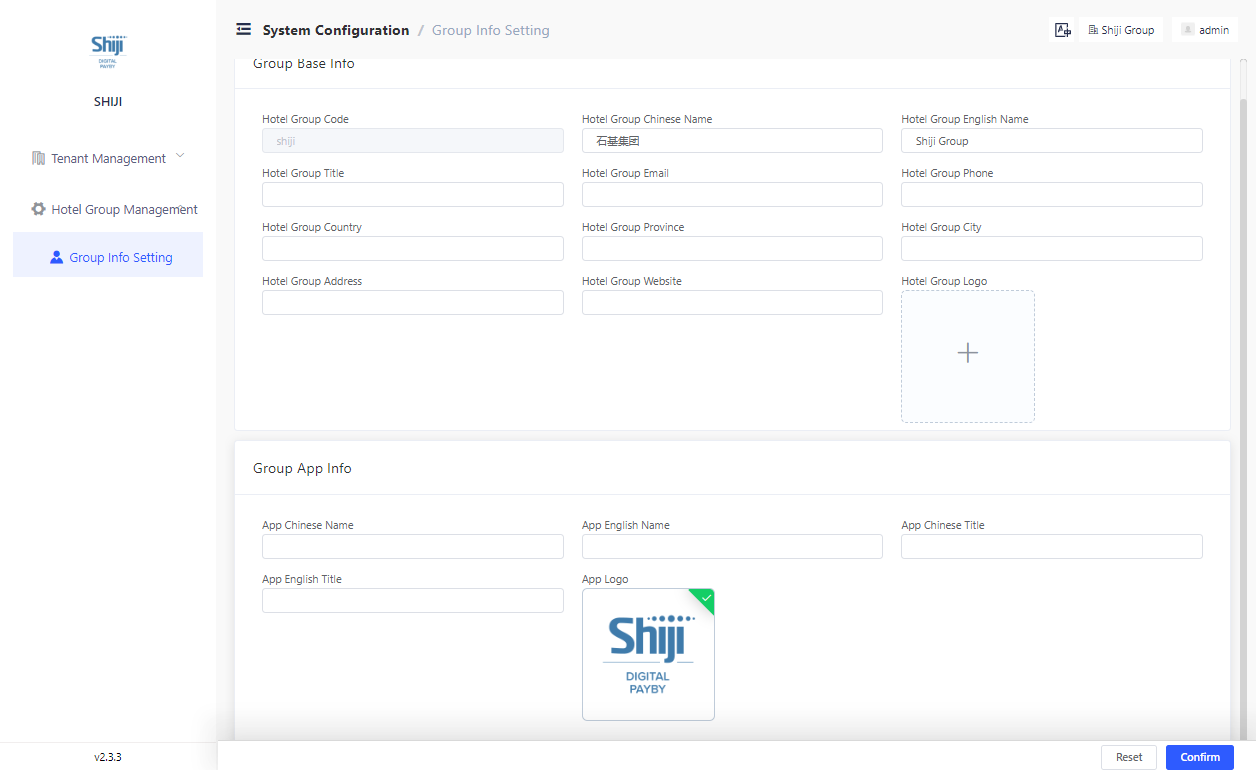
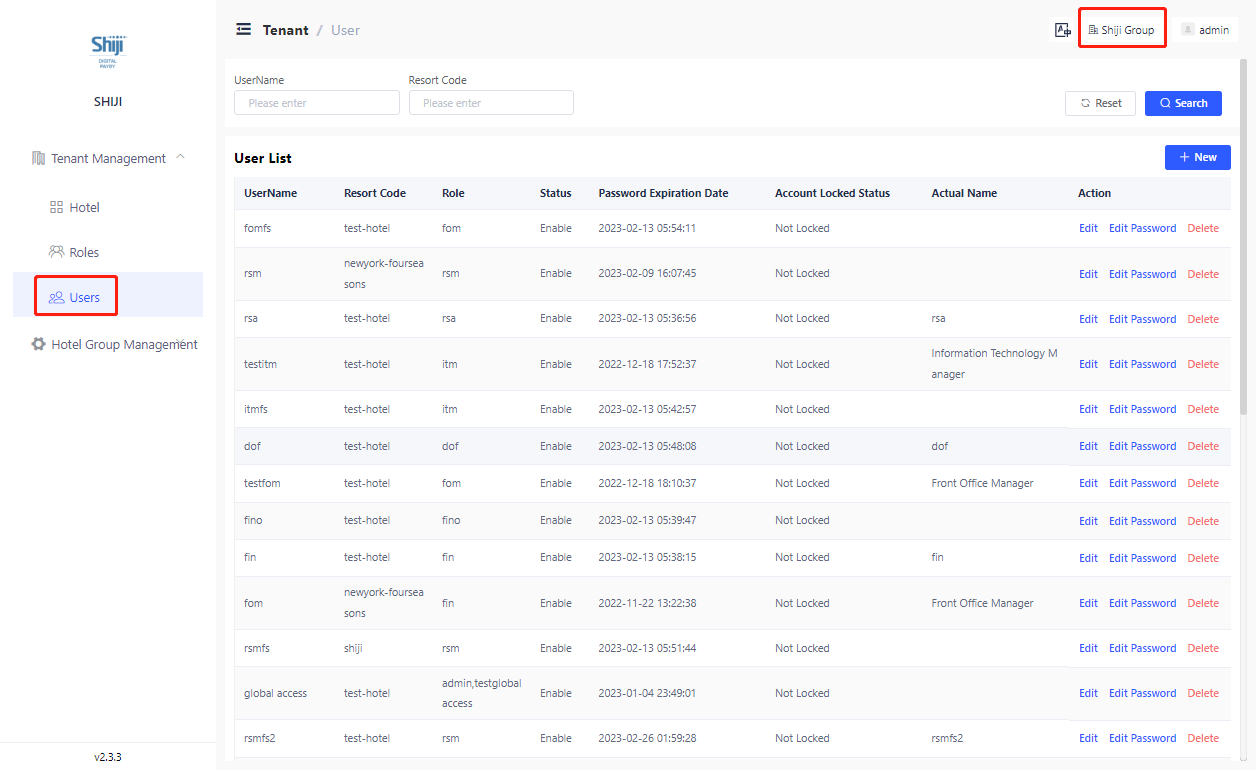
Also admin can edit all the user including tenant level users with multiple hotel access in this tenant on tenant management view:
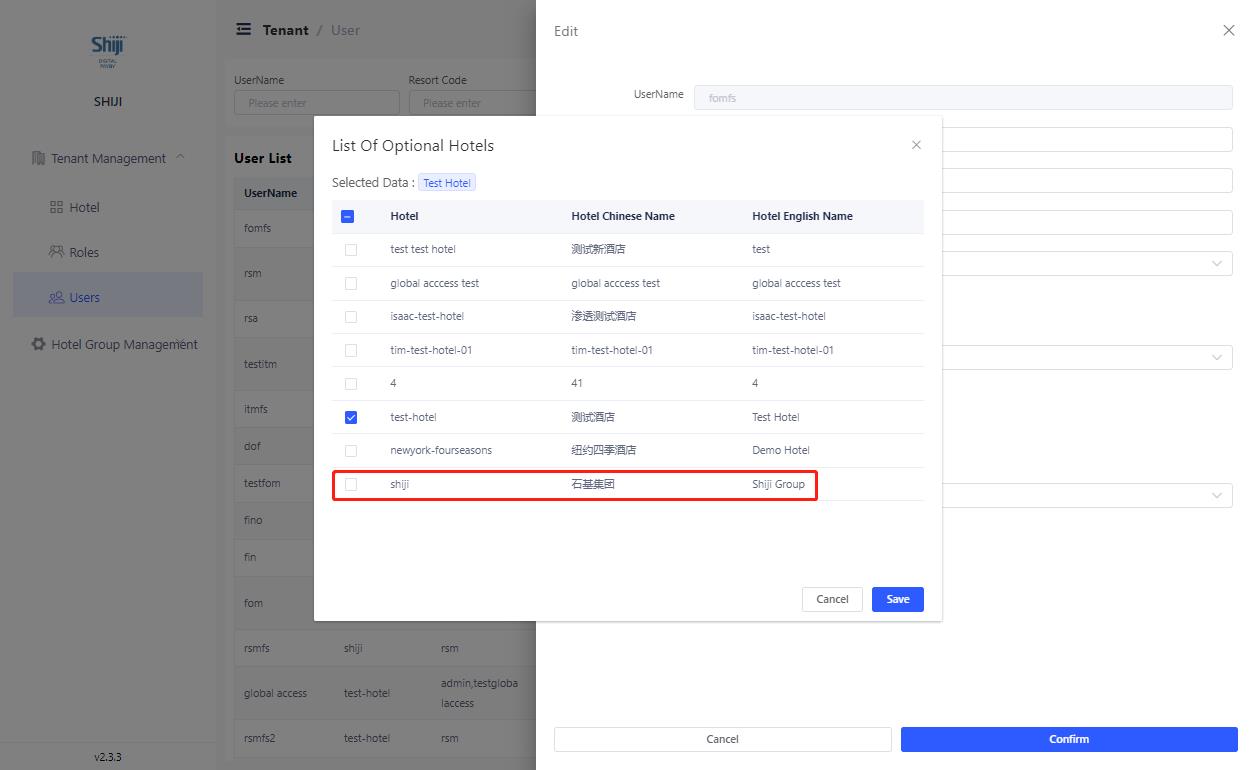
This permission can be granted to users by adding the tenant group as hotel access to one user shown as below. Only user with this group access can grant this option to users.
PayBy now provide options to maintain SSO user profile
Tenant now can choose to maintain sso user’s profile including roles and hotel access whether:
a) In PayBy: at Tenant Management > Users
b) Through SSO, users’ hotel access and role will be updated every time he log in
View User Setting permission is now splitted into 2 permissions
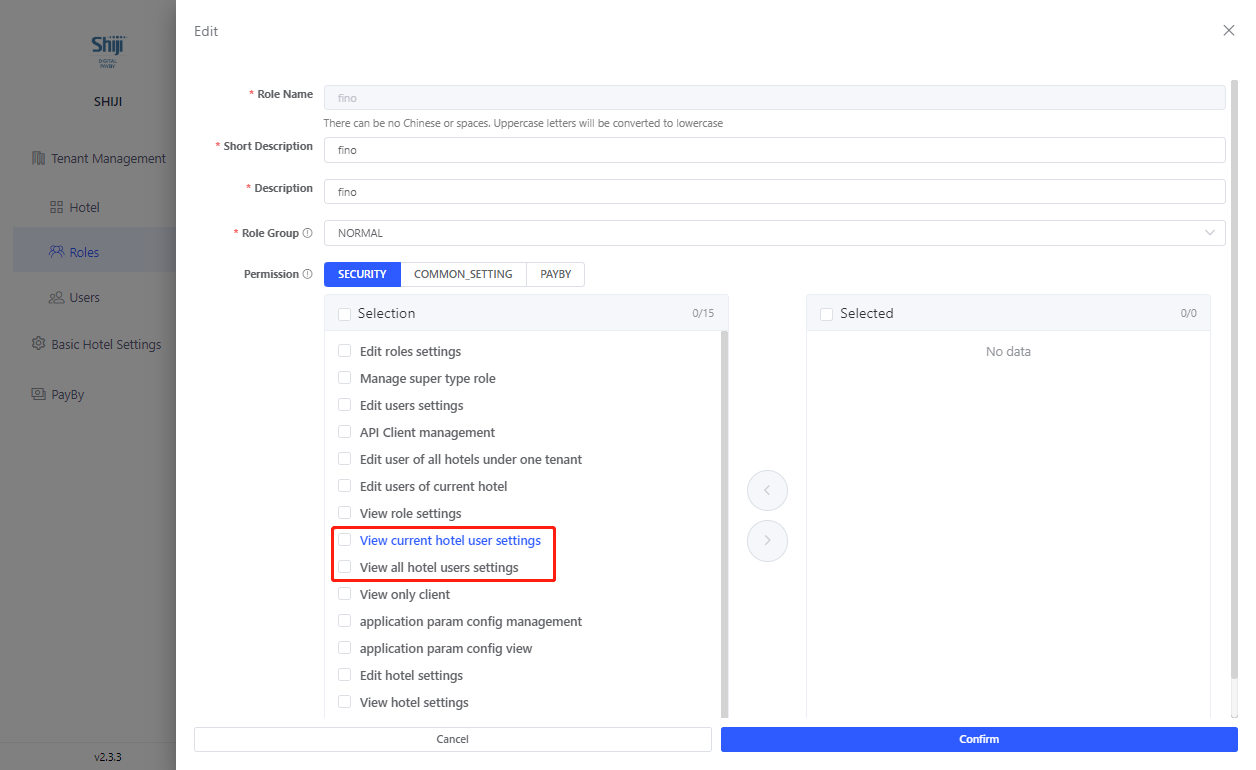
‘View current hotel user settings‘ allows users to view users of current hotel and ‘View all hotel users settings‘ allow users to see all users under one tenant.
Built in roles option available for new clients
We now provide option for tenant to have built in roles pre-defined by PayBy.
Bugs fixed 🛟
Fix the bug of dynamic fields [plateform tnx number] and [channel tnx number]
Changed the description of PayBy product on start page
Change the word ‘Silver Stone’ in PayBy user portal to ‘SPS China’
Fixed the bug of void user name in sso login process
Add 'reserved' to non integration reservation status