
Shiji PayBy v2.2.7
New Features 🚀
Partial refund
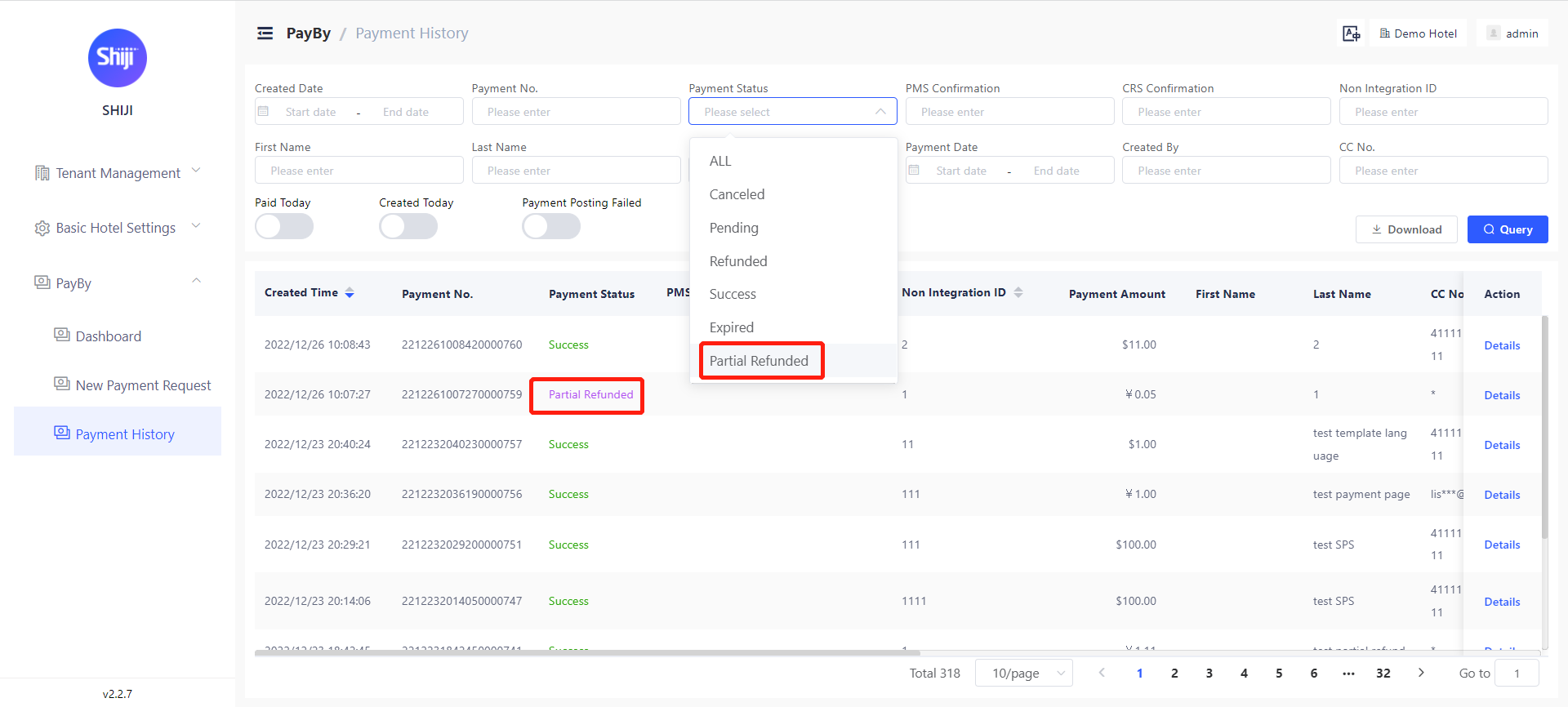
Users can now perform partial refund in PayBy user backend.
We added a new payment status as “partial refunded“ Users can see and query the partial refunded requests on payment history page
On the pop-up window of refund:
1 eligible refund amount will show
2 refund amount can be inputted, can accept positive number with 2 decimals amount should be less or equal to the eligible refund amount
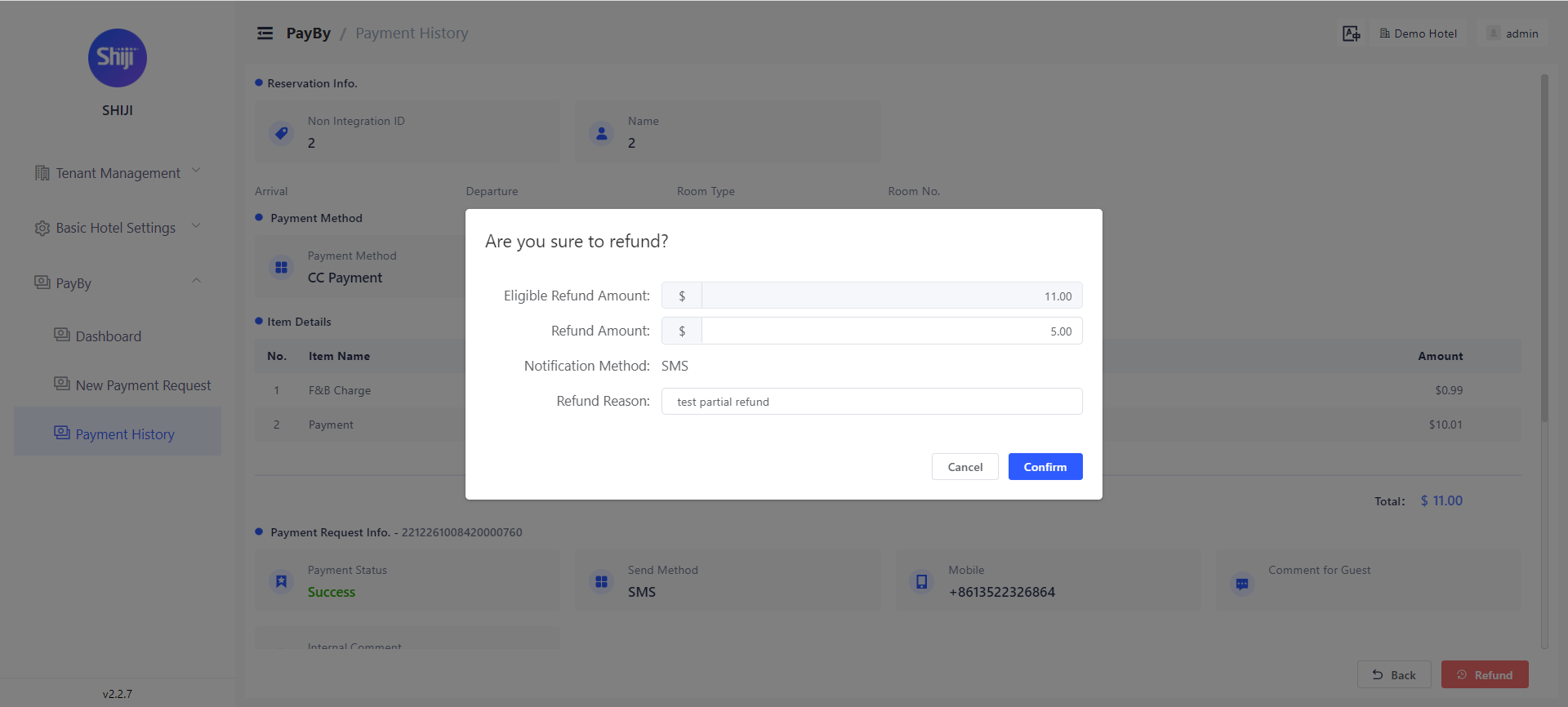
If the refund amount inputted is equal to the eligible refund amount, once refund succeed, the payment requests status will be changed to refunded.
If the refund amount inputted is less than eligible refund amount, once refund succeed, the payment requests status will be changed to partial refunded and the ‘eligible refund amount’ will be actualized.
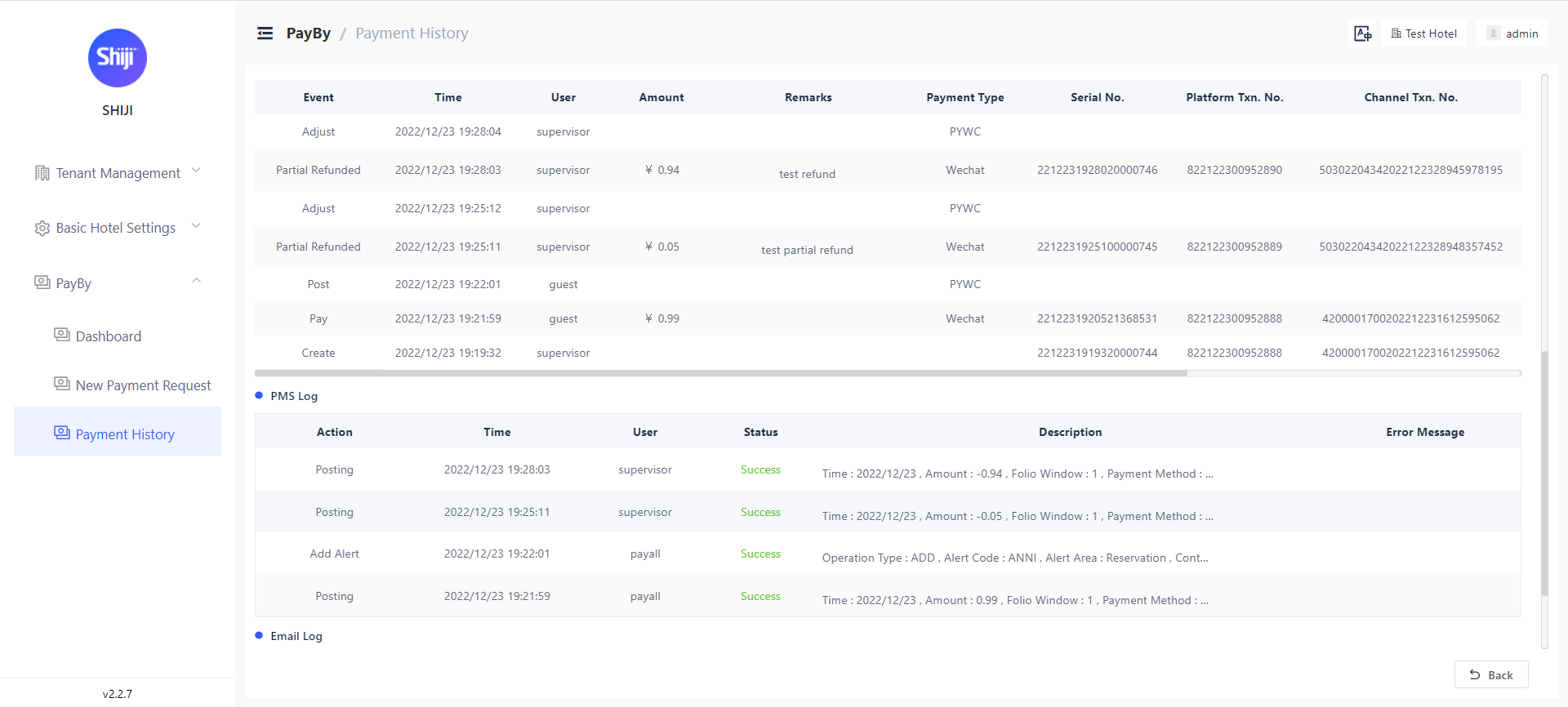
Partial refund records will show at payment detail page as above. Partial refund amount, time, internal comments will show at ‘Changes’.
If this payment request has PMS confirmation number, the refund will also be posted to PMS.
Multiple payment attempts allowed for CC Payment
When payment fails, guests can refresh the payment page and try again. Every payment attempts will be recorded at payment request page. Attention:Need to define PaymentFailed landing page and update codes on payment landing page.
Security Enhancements:
a) Passwords in PayBy will not be returned to front-end. User with permission can change the password but won’t be able to see the password.
b) Every OWS requests will be filtered before sending
Bugs fixed 🛟
Auto Notification’s language is now consistent with the payment request language.
For guests on desktop devices choosing Alipay/WeChat Pay, they now will be redirect to payment payment after they finish the payment process.
Fixed the SSO cache problem
Fixed the PMS posting error on connectivity