Shiji Digital | PayBy v2022.08.26
V2.1.7.1
Separated Payment Requests for Tokenize and Payment
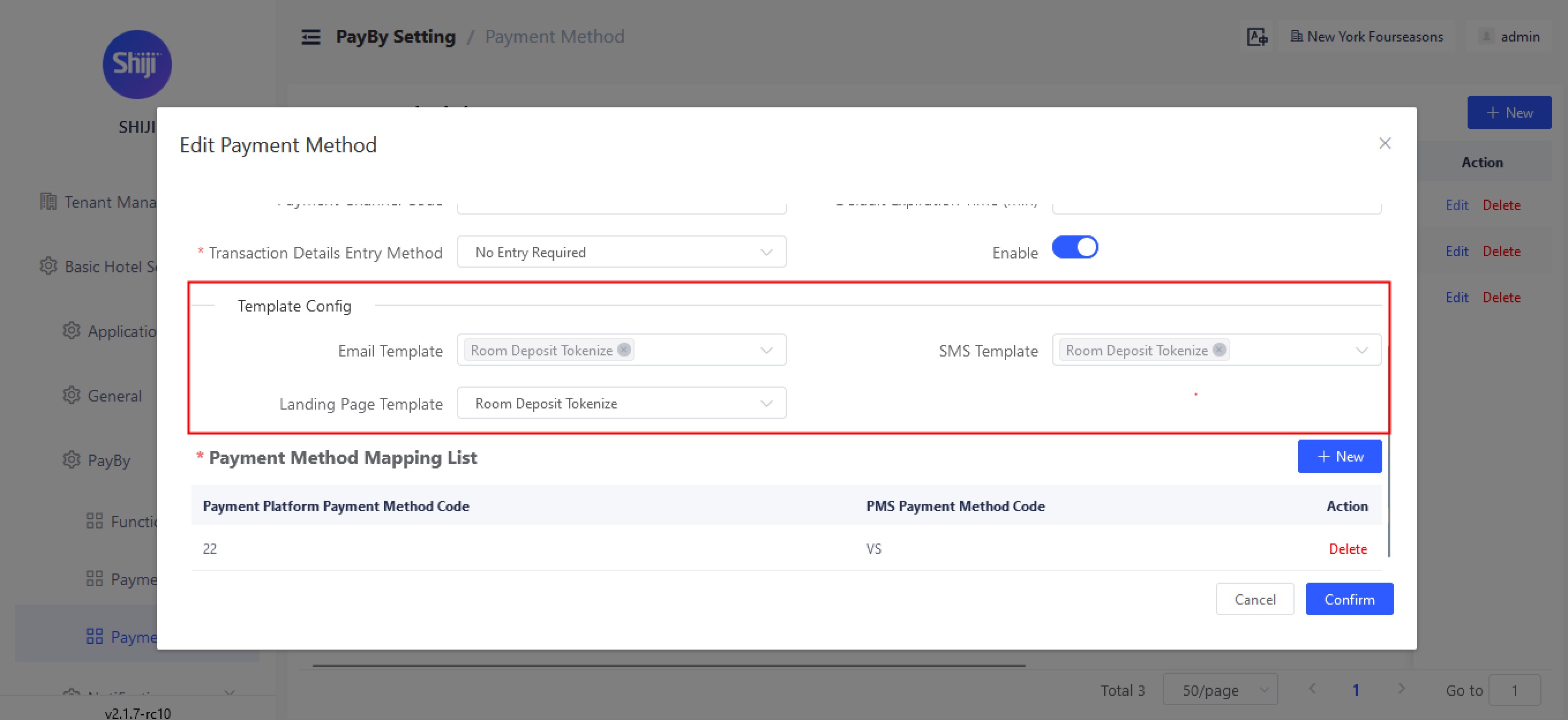
In this release we have added the ability to customize the payment request template based on the request type either being for a payment or a tokenize, this allows you to define separate content in the notifications for each use-case.
This can be enabled under Basic Hotel Settings → PayBy → Payment Method Settings
Auto-notification
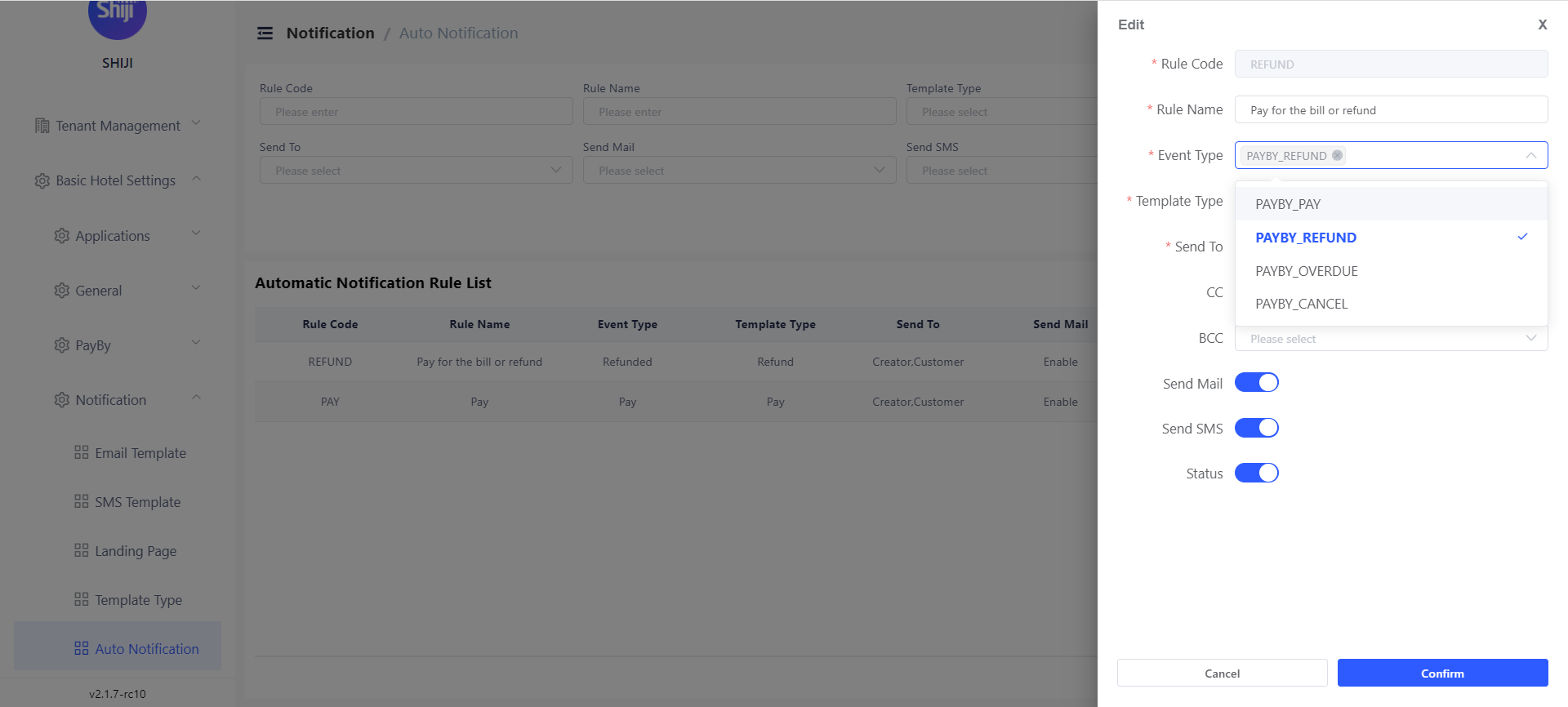
Users can set automatic notifications triggered by certain events: refund, payment succeeds, payment canceled and payment expired. Notifications could be both e-mail and SMS. Notifications can be sent to the corresponding guest, user who create this payment, and a specific e-mail address.
This can be set under Basic Hotel Settings → Notification → Auto Notification
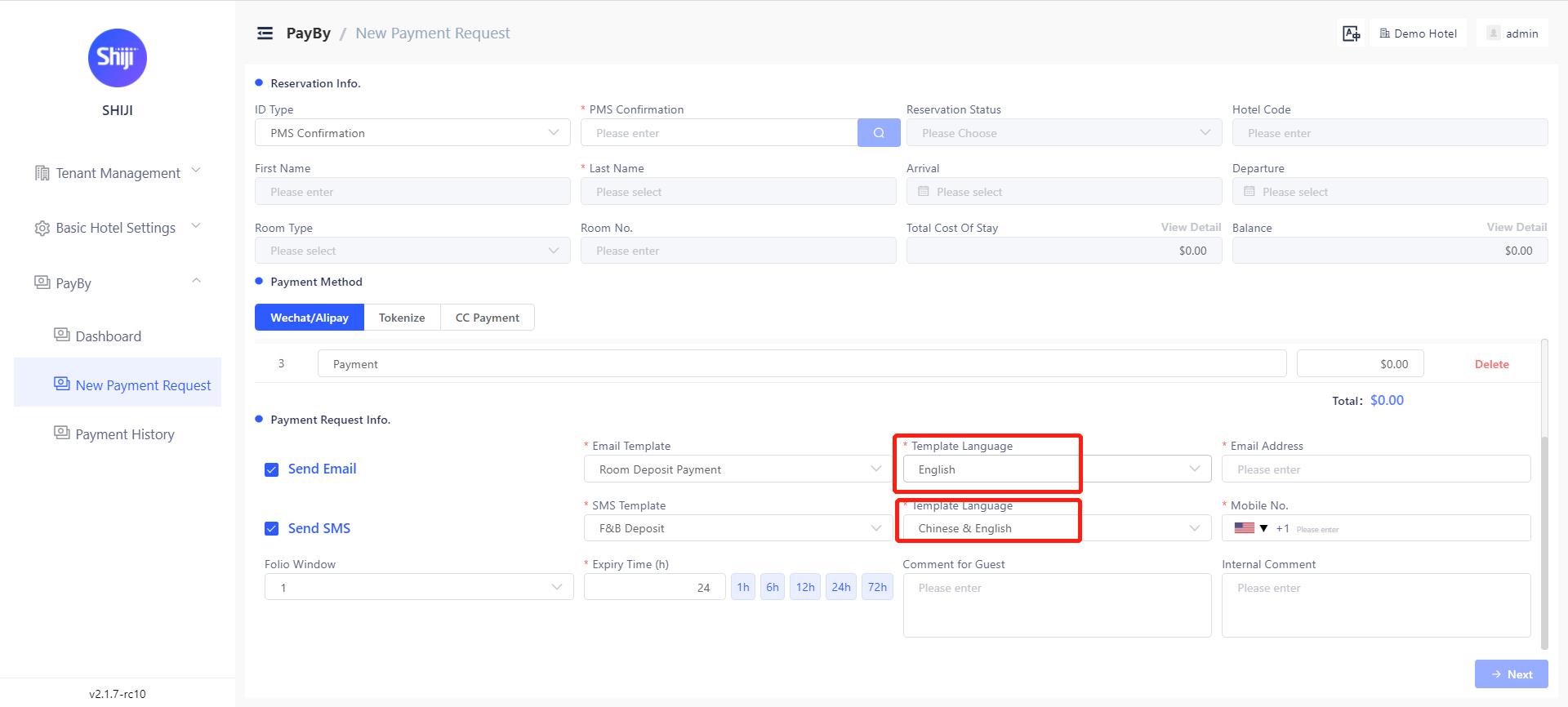
Multi-language support for guests
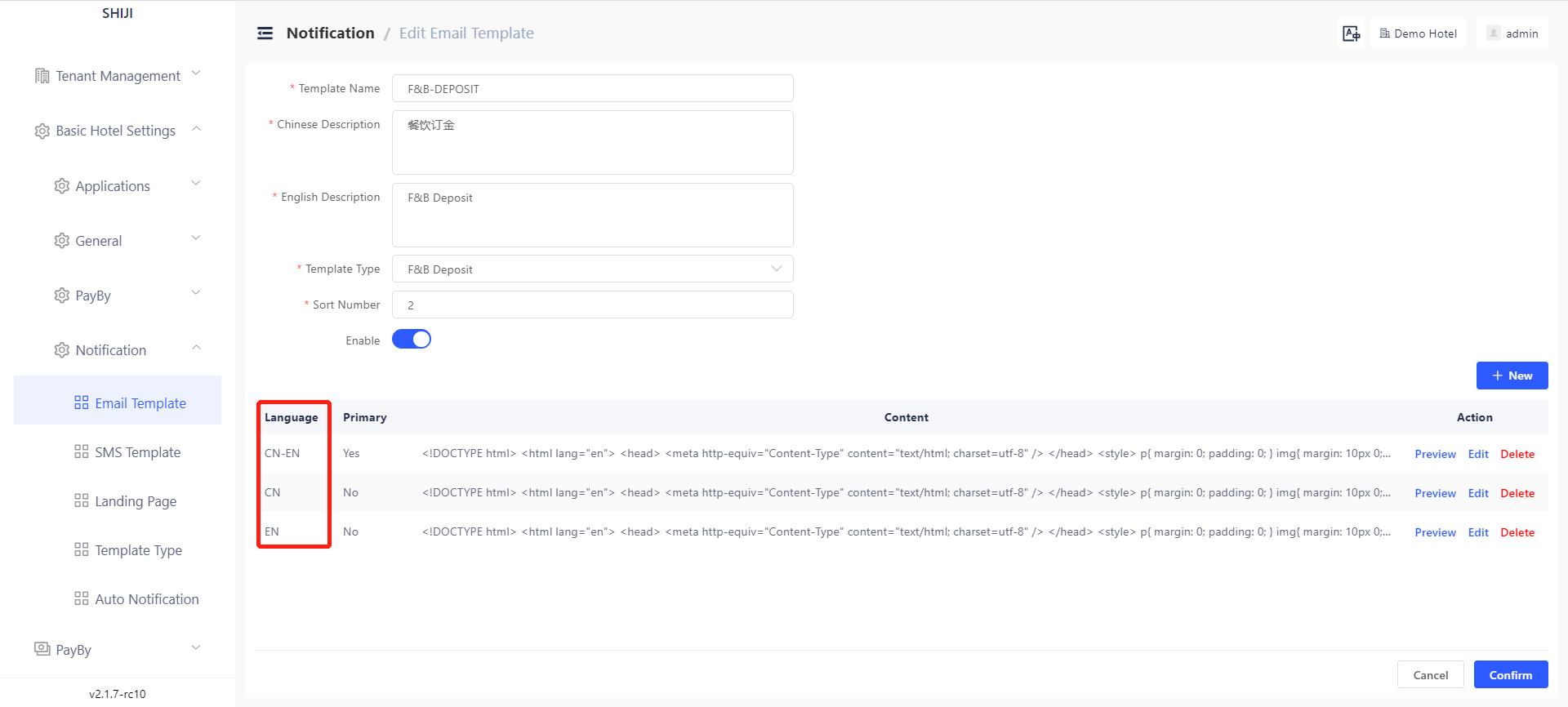
PayBy allows users to create E-mail and SMS templates in different languages. When creating a payment request user can choose the language of E-mail and SMS content according to the guest’s preference.
This can be set under Basic Hotel Settings → Notification → Email/SMS template
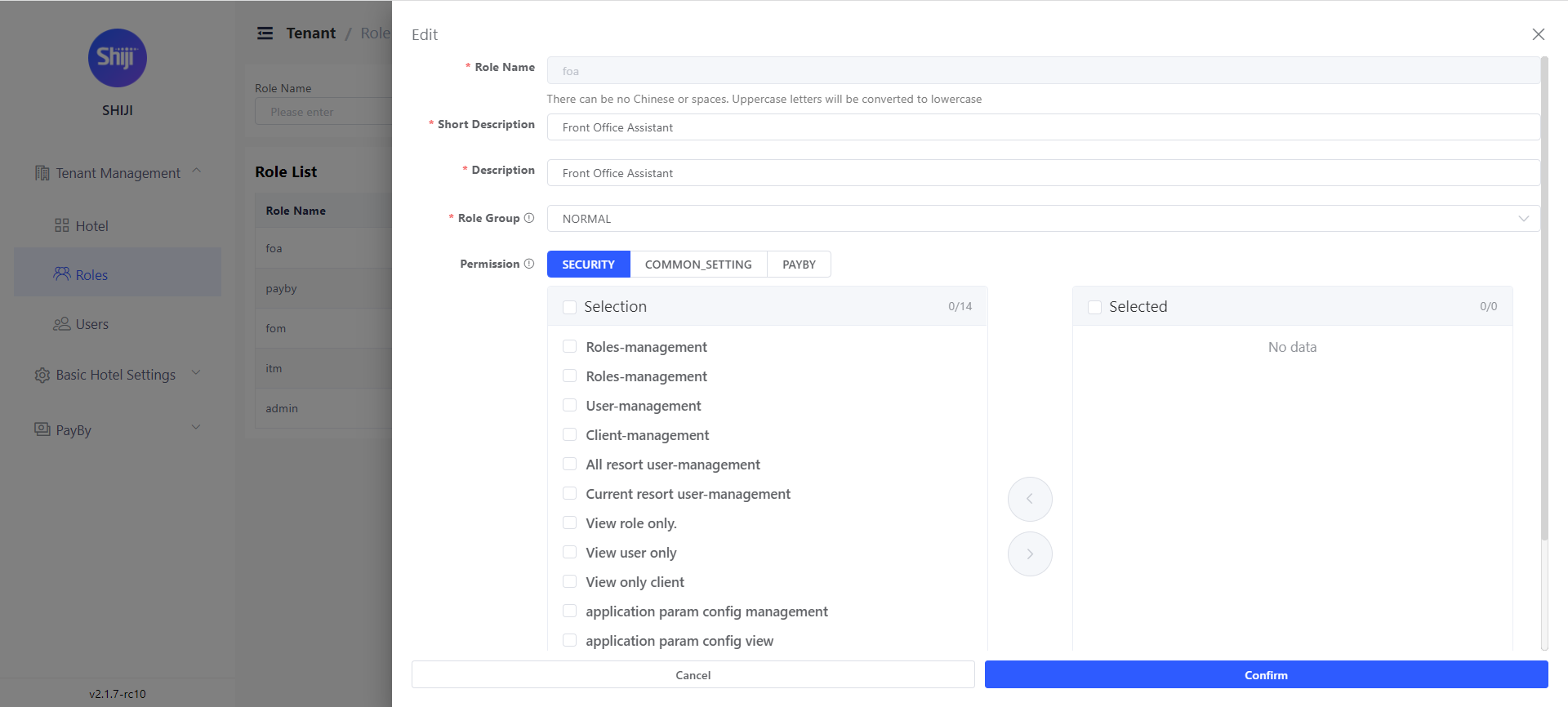
User Permissions Tiered Structure
PayBy ensures users have the correct permissions levels and only have access to the resources they need.
Users can define permissions for a certain role in PayBy. Once defined roles, we can define users and grant specific roles to one user.
This can be set under Tenant Management → Role/user. To access this setting users must have role/user management permission.
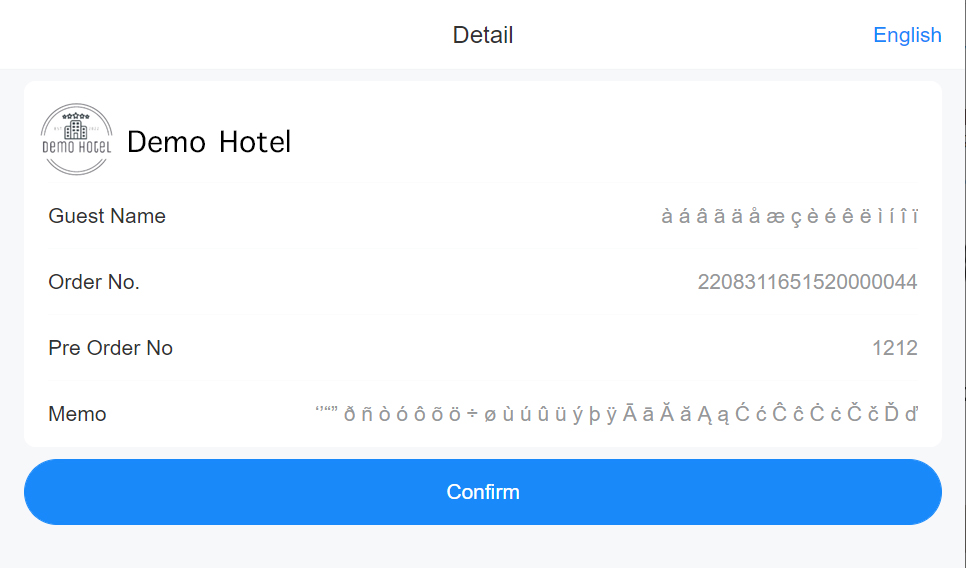
Support special character
PayBy supports special characters in different languages in Emails, notes and messages.
Display error message
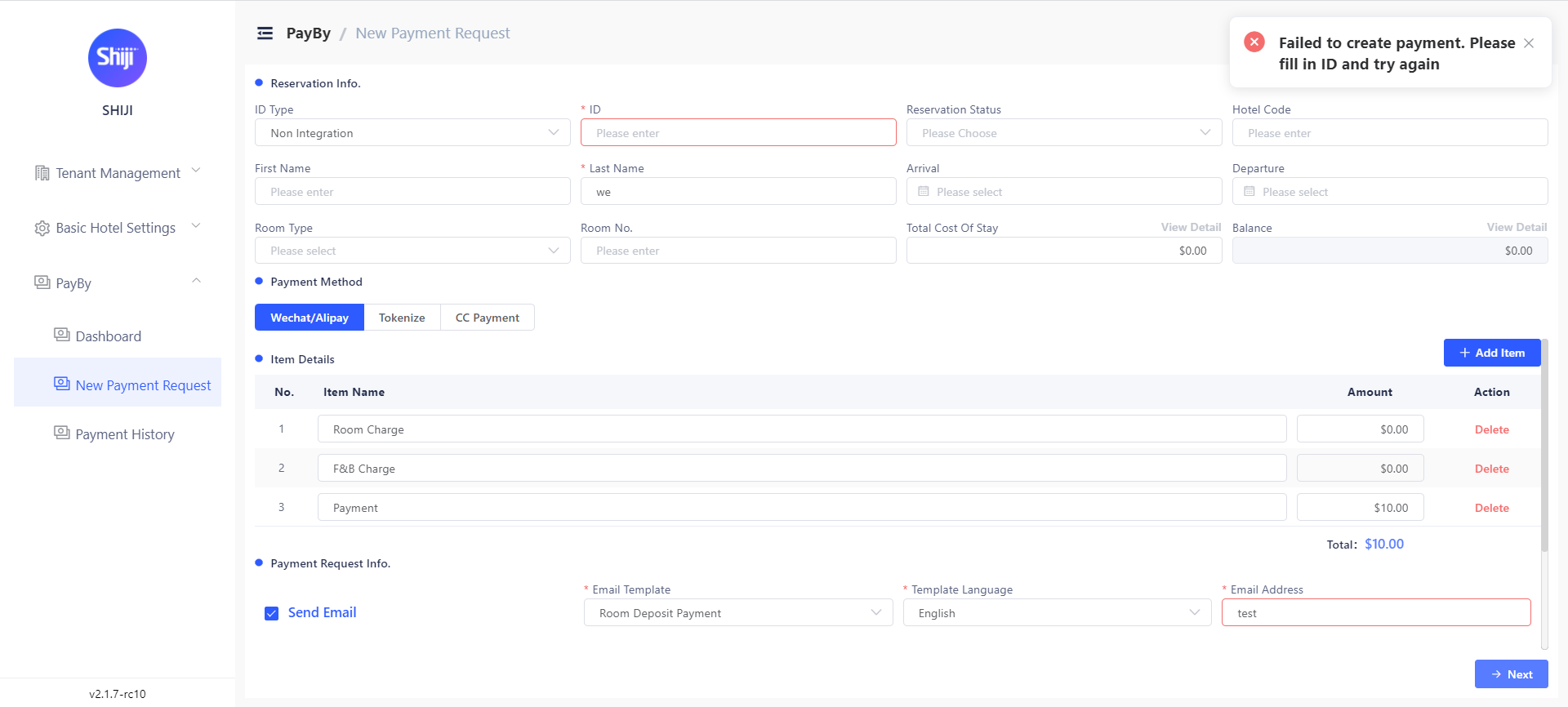
PayBy will display error messages on the left top side of the screen for errors and warnings. For example, when submitting a payment request, PayBy will remind the user if there are any mandatory fields left blank.