Shiji PayBy v2022.09.23
Note: From this release, we will split the release notes into New Features and Bug Fixes.
V2.1.8-RC1
New Features 🚀
Tenant level roles can be defined to access all hotels
In PayBy User Portal: Permission of ‘Global access to hotels’ can be granted to roles, so that user who is granted with this role can access to all hotels without any configuration. This permission is controlled by PayBy team, corresponding setting will be communicated to client during initiation phrase.
For PayBy API: Payment request can be created in all hotels under given Tenant with corresponding hotel code.
Added E-mail / SMS delivery status records
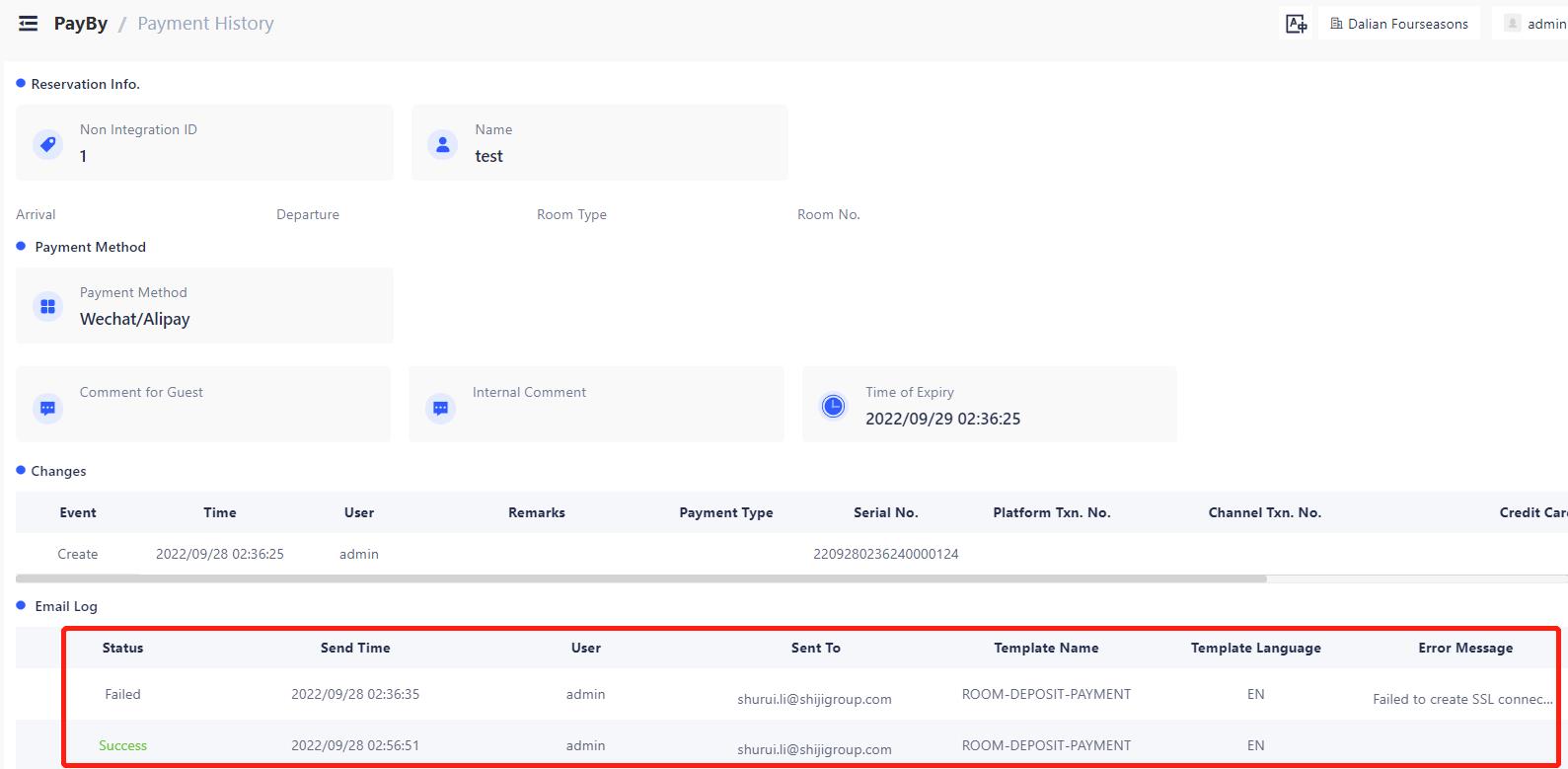
Email / SMS sending records including sending status, sending time, user, e-mail/SMS address, template name and template language will be shown on payment detail page. This could be find under PayBy → Payment History → Details
E-mail sending status could be Success or Failed according to the response from E-mail server. If failed error message from e-mail server will be displayed.
SMS sending status could be Sent, Success or Failed, once SMS sent, status will be Sent until SMS gateway return the SMS sending result to PayBy. Then the status will change to success or failed accordingly.
Bug Fixes 🛟
Payment platform integration
Fixed bug related to SilverStone Shiji Payment Platform integration.
System prompt messages and text labels changed
Corrected system prompt messages and text labels to be more user friendly. Hided PayBy irreverent user settings.
Permission constraint adjusted for hotel level users
Role permissions adjustment is made by add/delete permissions for certain role.
Hotel level IT managers cannot grant users with access of any other hotels, only Tenant level admin can
Hotel level users can not see users/roles of other hotels
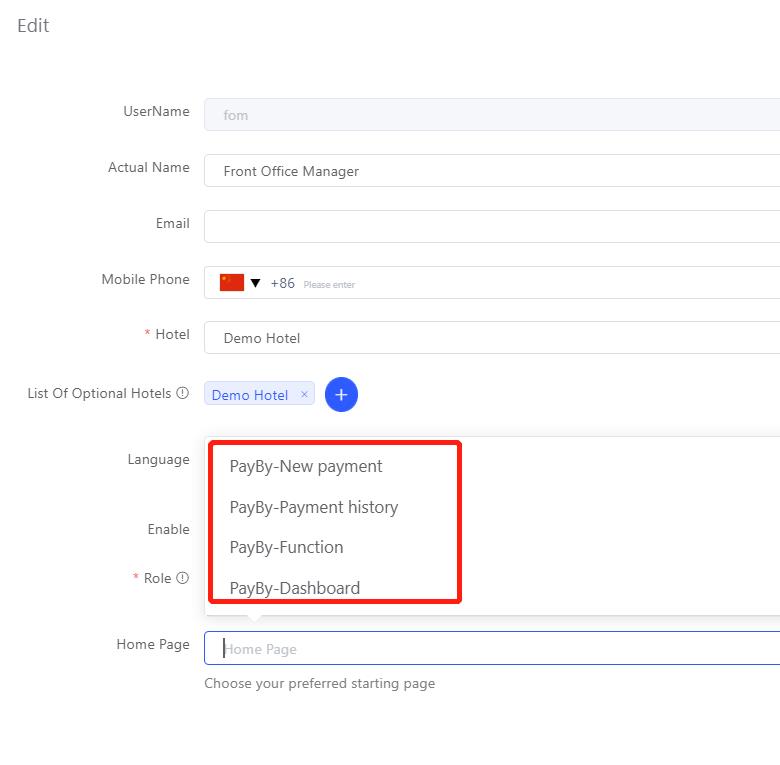
Updated user home page setting scroll down menu
At user setting page(Tenant Management→Users→Edit) , only pages the user has access to will be shown at home page scroll down menu.